Satisfactory: Beginner's Guide and Best PC Settings
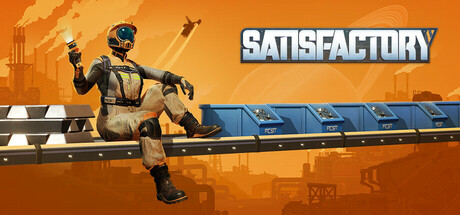
How to start Satisfactory without rebuilding everything twice: early factory habits, belts, pipes and trains, exploring safely, PC settings and sensible trainer use.
What Satisfactory Asks of You
Satisfactory is a first-person factory builder set on Massage-2(AB)b, an alien planet of about 30 square kilometres. As a FICSIT employee, your job is to turn its natural resources into automated production. Because you build at ground level rather than from a top-down view, you walk every conveyor line yourself, and a bad layout is obvious the moment you stand in it. Combat with local wildlife exists but stays in the background. Most of your time goes into planning and building, with trips outward when you need new materials.
This guide doesn't map out every unlock. It sticks to the tools the game confirms (conveyor belts, pipes for liquids, automated trucks and trains for distant outposts, and jetpacks, jump pads, factory carts and hypertubes for travel) plus habits that pay off in most large factory games. Save Anytime and Steam Cloud are both supported, difficulty can be adjusted, and you can play alone or in online co-op, including cross-platform.
- Save to a new slot before any large rebuild instead of overwriting your only save.
- Plan on your first base being replaced eventually, and don't over-polish it.
- Check the difficulty options when you create a new game.
Your First Factory: Build to Replace
The classic beginner mistake in factory games is letting one base grow into a knot nobody can follow. Your first production lines will be outgrown, so plan for that. Put early machines close to the resources they use and get them running, then leave far more empty space around them than looks necessary. Spacing costs nothing at the start. Later, it lets you add machines, split a line or reroute a belt without tearing half the floor down.
Keep each line simple: raw material in, an intermediate part out, and that part feeding the next step. Confirm a line is producing what you expect before you copy or extend it. Multi-story factories are one of the game's strengths, since stacking floors keeps the footprint compact and belts short. Build one level at a time, though, and get it working first. Otherwise you end up hunting a fault across three floors.
The game is designed around cutting manual labour, which gives you a useful rule: whatever you keep collecting or crafting by hand is the next thing to automate. Setting up a belt and machine can feel slower than doing the job yourself. A few hours in, it decides whether your factory keeps producing while you explore or stalls the moment you walk away.
- Build near resources, then belt the output to a central area.
- Leave wide gaps between machine rows for future expansion.
- Test each production line before duplicating it.
- Automate any item you have gathered by hand more than a few times.
Logistics: Belts, Pipes, Trucks and Trains
Conveyor belts carry almost everything. Tidy grids and dense belt webs both function, but the gap shows when something stops. With straight, parallel main lines you can trace a fault in seconds; a tangle can eat an evening. Keep main supply belts apart from the short feeders that run into individual machines, and don't cross lines unless you have to.
Liquids move through pipes, and they deserve their own planning. In most factory games with fluids, pipes are where layouts get cramped, because they often have to squeeze between machines already in place. Before building a section that will handle liquids, keep a clear corridor free for the pipe runs. Fitting pipes into a crowded floor after the fact is a reliable way to end up rebuilding it.
- Reserve corridors for pipes before placing machines around them.
- Keep main belts straight and parallel so faults are easy to trace.
- Switch to trucks or trains once belt runs to an outpost get impractically long.
Exploring and Staying Alive
New materials mean leaving the base, and the planet has wildlife that will fight back. Put on the right safety gear before you go. Make a save before any long expedition as well. With Save Anytime available, there's no reason to gamble an hour of progress on one trip.
Movement tools decide how far you can comfortably range. The game gives you jetpacks, jump pads, factory carts, hypertubes, trucks and trains, and each makes some part of getting around easier. A basic travel network is usually worth building early, since the map is large and walking everywhere gets old. If combat isn't what you came for, the difficulty settings are worth a look.
- Save before every long expedition.
- Equip protective gear before you leave the base.
- Build a jump pad or hypertube link to any area you visit often.
PC Settings and Performance
Minimum specs call for 64-bit Windows 10, an i5-3570 quad-core, 8 GB of RAM and a GTX 1650, GTX 1050 Ti, RX 470 or RX 570. Recommended is a Ryzen 5 5600X or i5-12400 with at least six physical cores, 16 GB of RAM, an RTX 2070 or RX 5700, and Windows 11. Both tiers need 20 GB of storage, and multiplayer needs an internet connection. On a minimum-spec machine, plan on reduced settings, and expect smaller factories to run better than sprawling ones.
The recommended specs specifically ask for six physical cores, which suggests large factories put real load on the processor. Graphics settings mostly help the GPU, so keep that in mind. On a weaker PC, drop shadows, view distance and heavy effects first, and use resolution scaling if the graphics card is what's holding you back. Keep texture quality within your card's video memory. If the frame rate still sags in a big base while the GPU isn't fully loaded, the CPU is the limit and cutting visuals won't buy much.
At or above the recommended specs, higher presets should be comfortable through the early and middle game. Very large builds can still cost frames as the factory grows, since that load is likely coming from the simulation, not the graphics. On 8 GB of RAM, close browsers and other heavy programs while playing. An SSD install is sensible for a game this size and usually shortens load times.
- Lower shadows and view distance first on weaker GPUs.
- Keep texture quality within your graphics card's VRAM.
- Close background programs if you only have 8 GB of RAM.
- If the GPU is not fully loaded but frames drop, the CPU is the bottleneck.
How the Trainer Fits Satisfactory
The trainer options split into three groups. Infinite Health, Unlimited Ammo and One-Hit Kills take the sting out of wildlife encounters. Super Speed, Super Jump, Fly Mode and Save and Load Position cut travel time on a 30 square kilometre map, and a saved position makes a handy return point to your main base. Free Building, Unlimited Items, Instant Research, Fast Production and Game Speed alter progression itself, which helps when testing layouts or skipping a grind you've already done on another save.
Keep the trainer to single-player, offline sessions. Satisfactory has online co-op and cross-platform play, and altering a shared world changes other people's progress, is unfair to them, and can cause desyncs or crashes. Close both the game and the trainer fully before you join or host co-op. No trainer can guarantee protection from bans or other consequences online, so leave it out of multiplayer altogether.
Back up your saves before switching on any progression option, because changes from Instant Research, Unlimited Items or Free Building may stick to that save permanently. Steam Cloud syncs saves, so an altered file can overwrite your cloud copy; copy the save folder by hand first. Game updates can also break third-party tools until they catch up. Patch v1.2.4.1, for instance, re-enabled audio changes linked to some mods not working, a reminder that patches can affect add-ons.
- Use the trainer in single-player offline sessions only.
- Copy your save folder manually before enabling progression options.
- Keep a separate save slot for trainer experiments.
- After a game update, wait for a matching trainer version.
FAQ
Can I play Satisfactory entirely solo?
Yes. Single-player is supported and co-op is optional, so you can build and explore the whole planet on your own.
Does Satisfactory support cross-platform co-op?
Yes, Steam lists Cross-Platform Multiplayer and Online Co-op. The 1.2 update was the first to launch at the same time on PC, PS5 and Xbox Series S/X. Multiplayer requires an internet connection.
Will Satisfactory run on my older PC?
The minimum is an i5-3570, 8 GB of RAM and a GTX 1650, GTX 1050 Ti or RX 470/570 on 64-bit Windows 10. Plan on lower settings, and expect very large factories to strain an older CPU.
Can I use the trainer in co-op games?
No. Use it only in single-player offline sessions, and close it completely before joining or hosting multiplayer.
Can I play Satisfactory with a controller?
Steam lists partial controller support, including DualShock and DualSense. Some building tasks may still be easier with mouse and keyboard.
Comments
No comments yet
Be the first to share your thoughts.