Star Wars: Galactic Racer – Beginner's Guide and Best Settings
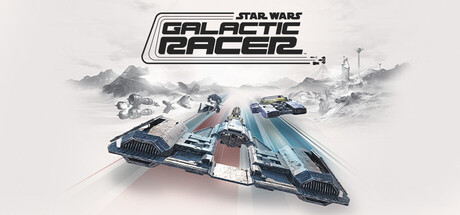
How to handle your first runs in Star Wars: Galactic Racer: picking a repulsorcraft class, racing aggressively without wrecking, tuning PC settings and using trainer options sensibly.
What Kind of Racer This Is
Star Wars: Galactic Racer is a runs-based combat racer. You play Shade, a lone pilot chasing revenge in the Galactic League, an unsanctioned Outer Rim circuit where syndicates sponsor racers and your standing counts alongside your finishing position. Contact is built into the design. You are meant to slam, shunt and take down rivals, so a clean line on its own will not carry you.
Steam's information does not say exactly what carries over between runs, so read the end-of-run screens closely in your first few hours. Early attempts are partly reconnaissance: you find out which circuits punish mistakes, which rivals race dirty and how hard your current ride can be pushed. A failed run that teaches you a corner or a rival's habit has still paid for itself, so resist quitting the moment a race turns against you.
- Read each post-run summary instead of skipping it; it shows what your choices earned.
- Learn circuits in the story campaign before trying PvP grudge matches.
- Lower the difficulty while you learn rather than grinding at a level that frustrates you.
Choosing Your Repulsorcraft
Four kinds of craft are on offer: landspeeders, speeder bikes, skim speeders and podracers. Each class has its own physics and playstyle, so a technique that works on one may not transfer to another. Give every class a couple of races early on, ideally on a circuit you already know, so any difference you feel comes from the vehicle and not the track.
In most combat racers, light and agile vehicles reward precise steering but suffer more in collisions, while heavier ones hold up better in contact and turn more slowly. Treat that as a starting assumption and check how each class here behaves. Building your ride is part of the game, and upgrades are best spent covering weaknesses. Losing races to contact points towards durability; losing on the straights points towards speed.
- Test each class on the same circuit for a fair comparison.
- Settle on one main class for the early campaign and learn it before spreading upgrades thin.
- Review your build every few races, not only after a loss.
Racing Aggressively Without Wrecking
The game sells itself on the idea that bigger risks bring bigger rewards, and the combat is where you feel it. Slams, shunts and takedowns are tools for gaining places. A takedown that costs you the racing line or puts you into a wall is often worse than a plain overtake. Contact tends to pay off when a rival is already committed to a corner or pinned against scenery, and least when you are both flat out on open ground.
Rivals can hit back. Leave space around aggressive opponents in tight sections and make your own moves on the wide stretches. If the HUD shows rival positions or vehicle health, check it on straights, never mid-corner. In the closing laps, look after your own vehicle first: a clean second place usually beats a wreck while chasing the win, particularly when the rest of a run depends on it.
- Set up takedowns on the approach to corners, not halfway through them.
- Ease off a rival who is hunting you and let them make the first mistake.
- Spend your riskiest moves on gaining a position, not defending one.
Campaign, Rivalries and Reputation
The solo campaign is story-driven and built on shifting alliances. According to the store page, your choices shape your prospects and your status in the League, so what you decide between races matters as much as how you drive. When a choice comes up, think about where it leaves you before clicking through. Rivalries intensify as you progress, and the challenges escalate with them.
Your reputation follows you into PvP grudge matches, which gives those races more weight than an ordinary online lobby. New players are better off working through a good chunk of the campaign first, learning circuits and vehicle classes against the AI, then moving to PvP once they feel settled. The first quality-of-life update addressed party size in online multiplayer, so check the current lobby options if you plan to race with friends, including across platforms.
- Treat story choices as strategy, not just dialogue.
- Keep track of which rivals keep turning up and how they race.
- Move to PvP once you can finish campaign races consistently in one vehicle class.
PC Settings and Performance
Minimum spec is Windows 10 with an Intel Core i5-8400 or AMD Ryzen 5 2600, 12 GB of RAM and an Nvidia RTX 2060, Intel Arc A580 or AMD Radeon RX 5600 XT 6GB. An SSD is mandatory and the install takes 50 GB. The 8 October hotfix raised the minimum graphics driver version, which the game checks at boot, so update your drivers first. If you did have to update, the next launch rebuilds the shader cache and takes longer than usual; let it finish.
At minimum spec, a steady frame rate matters more than visual detail in a racer this fast. Cut shadows, volumetric effects and reflections first, then try any upscaling option before lowering resolution. The recommended spec of an Intel Core i7-10700 or AMD Ryzen 7 3700X, 16 GB of RAM and an RTX 3060 Ti, Arc B580 or RX 6700 XT gives you more room to raise detail. If stutter persists on a 12 GB system, closing background apps is worth trying.
- Install on an SSD; the game will not accept anything less.
- Update GPU drivers before launching and wait out any shader cache rebuild.
- Lower shadows and reflections before touching texture quality or resolution.
- Put a stable frame rate ahead of higher settings.
Controls and Accessibility
Steam lists the game as gamepad recommended, with full controller support including DualShock and DualSense pads. Analogue sticks and triggers give finer control over steering and throttle than keys, and that precision helps when you are lining up contact. Mouse and keyboard play is supported, and the first quality-of-life update was aimed partly at feedback from those players, so keyboard controls may deserve a second try if they put you off at launch.
For comfort and accessibility there are adjustable text size, camera comfort settings, subtitle options, narrated menus, custom volume controls and surround sound support. If fast camera movement bothers you, set up the camera comfort options before a long session. Separate volume sliders earn their place in a racer: raise effects to hear rivals closing in and keep the music lower. Steam Cloud saves let your progress follow you between PCs.
- Use a controller if you have one; it is the recommended input.
- Try the camera comfort settings if you feel motion discomfort.
- Set effects above music so you can hear nearby rivals.
Using the Trainer Sensibly
The trainer for this game offers Infinite Vehicle Health, Unlimited Boost, Unlimited Credits, Freeze AI Racers, Freeze Race Timer, Max Vehicle Stats, Super Speed, Instant Win, XP Multiplier, Max Reputation, Game Speed and Racer ESP. Keep them to the single-player campaign, offline. The game has online PvP and cross-platform multiplayer, and using any of these options there is unfair to other players and can break the game's rules. Close the trainer before entering any online mode.
Some options are better learning aids than others. Infinite Vehicle Health lets you practise takedowns without ending a run, Game Speed can slow a race down so you can study a circuit, and Freeze AI Racers leaves the track effectively to yourself. Instant Win, Max Reputation and Unlimited Credits skip progression and can drain the risk out of the campaign. Saves sync through Steam Cloud, so back up your local save before experimenting, or an unwanted change could overwrite your progress on every PC.
- Back up your save before enabling any option.
- Never run the trainer in PvP, grudge matches or any online lobby.
- Enable options one at a time so you can tell which one caused a problem.
- Trainer updates may lag behind game patches.
FAQ
What vehicles can I drive in Star Wars: Galactic Racer?
Landspeeders, speeder bikes, skim speeders and podracers. Each class has its own physics and playstyle, and you can build your ride around how you like to race.
Can I play it offline or solo?
Yes. There is a story-driven single-player campaign in which you play Shade. Online PvP grudge matches and cross-platform multiplayer are separate modes.
Why did my first launch take so long after an update?
A hotfix raised the minimum graphics driver requirement, which the game checks at boot. If you had to update your drivers, the next launch rebuilds the shader cache, so that start takes longer.
Do I need an SSD?
Yes. Both the minimum and recommended requirements list an SSD as required, along with 50 GB of free space.
Is mouse and keyboard supported?
Yes, though a gamepad is recommended. The first quality-of-life update addressed feedback from mouse and keyboard players.
Trainer and game page
STAR WARS: Galactic Racer™ Trainer · STAR WARS: Galactic Racer™
Comments
No comments yet
Be the first to share your thoughts.