
Satisfactory Trainer
- Version
- v1.0
- Game version
- 1.2.4.1
- Author
- GameTrainer.org
- Updated
- Downloads
- 1
- Views
- 107
Screenshots
Video
About this trainer
This Satisfactory trainer cuts down the grind of expanding production lines, with options for building, crafting, research and moving around the map. Every option has its own hotkey and can be switched on or off while the game runs. Use it only in single-player or offline sessions, and back up your save files before you start.
Options
12 options

| Hotkey | Option |
|---|---|
| F1 |
Infinite Health
Keeps your health full, so hostile creatures and hazards can't kill you. |
| F2 |
Free Building
Place buildings and structures without paying their material cost. |
| F3 |
Unlimited Items
Crafting and building no longer use up the items in your inventory. |
| F4 |
Instant Research
Finishes research and unlocks immediately, with no waiting. |
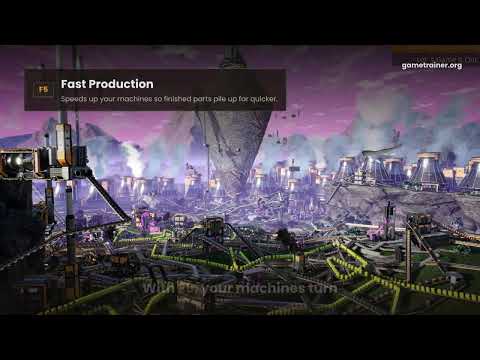
| F5 |
Fast Production
Speeds up your machines so finished parts pile up far quicker. |
| F6 |
Unlimited Ammo
Your weapons never run dry in a fight. |
| F7 |
One-Hit Kills
Hostile creatures die from a single hit. |
| F8 |
Super Speed
Raises your movement speed for crossing big factory floors and open terrain. |
| F9 |
Super Jump
Boosts jump height so you can reach ledges and upper factory floors. |
| F10 |
Fly Mode
Lets you move freely through the air to plan and check layouts from above. |
| F11 |
Save and Load Position
Saves your current location and takes you back there with a hotkey. |
| F12 |
Game Speed
Makes the whole game run faster or slower. |
Files & mirrors
-
Download
Download link
External mirror
Changelog
v1.0 · 12 Nov 2026
- Initial release v1.0 for Satisfactory version 1.2.4.1 with 12 hotkey options.
- Building and research: Free Building, Unlimited Items, Instant Research and Fast Production.
- Combat and survival: Infinite Health, Unlimited Ammo and One-Hit Kills.
- Movement: Super Speed, Super Jump, Fly Mode and Save and Load Position.
- General: Game Speed control to speed up or slow down play.






Comments
No comments yet
Be the first to share your thoughts.