Diablo II: Resurrected – Infernal Edition Beginner's Guide & Settings
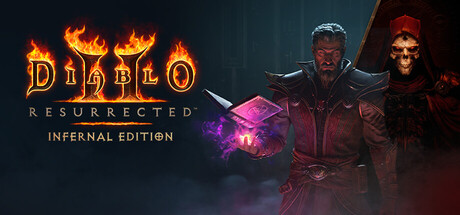
How to start Diablo II: Resurrected – Infernal Edition: picking a class and Warlock path, handling loot and stash tabs, preparing for the endgame, tuning PC settings and using trainer options offline only.
What the Infernal Edition Includes
One purchase gets you the Diablo II remaster, the Lord of Destruction expansion and the new Reign of the Warlock DLC. Blizzard put it on Steam on February 11, 2026. The loop hasn't changed: you fight across Sanctuary, collect gear and build one of eight classes from a pool of more than 200 skills. You can play solo or in co-op with up to eight players, and save whenever you want.
Veterans will recognise most of it. The additions sit on top: the Warlock class, a reworked endgame, new Unique items, sets and runewords that the older classes can use too, the account-wide Chronicle, a customizable Loot Filter and expanded Stash Tabs. You can also flip between the modern visuals and the classic presentation at any point. Both the minimum and recommended specs on Steam list a broadband connection, so expect to need internet access.
- Expect the classic Diablo II structure with new systems added on top.
- Clear at least 43 GB of drive space before installing.
- Try the era switch early and settle on the look you prefer.
Picking Your First Class
The Warlock is the headline addition, with three skill paths. Demon binds hellspawn into allies that fight for you. Eldritch channels mental magic through ordinary weapons. Chaos hits enemies with fire and shadow from a distance. Across the genre, minion builds tend to forgive mistakes because your allies soak up attacks, and ranged elemental builds keep you out of melee. Weapon-based builds usually lean harder on good gear. That makes Demon or Chaos the calmer first Warlock, with Eldritch better saved for a second run.
The store page says little about the other seven classes. The usual advice holds: pick a playstyle you enjoy and stick with it. Spreading skill points across too many skills is the classic beginner mistake in this genre, since focused builds scale much better later. Replays are built in, with eight classes and seasonal ladder resets offering fresh starts, so treat your first character as a learning run.
- Pick one Warlock path and put most of your skill points there.
- Demon suits players who want allies to take the pressure off.
- Chaos suits players who would rather fight from range.
- Use your first character to learn, then plan a stronger build.
Leveling and Your First Hours
Stat and skill points are where most early builds go wrong. As in most games of this type, spend stats on what your gear and survival need rather than dumping everything into one attribute. Weapon builds generally need enough of the right attribute to wear upgrades, and extra health helps every class. Concentrate skill points in your main damage skill and a few that support it. Carry healing and mana, and watch your mana bar if your build runs on spells.
Steam lists the game as playable at your own pace and without timed input, so you lose nothing by stopping to read tooltips or rethink your gear. Enemy difficulty scaling has also been reworked for the endgame. If an area suddenly hits much harder, look at your equipment before pushing on. Bringing friends along can ease the early hours too. Full controller support and a mouse-only option let you use whichever setup feels right.
- Focus skill points on one main skill plus a few support skills.
- Upgrade gear before pushing into an area that feels too hard.
- Take your time with tooltips, since nothing is timed.
- Try both controller and mouse to see which suits your class.
Loot, the Loot Filter and Stash Tabs
Loot is the reason to play, and drops can bury the screen fast. Set up the customizable Loot Filter early. A sensible start is to hide plain, low-value items and keep anything that might matter, such as Uniques, set pieces, gems and runes. Tighten it as you learn what your build wants. Too strict a filter on day one can hide the upgrades you need.
The updated Stash Tabs add dedicated tabs for gems, materials and runes, and make it easier to move resources between characters. Keep your runes for runewords there instead of scattered across inventories. The new Chronicle tracks every item you've collected across your account and gives completionists exclusive bonuses. An item type you haven't seen before can be worth the inventory space even if you'll never equip it.
- Start with a loose Loot Filter and tighten it as you go.
- Keep runes and gems in their dedicated stash tabs.
- Pick up item types you haven't found yet for Chronicle progress.
- Plan your runewords before spending runes.
Endgame: Terror Zones, Ancients and Ladder
The endgame gets Terror Zone updates, a fight against the Colossal Ancients, reworked difficulty scaling and new mechanics that reward strategy and class knowledge. Bring a finished core build, not a half-built one. Know what damage types you deal, how you recover health and mana, and how you get out when a fight turns. In action RPG endgames generally, steady clears beat risky attempts that end in repeated deaths.
Ladder adds leaderboards and seasonal resets that bring new challenges and a clean slate. It suits players who like racing and comparing progress; if you'd rather experiment with builds at your own pace, you can ignore the leaderboards entirely. Co-op takes up to eight players and Steam lists cross-platform multiplayer, so group farming is a fair way to handle the endgame. Agree on goals and loot rules first so nobody fights over the same drops.
- Finish your core build before taking on the hardest content.
- Know your build's damage types and how it recovers.
- Bring a co-op group to the tougher endgame fights.
- Keep ladder characters completely free of trainer use.
PC Settings and Performance
The minimum spec is modest: 64-bit Windows 10, an Intel Core i3-3250 or AMD FX-4350, 8 GB of RAM and an Nvidia GTX 660 or AMD Radeon HD 7850. On hardware like that, aim for low to medium settings at a modest resolution. If frame rates struggle, drop shadows first, then resolution or render scale, then heavy effects such as anti-aliasing or ambient occlusion if the menu has them. Test in busy fights rather than quiet towns, because crowded co-op battles full of spell effects are where performance tends to dip.
For the recommended tier, Steam lists an Intel Core i5-9600K or AMD Ryzen 5 2600, 16 GB of RAM and an Nvidia GTX 1060 or AMD Radeon RX 5500 XT. That should handle higher settings at common resolutions with room left for background apps. The install takes 43 GB, and an SSD will generally load faster than a hard drive. The classic-era toggle is there too if you want a different look. For comfort, the options include adjustable text size, color alternatives, subtitles and custom volume controls.
- Lower shadows first on a weaker PC.
- Test performance in a crowded fight, not in town.
- 16 GB of RAM helps if you run voice chat or a browser alongside the game.
- Raise text size and set color alternatives if loot labels are hard to read.
Using the Trainer Options
The trainer on our site offers Infinite Health, Infinite Mana, Infinite Stamina, One-Hit Kills, Unlimited Gold, XP Multiplier, Unlimited Skill Points, Unlimited Stat Points, No Skill Cooldown, Super Speed, Reveal Map and Game Speed. For learning, the best pairing is Unlimited Skill Points with Unlimited Stat Points: test the Demon, Eldritch and Chaos paths on a throwaway Warlock before you spend points on a real character. XP Multiplier and Reveal Map cut down on early leveling and backtracking when you're replaying content you already know.
Keep the trainer to single-player games played offline. Don't use it in online co-op, ladder seasons or anything tied to leaderboards, where it spoils other players' games and can put your account at risk. Because the game lists a broadband connection in its requirements, confirm you're on a solo character before switching anything on. Infinite Health, One-Hit Kills and Game Speed work best for practicing tough fights or for relaxed solo runs.
Back up your save files first and keep a copy you know works. Unlimited Stat Points and Unlimited Skill Points permanently change a character, so try them on a separate test character. Account-wide features like the Chronicle and shared stash tabs may record what that character collects, which matters if you want to earn your collection the normal way.
- Back up your saves before enabling any option.
- Use trainer options on offline single-player characters only.
- Test builds on a throwaway character with Unlimited Skill Points.
- Turn options off before saving if you want a clean character.
FAQ
Do I need the original Diablo II or Lord of Destruction to play?
No. The Infernal Edition includes the Diablo II remaster, the Lord of Destruction expansion and the Reign of the Warlock DLC in one package.
Which Warlock path should a beginner choose?
Demon or Chaos is usually easier at first. Demon gives you allies that fight alongside you, and Chaos attacks from range. Eldritch channels magic through weapons, so it tends to depend more on your gear.
How many players can play together?
Co-op supports up to eight players, and Steam lists cross-platform multiplayer.
Can I use a controller?
Yes. Steam lists full controller support, and there is also a mouse-only option.
Can I still play with the classic look?
Yes. You can switch between the modern presentation and the classic era at any time.
Trainer and game page
Diablo II: Resurrected – Infernal Edition Trainer · Diablo II: Resurrected – Infernal Edition
Comments
No comments yet
Be the first to share your thoughts.