Call of Duty: Warzone Beginner's Guide and Best PC Settings
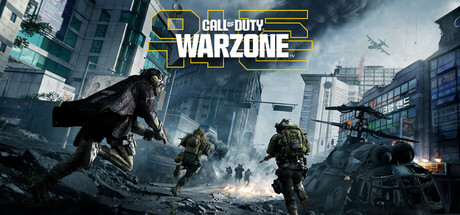
Where to start in Call of Duty: Warzone: Battle Royale and Resurgence basics, how to learn Hajin and Zodiac, and the PC settings worth changing first.
Before Your First Drop
Warzone is free to play, and its two headline modes are Battle Royale and Resurgence. You can download it and join matches without paying anything, though the game does sell in-app purchases. Check your free disk space before installing: both the minimum and recommended specs ask for 125 GB, more than plenty of full-price games need. A broadband connection is listed at both tiers too, so treat Warzone as an always-online game.
Steam lists full controller support, captions and cross-platform multiplayer. That means you may be matched with or against players on other systems, and you can use mouse and keyboard or a gamepad. Captions are useful if you tend to play with the volume low, but sound is how you locate enemies in a shooter, so wear headphones when you can. Steam achievements are tracked, and they work as a loose checklist while you learn.
- Clear at least 125 GB before you start the download.
- Install on an SSD if you have one; a game this large will usually load faster from it.
- Try mouse and keyboard and a controller in your first few matches, then pick one.
- Play with headphones so you can tell which direction footsteps and gunfire come from.
Battle Royale Fundamentals
Like most battle royales, each round starts with squads dropping onto the map, and the playable area shrinks until the survivors are pushed together. Where you land is the first decision that matters. Busy central spots get you into fights fast, which is exactly why new players often lose the whole match in the first minute there. Land near the edges and you get time to gear up and get used to the controls before anyone shoots at you.
On the ground, the loop is simple. Gear up, move with the safe area instead of against it, and only take fights you expect to win. Rotate early. A squad that reaches the next zone first can sit in cover and watch others cross open ground. Expect a third squad to join any fight that drags on, so after a firefight, reposition and recover before you loot.
- Avoid the busiest landing spots until your aim and movement feel natural.
- Head for the next safe area before it starts to close.
- Use buildings and terrain for cover rather than crossing open ground.
- After a fight, move somewhere safer before you pick anything up.
Resurgence and Squad Play
Resurgence is the game's other featured mode. Steam names it but does not explain how its rules differ from Battle Royale, so read the in-game mode description before your first match. The basics still apply: track where the safe area is heading and avoid fights you cannot finish. Pay particular attention to what happens to eliminated players, since that decides how aggressive you can afford to be.
Warzone is built for squads, and close matches tend to turn on teamwork more than on aim. Settle on a landing spot before the drop. Stay near enough that a teammate can reach you mid-fight, and keep callouts short: direction, distance, number of enemies. With random teammates, follow the squad's direction even if you would have gone another way. Wandering off alone is how most new players get picked off.
- Read the in-game mode description before queuing for Resurgence.
- Call enemy positions by direction and distance, not vague landmarks.
- Stay close enough to at least one teammate that they can help you.
- Agree on a landing spot as a squad before the drop.
Learning Hajin and Zodiac
Season 1 added two maps. Zodiac is built around rail yards and freight corridors, while Hajin is set in a volatile exclusion zone. Rail and freight layouts usually mean long, straight sightlines broken up by containers and cars, which rewards checking angles and moving from cover to cover rather than sprinting down open lines. Corridors also channel squads along predictable paths, and that works in your favour if you hold a position ahead of them.
Don't try to learn a whole map in one go. Choose two or three landing spots on each and keep using them for a few sessions. You'll learn where the cover is, which routes lead out, and where other squads tend to come from. From there, build outward by remembering the rotation paths you take as the zone moves. A few familiar areas are enough to speed up your decisions under pressure.
- Use the same few landing spots on each map until they feel routine.
- On Zodiac, don't run down long freight lines with no cover nearby.
- Remember which exits got you through a rotation alive, and use them again.
- Check where you died after each match to find routes worth avoiding.
PC Settings and Performance
The minimum spec is Windows 10 64-bit (latest update), an Intel Core i3-6100, Core i5-2500K or AMD Ryzen 3 1200, 8 GB of RAM, and a GeForce GTX 960 or Radeon RX 470 with DirectX 12. At that level, expect to run low settings to keep the frame rate steady. Eight gigabytes is tight for a game this size, so close any browsers, overlays and launchers you don't need while you play.
Recommended hardware steps up to a Core i5-6600K, Core i7-4770 or Ryzen 5 1400, 12 GB of RAM, and a GeForce GTX 1060 or Radeon RX 580, on Windows 10 or 11. That is still modest kit. It gives you room to raise texture and effect quality at common resolutions, but in a competitive shooter a steady frame rate is worth more than extra detail, so spend the headroom on stability first.
In most modern shooters the heaviest options are shadows, volumetric and fog effects, reflections, ambient occlusion and render resolution, and those are the first to drop on a weaker PC. Texture quality mostly depends on your card's video memory, so set it as high as the card handles without stutter. Since both tiers call for the latest Windows update and DirectX 12, update Windows and your graphics drivers before troubleshooting anything else.
- Lower shadows and volumetric effects before touching resolution.
- Match texture quality to your graphics card's video memory.
- On 8 GB systems, close background apps to cut stutter.
- Update Windows and your GPU drivers before changing other settings.
- Cap the frame rate a little below its usual peak to keep it consistent.
How the Trainer Options Fit Warzone
Our site lists these options for this title: Aimbot, Wallhack (ESP), No Recoil, No Spread, Radar Hack, Infinite Ammo, No Reload, Rapid Fire, Infinite Health, Infinite Stamina, Infinite Grenades and XP Multiplier. Trainers are meant for single-player and offline play, and Warzone is neither. Both requirement tiers list a broadband connection, and the main modes put you against real people, so any of these options in a match gives you an edge over players who never agreed to it.
Using them also breaks the publisher's terms of service and can get your account banned, with no guarantee either way. Steam does list a single-player category, but nothing in the store data describes an offline mode. XP Multiplier alters progression tied to your online account, so it carries the same risk. In short, these options don't belong in Warzone. Keep trainers for games that are genuinely offline, and back up save and config files before running any third-party tool.
- Never use trainer options in public matches, squads or cross-platform lobbies.
- Count anything that changes account progression, including XP Multiplier, as online use.
- Back up local save and config files before running any third-party tool.
- Save trainers for offline single-player games, not Warzone.
FAQ
Is Call of Duty: Warzone really free to play?
Yes. Steam lists it as free to play, so you can download it and join matches without buying anything. The game does offer in-app purchases.
Can I play Warzone offline?
Plan on playing online. Both the minimum and recommended requirements list a broadband connection, and the Steam data does not mention an offline mode.
Will Warzone run on a PC with 8 GB of RAM?
8 GB is the stated minimum; 12 GB is recommended. On 8 GB, close background programs and use lower graphics settings to reduce stutter.
How much disk space does Warzone need?
Both requirement tiers list 125 GB of available storage. For a game that size, an SSD is a sensible place to install it.
Can I play with a controller or with friends on other platforms?
Yes. Steam lists full controller support and cross-platform multiplayer, plus online co-op for squad play.
Comments
No comments yet
Be the first to share your thoughts.