Windrose: Beginner's Guide and Best Settings
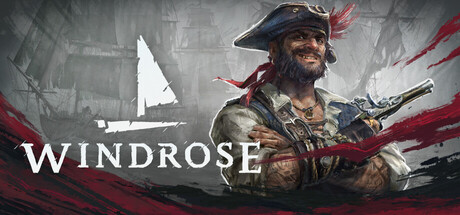
How to start Windrose: early survival priorities, land and naval combat, co-op party size, protecting your saves, PC settings for steep hardware requirements and offline trainer use.
What Windrose Is, and What Early Access Means
Kraken Express's Windrose is a survival adventure set in an alternate Age of Piracy. You play a captain with a grudge against Blackbeard, and a story that opens as personal survival and revenge widens into a conflict between empires, pirate clans and dark supernatural powers. The core loop will be familiar to anyone who has played a survival game: gather, craft, build a base, then push into more dangerous places on land and at sea. Biomes are procedurally generated, so your world will not match the layouts in other players' videos.
The game is in Early Access, currently on the 0.10 branch, and patches arrive often. Recent updates fixed cannonball damage, reworked how saves are stored and reduced disk and CPU usage. One also came with backend maintenance that left the game temporarily unavailable. Any specific numbers or exploits you find online may already be out of date.
- Read the latest patch notes before following older advice.
- Difficulty is adjustable, so lower it if early survival feels punishing.
- Ignore map tips from other players, since every world is generated differently.
Your First Hours: Shelter, Settlers and Exploration
Your first job is to stop being fragile. Gather basic resources, put up a simple shelter, and craft your first tools and weapons before roaming far. Windrose lets you build anything from a basic hut to a mansion or a full fort, but a safe place to return to comes first. Since you will constantly move between ship and shore, a site near the coast saves a lot of walking.
Recruiting NPCs is worth learning early. Settlers speed up harvesting and production, so less of your own time goes into raw materials. Faction trading is the other shortcut: if a material is scarce near your base, buying it can be quicker than a long gathering trip.
The best rewards sit in the more than 100 hand-crafted dungeons and points of interest scattered through the procedural biomes. They hold treasure, and they punish carelessness. Go in with healing, a full loadout and a way back out.
- Build a basic shelter before investing in a large base.
- Recruit NPCs early so production runs while you explore.
- Trade with factions for materials your area lacks.
- Stock food and potions before you enter a dungeon.
Land Combat: Weapons, Parries and Bosses
Fights are action-based. Melee options include sabers, rapiers, halberds and greatswords, and firearms include pistols and muskets. Parrying and dodging sit at the centre of it, and strikes can be chained. Learn enemy attack patterns on weaker foes before facing a boss; when you are under-geared, timing matters more than stats.
Builds come from talents, flexible loadouts and unique armor sets. Food and potions grant buffs, so they belong in your preparation, not only in emergencies. Bosses guard valuable treasure. If one keeps beating you, upgrade your gear, rethink your talents or bring friends instead of repeating the same attempt.
- Pair a melee weapon with a firearm so you can open at range.
- Practise parry timing on common enemies first.
- Eat buff food before boss fights, not during them.
- Revisit your talents when you switch weapon types.
Ships and Naval Combat
Your ship carries you between islands and does your fighting at sea. The store names three types, the nimble ketch, the versatile brig and the monstrous frigate, and each can be equipped and customized. Going by those descriptions, a ketch suits quick cannon duels, while a frigate is the heavier option.
Every naval fight comes down to one choice: trade cannon fire at range, or close in and board. Boarding moves the fight onto the enemy deck, where your melee and firearm skills take over, and the switch between ship and shore needs no loading break. Patch 0.10.0.9 fixed cannonballs that dealt no damage when hitting a ship's stern, sails or hull. If your hits seemed to do nothing in earlier builds, that was a bug, not your aim.
- Decide on ranged or boarding tactics before you engage.
- Restock cannonballs before long voyages.
- Board damaged enemies to save ammunition.
- Upgrade your ship before pushing into tougher waters.
Co-op, Servers and Protecting Your Saves
Windrose runs fully offline in solo, or in online co-op with up to 8 players on self-hosted or dedicated servers. The developers recommend parties of 4 or fewer for performance reasons, especially late in the game. Hosting a world needs RAM beyond the stated minimum, so 16 GB covers playing but not necessarily hosting.
Saves have had a rough start. Corrupted saves were a known problem, and update 0.10.0.5 introduced a new storage and backup system to address it. Version 0.10.0.6 then cut disk space use and disk writes during play. Steam Cloud is supported, but copying your save folder by hand now and then is still sensible; losing a survival world in Early Access can mean losing dozens of hours.
- Keep co-op groups to 4 players or fewer.
- Let the player with the most RAM host self-hosted worlds.
- Back up your save manually before major patches.
PC Settings and Performance
Even the minimum spec is steep: 64-bit Windows 10, an Intel Core i7-8700K or AMD Ryzen 7 2700X, 16 GB of RAM, and a GTX 1080 Ti or Radeon RX 6800 with DirectX 12. Recommended moves up to Windows 11 or later, a Core i7-10700 or Ryzen 7 5800X, 32 GB of RAM and an RTX 3080 or RX 6800 XT. Both list 30 GB of storage, and the developers strongly recommend an SSD.
The store page does not detail the graphics menu. In most open-world 3D games, shadows, volumetric effects, view distance and foliage density cost the most, so lower those first and touch resolution or upscaling afterwards. Large bases and busy co-op sessions tend to load the CPU in survival games, and a frame rate cap can smooth out stutter.
On recommended hardware you should have room for higher settings, and 32 GB of RAM gives headroom for hosting. The developers say the requirements are not final, and patches have already reduced CPU and disk usage. Retest your settings after updates, since a preset that struggled before may now run fine.
- Install the game on an SSD.
- Lower shadows and view distance before resolution.
- Cap your frame rate to reduce stutter.
- Close background apps if you have 16 GB and plan to host.
Using the Trainer in Windrose
The trainer options map onto Windrose's main systems. Infinite Health, Infinite Stamina and One-Hit Kills ease dungeons and bosses while you learn parry timing. Infinite Ship Health and Unlimited Cannonballs cover naval fights. Unlimited Gold makes faction trading trivial, and Unlimited Items and Free Crafting remove the grind from base building. XP Multiplier and Unlimited Skill Points let you test talent builds, while Super Speed and Game Speed cut down long trips.
Keep the trainer to solo, offline play. In co-op or on a server it affects a world other people share. Back up your save before enabling anything, which matters more than usual given this game's save problems. Frequent Early Access patches can also break trainer options, so check for an updated version after each game update.
- Use the trainer only offline and solo.
- Copy your save folder before enabling options.
- Turn options on one at a time to spot problems.
- Check trainer compatibility after each patch.
FAQ
Can I play Windrose solo and offline?
Yes. The game is fully playable solo offline, and co-op is optional.
How many players can join a co-op game?
Up to 8, on self-hosted or dedicated servers. The developers recommend 4 or fewer for the best performance, particularly in the late game.
Will Windrose run on my PC?
The minimum is a GTX 1080 Ti or RX 6800, an i7-8700K or Ryzen 7 2700X and 16 GB of RAM on 64-bit Windows 10, with an SSD strongly recommended. The developers say the requirements are not final and optimization is ongoing.
Were save corruption problems fixed?
Update 0.10.0.5 added a new save storage and backup system aimed at the corruption issue. Keeping your own backups is still wise during Early Access.
Does Windrose support controllers?
Yes, it has full controller support. Adjustable difficulty and custom volume controls are also listed.
Comments
No comments yet
Be the first to share your thoughts.