Warhammer 40,000: Space Marine 2: Beginner's Guide and Best Settings
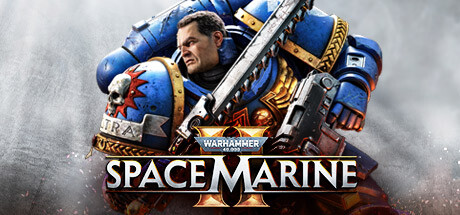
Getting started in Space Marine 2 on PC: the Titus campaign, classes and perks, Siege basics, settings for your hardware, and where trainer options fit.
What Space Marine 2 Asks of You
Space Marine 2 is a third-person action game with RPG progression, built around enormous enemy crowds. In the campaign you play Lieutenant Demetrian Titus, reinstated to the Ultramarines in this sequel to the 2011 original, and most of your time goes into cutting through Tyranid swarms. Beside the story sit replayable PvE and PvP modes where you build your own Space Marines, plus Siege, a three-player wave-survival mode.
The modes test different things. The campaign is where you learn to read a crowd and get comfortable with your weapons. PvE adds class choice and perks that unlock over many sessions, while Siege is mostly about how you spend resources across a long run. PvP against other players needs its own habits. We'd suggest playing a good chunk of the campaign before moving to the class-based modes.
- Start with the campaign to learn the controls before classes enter the picture.
- Treat PvP as a separate game. Not every PvE habit carries over.
- Cross-platform multiplayer and online co-op are supported, so friends on other platforms can join you.
Starting the Campaign as Titus
Difficulty is adjustable, so pick a level that lets you learn rather than one that punishes every slip. Starting lower gives you room to watch how enemies behave, and you can step up once fights feel under control. Grinding through the opening hours on a punishing setting mostly hides how the combat works.
Check the accessibility menu before the first mission. The store page lists adjustable text size, subtitle options, color alternatives, camera comfort settings and custom volume controls. With hundreds of enemies on screen, bigger text and clearer subtitles help you keep track of objectives mid-fight. If fast third-person camera movement bothers you over long sessions, the camera comfort options are the place to start.
- Try the camera comfort settings early if you feel motion discomfort.
- Raise difficulty one step at a time.
- Steam Cloud is supported, but keep a local save backup before using any mods or tools.
Fighting the Swarm
Saber's Swarm Engine fills the screen with Tyranids, and that shapes how you fight. The real danger is being surrounded, not any single weak enemy. Keep moving, put a wall or a narrow space at your back when you can, and stay out of open ground where the crowd can close from all sides. Thin the swarm before committing to a bigger target.
Spend ammunition and grenades with a purpose. Explosives earn their keep against dense packs and tougher enemies, while melee handles scattered weaker foes well enough. When a large threat shows up, clear the small enemies around it first so nothing hits you from behind while you focus. Knowing when to switch between gun and blade is the skill everything else builds on.
- Keep your back covered when the horde grows large.
- Hold grenades for packed groups or elite enemies.
- Clear the small enemies around a large target before engaging it.
- Reload during lulls, not in the middle of a crowd.
Classes, Perks and Weapon Choices
Outside the campaign you play your own Space Marine from one of seven classes. Each class can unlock up to 25 perks, and weapons carry perks of their own. That is a lot to spread yourself across, so pick one class and stick with it. Splitting time between all seven means slow progress on every one, while focusing on a single class gets you its full perk set and teaches you its role in a squad.
Keep an eye on patch notes, because weapon balance moves often. The one-handed Thunder Hammer shows how much. Hotfix 15.1 raised its PvE base damage by 10 percent and its Underhand Swing damage by 67 percent, and temporarily removed forced stagger from its charging stances. Hotfix 15.2 let you enter the accumulation stance even when the hammer already holds charges, cut the time per charge to 1.25 seconds, and made entering it at maximum charges trigger the Charged Impact attack.
- Stay with one class until you have its key perks.
- Read the patch notes after each update, since weapon strength shifts.
- Armour and weapon cosmetics change how you look, so put early effort into perks.
Surviving Siege Mode
In Siege, three players hold out against unending Tyranid and Chaos waves for as long as they can. Every cleared wave earns points. They buy ammunition, equipment charges and Medicae Stimms, or you can bank them to summon reinforcements: Cadians, other Space Marines or a Dreadnought. Spending decisions largely decide how far a team gets.
Buying everything early tends to leave you short when the hard waves arrive. Agree with your squad on who restocks and when to save for a bigger reinforcement. Patch 15.0 brought Chaos into Siege, letting players fight as Heretic Astartes backed by Cultists and a Helbrute. The Anniversary Update II added a Siege spin-off mode and new progression mechanics on top of that.
- Settle on a spending plan with your squad before the hard waves.
- Keep enough points for healing when a run turns rough.
- Bank points for a Dreadnought ahead of a tough stretch.
PC Settings and Performance
Minimum spec is a Ryzen 5 2600X or Core i5-8600K, 8 GB of RAM and a GTX 1060 or RX 580 with 6 GB of VRAM. On that hardware the developer targets 30 FPS at 1080p on the Low preset. Both spec tiers require an SSD and 75 GB of free space, along with 64-bit Windows 10 (version 1903 or later) or Windows 11 and DirectX 12.
On weaker PCs, begin with the Low preset at 1080p. Shadows, volumetric and lighting effects, and resolution are usually the heaviest settings in modern games, so drop those first. With only 6 GB of VRAM, keep texture quality modest to limit stutter. Big swarms can also weigh on the CPU, so expect dips in large fights even with graphics turned down.
Recommended spec is a Ryzen 7 5800X or Core i7-12700, 16 GB of RAM and an RTX 3070 or RX 6800 XT with 8 GB of VRAM, aimed at 60 FPS at 1080p on Ultra. Hardware at that level can run Ultra at 1080p, or you can trim a few effects to push resolution higher or hold a steadier frame rate in crowded scenes.
- Install on an SSD. Both spec tiers list it as required.
- If your frame rate drops, lower shadows and volumetric effects first.
- Match texture quality to your VRAM: modest on 6 GB, higher on 8 GB or more.
- Test settings in a busy fight, not a quiet corridor.
Using the Trainer Options
Our trainer offers Infinite Health, Infinite Ammo, No Reload, One-Hit Kills, Infinite Grenades, Infinite Ability Charge, No Recoil, Rapid Fire, Aimbot, Wallhack (ESP), XP Multiplier and Game Speed. Use it only in the single-player campaign, offline. Space Marine 2 has online co-op, PvP, Siege and crossplay, and altering the game in those modes ruins it for other players and can put your account at risk. We make no claim that the trainer is undetectable.
Solo, a handful of options earn their place. Infinite Health or Infinite Ammo can get you past a fight that keeps stopping your progress, and Game Speed lets you slow a frantic swarm encounter to study it. Aimbot, Wallhack and XP Multiplier have little use in the campaign, since class and perk progression sits in the PvE and PvP modes. Back up your saves before enabling anything, and close the trainer before going online.
- Single-player and offline only. Never in co-op, Siege or PvP.
- Back up your saves before each trainer session.
- Close the trainer completely before you go online.
- After a major game patch, check that the trainer has been updated.
FAQ
Can I play Space Marine 2 entirely solo?
Yes. The campaign as Lieutenant Titus can be played single-player, and online co-op and PvP are there if you want them later.
What hardware do I need for 60 FPS?
The recommended spec, a Ryzen 7 5800X or Core i7-12700 with an RTX 3070 or RX 6800 XT and 16 GB of RAM, targets 60 FPS at 1080p on Ultra. The minimum spec targets 30 FPS at 1080p on Low.
Do I really need an SSD?
Yes. Both the minimum and recommended requirements list an SSD as required, along with 75 GB of free space.
Can I play as Chaos?
Yes, in Siege. Patch 15.0 lets you play as Heretic Astartes there, supported by Cultists and a Helbrute.
Can I use the trainer in Siege or co-op?
No. Keep it to the single-player campaign while offline, because co-op, Siege and PvP involve other players and online services.
Trainer and game page
Warhammer 40,000: Space Marine 2 Trainer · Warhammer 40,000: Space Marine 2
Comments
No comments yet
Be the first to share your thoughts.