Victoria 3: Getting-Started Guide, Best Settings and Trainer Tips
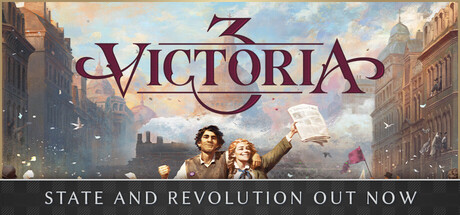
A first-campaign guide to Victoria 3: what to prioritise in the opening years, how reform and diplomacy connect, which PC settings to change, and where the trainer options fit.
What Victoria 3 Asks of You
Victoria 3 runs from 1836 to 1936, and you can take any of dozens of nations through that century. There is no single win condition. You decide what sort of country to build, agrarian or industrial, traditional or radical, peaceful or expansionist, and judge yourself by how well the economy, the population and your international standing hold up. Prestige and the respect of rivals accumulate along the way.
Most of the play is economic and political. Your population is divided into groups, each with its own material needs and political demands. Industry produces goods and profits, taxes turn those profits into state income, and that income pays for everything else. Diplomacy and war sit on top of this foundation. Players arriving from strategy games built around armies should expect to spend far more time reading the economy and adjusting policy than moving troops.
- Give your first campaign a modest goal, such as getting richer or reforming the government, rather than conquest.
- Pause and slow down as often as you need; the game is playable without timed input.
- You can save at any time, so make a fresh save before each major decision.
Your First Campaign: Picking a Nation and Early Priorities
Your starting nation largely sets the difficulty of the learning curve. A large, stable country with a sound economy absorbs mistakes; a small or unstable one tends to punish them fast. Difficulty is adjustable, so turning it down for a first run lets you learn the systems with less pressure. Raise it once you can explain why your income goes up or down.
Spend the opening years on the economy. The game's own route to prosperity is expanding industry into lucrative goods and taxing the profits. Look at what your country already makes cheaply and what it has to buy, then concentrate on profitable goods instead of spreading investment thin. Steady positive income pays for research, reforms and eventually an army. Running a deficit early narrows those options.
- Keep an eye on income in the early game, since a small deficit can grow quickly.
- Build industries whose goods you can sell at a profit, not just the ones that sound modern.
- Play your first campaign on lower difficulty and raise it once the economy feels predictable.
Population, Laws and Reform
Almost every decision lands on someone. Population groups want different things, economically and politically, and your government has to balance those interests against each other. Reforming the constitution can open up new social innovations, but pushing too hard risks revolutionaries. Sticking with tradition buys stability, at the possible cost of falling behind as the century moves on.
Reform works best as a long project. Choose a direction early, gradual modernisation or a preserved traditional order, and change laws one at a time while watching how people respond. Paradox keeps adding to this part of the game. The State and Revolution expansion centres on political turmoil and revolutionary change in the Russian Empire, and hotfix 1.15.1 changed Regime Change so that, under certain conditions, the target country can adopt laws normally unavailable to it. When a reform stalls or provokes unrest, waiting is often the better call.
- Change one major law at a time so you know which reform caused which reaction.
- If unrest climbs after a reform, ease off before starting the next one.
- Research technologies and ideas alongside your reforms, since new options come from both.
Trade, Goods and Labor
What you buy matters as much as what you build. Importing cheap raw materials to cover basic needs frees your workers for more valuable industries, and new markets for finished goods keep factories profitable. As the economy advances, some goods become vital to keeping it running, and securing them turns into a strategic aim that can shape your diplomacy and your wars.
Labor is the other limit. New industries need workers, and advanced ones need new types of workers, so building faster than your population can staff the jobs wastes money. Check that the people exist before committing to a project. The 1.14 open beta notes also list improvements to AI resource expansion, so rival nations may push harder for the same resources you want.
- Before building, confirm there are workers available to fill the new jobs.
- Import raw materials when buying them is cheaper than producing them.
- Work out which goods your economy will depend on later and plan early how to secure them.
Diplomacy, Prestige and War
Diplomacy is a web of pacts, relations, alliances and rivalries. The aim is a secure position on the world stage, not universal friendship. Threats, military strength and bluffs can all persuade an opponent to back down, so a well-prepared nation can often get its way without a long war. Prestige and the respect of rivals grow with your strength, whether you build an industrial power at home or an empire abroad.
Parts of this system have been reworked recently, so older advice online may no longer apply. The 1.14 open beta updates dealt with infamy and naval balancing, war goal expiry, capitulation, naval power projection and combat, early troopships and AI regional objectives. Expect aggressive expansion to cost you diplomatically, and expect the navy to carry more weight in overseas plans. In a first campaign, choose fights you can clearly win and keep your demands limited.
- Pick alliances and rivalries deliberately, because they decide who joins a conflict.
- Keep early expansion moderate so infamy does not turn other nations against you.
- Check the date on any advice you find; recent updates, including the 1.14 open beta, changed war and naval rules.
PC Settings and Performance
Minimum spec is an Intel Core i5-3470 or AMD FX 9370, 8 GB of RAM and a 2 GB card such as a GTX 660 or Radeon R7 370; Intel Iris Xe and Radeon Vega 8 integrated graphics are also listed. Both requirement tiers say AVX support is required, so confirm your CPU has it before buying. On a minimum-spec machine, drop resolution and the heaviest visual effects first and close background programs, because 8 GB leaves little headroom.
The recommended tier calls for an i5-6600K or Ryzen 5 2600X, 16 GB of RAM and a 6 GB card such as a GTX 1660 or RX 5600 XT, or an 8 GB Intel Arc A580. In grand strategy games, late-game slowdown usually comes from the simulation, which loads the processor, so graphics settings do less to help at that stage. A slower game speed or a smaller nation can make long campaigns more comfortable on weaker CPUs.
- Confirm your processor supports AVX; both the minimum and recommended specs require it.
- On integrated graphics, cut resolution and visual effects before touching anything else.
- Consider 16 GB of RAM if you plan long campaigns or run a lot of Workshop mods.
- If the late game drags, try a slower game speed instead of only lowering graphics.
How the Trainer Options Fit Victoria 3
The trainer options line up with the game's main pressures. Unlimited Money, Instant Construction and Instant Research remove economic waiting, handy for testing a build path or skipping a slow start. Max Authority, Max Influence, Max Bureaucracy and Max Legitimacy loosen political and administrative limits, and Instant Law Enactment shows where a line of reform leads without the wait. Zero Infamy, Max Prestige and Max War Support relax diplomatic and military constraints, while Game Speed helps through long peaceful stretches.
Keep the trainer to offline single-player. Victoria 3 has online and cross-platform multiplayer, and changing values in a shared session is unfair to other players and can break the game for everyone. Copy your save files to a separate folder before enabling anything, since Steam Cloud can sync a damaged save across your devices. Paradox patches the game regularly, most recently with hotfix 1.15.1, and a trainer made for an older version may stop working after an update. Workshop mods can also clash with altered values.
- Back up your saves outside the Steam Cloud folder before switching on any option.
- Turn on one option at a time so you can tell what changed.
- Never use trainer options in multiplayer sessions.
- After a game update, check that the trainer matches your game version before loading a campaign.
- Use Instant Law Enactment on a test save to see how reforms play out before your main campaign.
FAQ
Can I play Victoria 3 alone?
Yes. It has single-player with adjustable difficulty and save-anytime, as well as online and cross-platform multiplayer.
Will Victoria 3 run if my CPU does not support AVX?
Both the minimum and recommended requirements list AVX support as required, so a processor without it is not supported. Check your CPU's specifications before buying.
Is 8 GB of RAM enough?
8 GB meets the minimum, but 16 GB is recommended. On 8 GB, close background programs and expect long late-game campaigns to feel heavier.
Can I use the trainer in multiplayer?
No. Use trainer options only in offline single-player games, and back up your saves first, because Steam Cloud can sync a damaged save.
What is the current version of Victoria 3?
The latest patch listed is hotfix 1.15.1, which followed Update 1.15 and the State and Revolution expansion centred on the Russian Empire. Trainers and mods may need updating after patches like these.
Comments
No comments yet
Be the first to share your thoughts.