ULTRAKILL: Beginner's Guide and Best Settings
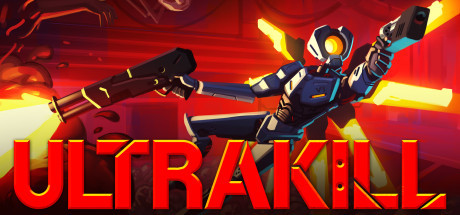
How ULTRAKILL's fight, heal and rank loop works, how to earn weapon variations, which PC settings to lower on older hardware, and how to use trainer options without spoiling your runs.
What You Are Getting Into
ULTRAKILL is a single-player first-person shooter from Arsi "Hakita" Patala, in Early Access since September 2020. It draws on Quake, Doom (2016) and Devil May Cry, and it pays you for aggression and speed rather than for hiding behind walls. The campaign runs through numbered levels set in a Hell inspired by Dante's Inferno. Every level ends with a rank, and between missions you spend the points you earned on alternate versions of your weapons. Most of your time goes into that cycle of fighting, ranking, unlocking and replaying.
Early Access means the game keeps changing. In April 2026 alone, patches adjusted the Malicious Face's aiming, fixed a broken secret room in level 8-1, changed Cyber Grind wave rules and added a reduce HUD motion option. Advice built on exact numbers ages fast, so this guide sticks to habits that survive updates. If an enemy or weapon starts acting differently after a patch, check the changelog before you blame your own play.
- Use your first run through a level to learn the layout, not to chase a rank.
- Read the patch notes after each update, since enemy behavior and weapon interactions shift often.
- Plan on replaying levels. Ranks, secrets and challenges all bring you back.
Health and Movement: Stay Close, Keep Moving
Healing is the first thing newcomers need to relearn. You regain health by soaking in enemy blood, which means you have to be close to the things you are killing. Play it like a cover shooter and your health only drains. It feels reckless at first, particularly in crowded arenas, but closing in is how the game wants you to recover. With health low, pressing a nearby weak enemy is often a better bet than backing into a corner.
You also have several movement abilities, and they are for more than dodging. Enemy attacks come constantly, and a stationary player is an easy target. Practice moving from one target to the next so you always land near your next source of blood. When movement stops taking conscious effort, aiming and weapon switching get easier because you are no longer scrambling to react to every shot.
- When health is low, go after a weak enemy at close range instead of retreating.
- Keep moving even in quiet moments until it becomes a habit.
- Controller players are covered: the game has full controller support, including DualShock and DualSense.
Weapons, Variations and Style
Each weapon has several variations, unlocked with points you earn in levels. Fast, stylish kills build combos on the style meter, and those combos feed your points. Mixing up your attacks is generally a better way to keep the meter up than leaning on one safe tactic. Points are spent between missions, so replaying an earlier level is a sensible way to save up before a harder stage. Try a new variation somewhere easy before you trust it in a tough fight.
Recent patch notes hint at how deep the weapon interactions go. Punched sawblades and chainsaws enter a double damage state, and since patch 17d4 they lose it after 3 seconds. A magnet can hold detached chainsaws, and their weight went up from 3 to 5 so one magnet supports fewer of them. The Piercer's splitcoin and dual-wielded Sawed-On Shotguns also turn up in recent fixes. None of this matters on day one, but it shows that experimenting with combinations is worth your time.
- Switch weapons often. Variety helps keep the style meter up.
- Short on points for a variation you want? Replay an earlier level.
- Test new variations on weak enemies before taking them into a hard fight.
- Recheck combos you rely on after patches, since timings like the 3-second punch window can change.
Ranks, Secrets and the Cyber Grind
Levels rank your run, and the campaign also hides secrets and unique optional challenges. Trying to handle all of it on one attempt rarely works. Clear the level, come back to search for secrets, then chase a high rank once you know the route. The patch notes show how much attention individual levels get: most of the out-of-bounds safeguards in 8-3's final section were removed, and a secret in 8-1 needed a fix. Level time leaderboards are now scrollable, open on your own time and highlight it, which makes it easier to measure improvement.
The Cyber Grind is a separate wave-based mode, and each run ends with a scrollable Friends leaderboard. Deathcatcher cages open once 75% of a wave is complete, and the Deathcatchers no longer count toward that figure. Wave progression can also bring in a Mirror Reaper. A proximity-based visual now shows when you are near the death plane. When the campaign starts to feel comfortable, this mode is a good place to drill movement and weapon switching under pressure.
- Clear first, explore second, chase ranks third.
- In the Cyber Grind, treat the new death plane visual as a warning to change direction.
- Check your level times on the leaderboard to find where your route is losing seconds.
PC Settings and Performance
The minimum spec is modest: 64-bit Windows 10, a 2.4 GHz dual core processor, 4 GB of RAM, a GeForce GTX 560 or equivalent, DirectX 11 and 3 GB of storage. On hardware close to that, put a steady frame rate ahead of looks. In a shooter this fast, a stutter hurts far more than plainer textures. The usual PC order applies: resolution or render scale first, then shadows and post-processing. Leave anything that affects how clearly you can see enemies and projectiles for last.
For higher settings with a smooth frame rate, the recommended spec asks for a 3.1 GHz quad core, 8 GB of RAM, a GTX 970 or equivalent, DirectX 12 and Windows 11. Patch 17d improved performance on non-portal levels and in the Cyber Grind, which suggests levels with portals may still be the most demanding. If your frame rate drops in those levels and nowhere else, that is a likely reason, and lowering a setting or two just for them makes sense.
- On weak PCs, cut resolution or render scale first, then shadows and effects.
- A stable frame rate matters more than a pretty image.
- Turn on reduce HUD motion if the weapon and HUD swaying with your speed bothers you.
- At 4 GB of RAM, close background programs before you play.
How the Trainer's Options Fit ULTRAKILL
Some trainer options are useful for learning. Infinite Health and No Hard Damage keep you alive in a hard fight long enough to study enemy patterns. Save and Load Position lets you repeat a tricky jump or secret route without replaying the whole level. Slowing things down with Game Speed makes fights easier to read and weapon switches easier to practice. For later passes spent hunting secrets, Infinite Dash Stamina, Super Speed and Super Jump make getting around much easier.
Other options change what the game measures. Unlimited Points and Max Style Meter let you unlock and try weapon variations without grinding for them. One-Hit Kills, No Weapon Cooldowns and Freeze Level Timer will skew ranks and level times, so keep those sessions separate from your real attempts. Because the Cyber Grind and level times have leaderboards, never use a trainer option on a run that could submit a score. Play offline with the trainer and count anything you do there as practice.
Back up your save folder before enabling any option. ULTRAKILL uses Steam Cloud, so a modified save can sync over your clean one; keep a manual copy outside the game's folders. Early Access updates land often, and any of them can break trainer compatibility. If an option stops working or acts strangely after a patch, leave it off until the trainer is updated for that version.
- Make a manual save backup before your first trainer session, since Steam Cloud can overwrite your files.
- Stay out of leaderboard modes and timed level runs while any option is active.
- Use Save and Load Position to repeat one difficult section until it clicks.
- Study fights with Game Speed below normal, then practice them at full speed.
FAQ
Is ULTRAKILL finished?
No. It has been in Early Access since September 3, 2020, and updates keep coming; April 2026 brought several patches with bug fixes and balance changes.
Will ULTRAKILL run on an older PC?
The minimum spec is 64-bit Windows 10 with a 2.4 GHz dual core CPU, 4 GB of RAM and a GTX 560 or equivalent. On hardware near that level, lower resolution and effects to keep the frame rate steady.
How do I heal in ULTRAKILL?
You regain health from the blood of enemies you hurt, so you have to stay close to them. Backing off usually leaves you worse off.
Can I play ULTRAKILL with a controller?
Yes. It has full controller support, including DualShock and DualSense controllers.
Will using the trainer affect leaderboards?
The Cyber Grind and level times have leaderboards, so turn every trainer option off before a run that could submit a score. Keep trainer use to offline practice.
Comments
No comments yet
Be the first to share your thoughts.