Tom Clancy's The Division 2: Beginner's Guide and Best Settings
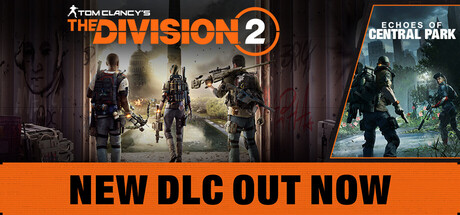
Cover combat, gear and Specialization basics, co-op and endgame priorities, PC settings for each hardware tier, and where trainer options fit in The Division 2.
What Kind of Game You Are Starting
The Division 2 is a third-person looter shooter with RPG systems, set in an open-world Washington, D.C. after a pandemic. You fight from cover, loot and craft gear, unlock skills, and gradually shape a basic agent into a build with a clear job. Factions fight over control of the map and the weather changes, so a street you cleared earlier may not play the same way next time.
Think of it as two games joined together. The levelling campaign teaches the systems and keeps gear coming. Max level opens the endgame, where the harder missions, PvP, world events and seasonal rewards sit. Use your first hours to learn how things work, and leave serious optimising for later.
- Treat early gear as temporary and swap it as soon as something better drops.
- Cross the map on foot between missions, since faction control and events shift around the city.
- Settle on a loose playstyle first and tighten it once you reach the endgame.
Cover Combat Basics
Firefights are built around cover, and the most common beginner mistake is treating the game like a run-and-gun shooter. Agents caught in the open go down fast. Stay behind solid cover, peek to shoot, and move from one cover point to the next. Positioning counts for more than raw aim: pick an angle that makes enemies cross open ground to reach you.
Utility decides the rest. Skills and grenades are there to break stalemates, flush enemies out of cover and buy you time to reposition. An agent who uses tools whenever they are ready will usually get more out of them than one waiting for the perfect moment, so learn what each skill does early and get into the habit of using it.
- Reload and reposition behind cover, never in the open.
- If the shooting in front of you goes quiet, check your flanks.
- Throw grenades to push enemies out of strong positions.
- Use skills as soon as they come off cooldown.
Building Your Agent: Gear, Skills and Specializations
Your agent's strength comes from three places: the gear you loot and craft, the skills you pick, and your Specialization. Specializations set a role, such as the long-range marksman, the demolition expert or the survivalist leader. Choose the one that matches how you already play, not the one that looks strongest on paper.
While levelling, take steady upgrades and stop worrying about perfect rolls. Equip anything that makes you more effective, and craft to fill the gaps when drops let you down. A build where weapons, gear and skills all serve one plan will carry you further than a collection of strong items pulling in different directions.
- Pick a Specialization that suits the range and pace you prefer.
- Carry one weapon for close range and one for mid or long range.
- Craft to shore up weak gear slots rather than waiting for a lucky drop.
- Build around a single focus: damage, skills or survivability.
Co-op, Endgame and Seasonal Events
Solo play works, but squads of up to four agents are supported and challenges scale with group size. Mixing Specializations and sharing resources pays off in co-op, so a team with a long-range player, a demolition player and a support player will usually clear content more smoothly than four copies of the same build.
The endgame keeps getting new content. Recent patches added the Broken Rain Incursion, in which the Rikers hold a dam and power plant in rural Pennsylvania, plus Red Moon Rising, where Black Tusk forces take over the PvE Dark Zone, its follow-up Red Moon Unleashed, a Rage Harvest global event, a Classified Assignment and repeated Stats and Resources Multiplier events. Plan heavier farming around the multiplier events.
- Check which events are live before you start a session.
- Hold resource farming for multiplier events where you can.
- Agree on Specializations with your squad before harder content.
- Read the patch notes, as PvP and event rules change between updates.
PC Settings and Performance
The minimum spec is a 64-bit system with an AMD FX 6350 or Intel Core i5-2500K, 8 GB of RAM and an AMD R9 280X or GeForce GTX 780 with 3 GB of video memory, running DirectX 11. The processor must support SSE 4.2 and AVX, which is worth checking on older hardware. Installation takes 77 GB, and an SSD generally cuts loading times in a game this size.
On a minimum-spec PC, start with the most demanding effects. Shadows, volumetric effects, lighting and reflections tend to cost the most in modern shooters, while texture quality depends mostly on video memory, so keep textures moderate on 3 GB cards. The recommended tier, a Ryzen 5 1500X or Core i7-4790 with an RX 480 or GTX 970 and 4 GB of video memory, is listed for DirectX 12 and gives you more room to raise settings.
- Confirm your CPU supports SSE 4.2 and AVX before installing.
- On weaker GPUs, drop shadows and volumetric effects first.
- Keep texture quality within your card's video memory.
- If DirectX 12 runs poorly on an older card, try DirectX 11.
- HDR is available if your display supports it.
How the Trainer Options Fit This Game
Know what kind of game this is before you open a trainer. Steam lists online PvP, online co-op and in-app purchases, and the seasons and events depend on online services. Games run this way usually stay connected even when you play alone, and progress is typically stored on the publisher's servers. Any modification puts your account at real risk, and we cannot promise otherwise.
Aimbot, Wallhack (ESP), Rapid Fire and One-Hit Kills directly affect other players, so keep them out of PvP, the Dark Zone and co-op groups entirely. If you do experiment, do it only in solo sessions with nobody else involved. Infinite Health, Infinite Ammo, No Reload, No Recoil, No Skill Cooldown and Infinite Grenades change only your own combat, while Unlimited Credits and XP Multiplier change progression.
- Never use any option in PvP, the Dark Zone or with other players.
- Limit any use to solo sessions, and accept the account risk.
- Back up local config and save files, but expect progress to live on the server.
- Leave Game Speed and Super Speed off in online sessions.
- Switch the trainer off before matchmaking or joining a group.
FAQ
Can I play The Division 2 alone?
Yes. Single-player is supported, co-op with up to three other agents is optional, and challenges scale with squad size.
Will the game run on my older CPU?
Only if it supports SSE 4.2 and AVX. The minimum listed chips are an AMD FX 6350 or Intel Core i5-2500K, and processors without those instruction sets are not supported.
How much disk space and memory do I need?
77 GB of free storage and 8 GB of RAM. Both figures are the same in the minimum and recommended specs.
Does it support controllers and HDR?
Steam lists HDR as available and controller support as partial, so some parts of the game may still work better with mouse and keyboard.
Can I use trainer options in the Dark Zone or PvP?
No. Aimbot, Wallhack (ESP) and One-Hit Kills affect other players. Keep any experimenting to solo sessions and understand the account risk that comes with an online game.
Trainer and game page
Tom Clancy’s The Division® 2 Trainer · Tom Clancy’s The Division® 2
Comments
No comments yet
Be the first to share your thoughts.