The Crew Motorfest: Beginner's Guide and Best PC Settings
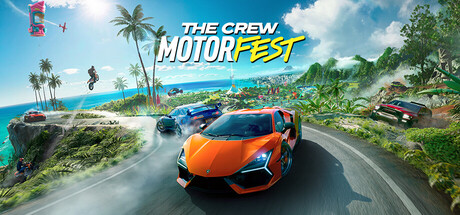
How to get the most from The Crew Motorfest's free trial on PC, which playlists to start with, what the online modes ask of you, which settings to lower first and where trainer options belong.
Getting Started on O'ahu
The Crew Motorfest is set at a car festival on O'ahu, Hawaii. Street races run through Honolulu, off-road events climb the ashy slopes of a volcano, and circuit racing happens on dedicated tracks. The first five hours are free, which is enough to find out how the game runs on your PC and whether you like the handling before paying. Plan those hours: drive at least one event of each type, watch your frame rate both in the city and out in open country, and make sure your controller works the way you want.
Steam lists a broadband connection in both the minimum and recommended requirements, so expect to be online even when you play alone. A stable connection matters more here than it would in an offline racer, and an unreliable one will likely interrupt your sessions. Before you settle in for a long evening, check that you can log in and that the download has completely finished. Downloads still running in the background can cause stutter that is easy to blame on your hardware.
- Spend part of the free trial in busy Honolulu to see how your PC copes
- Try street, off-road and track events before settling on a favourite
- Check your connection is stable before a long session
- Let every download and update finish before judging performance
Playlists and Thematic Campaigns
Playlists form the backbone of Motorfest's progression. Each one is a themed campaign built around a single corner of car culture, and the store page gives American muscle, Japanese-style street racing and classic machines from earlier decades as examples. Within a playlist the cars and events share a theme, so you are not jumping between unrelated races. New players will find this the easiest route in, since each campaign introduces one style of driving at a time.
Start with the playlist whose cars appeal to you most. You tend to drive better in something you enjoy, and it gives you a reason to keep going. There is no need to finish one playlist before opening the next. Moving between themes shows you quickly which kinds of car suit you, and the contrast is large: sliding over loose volcanic ground has little in common with holding grip on a circuit.
- Choose your first playlist by the cars you like, not by its position in the list
- Switch between themes to learn different handling styles
- Go back to early events later with better cars to improve your results
Mastering Vehicles and Terrain
Motorfest expects you to drive many types of vehicle on very different surfaces. In Honolulu, races come down to braking accurately and accelerating hard in the short gaps between corners. Up on the volcano, loose ground punishes sharp steering, so smoother inputs pay off. On the tracks, a clean racing line counts for more than anywhere else. The game makes a point of asking you to master every type of challenge, so expect to be pushed into cars you would not pick yourself.
The basics of most arcade-leaning racers apply. Brake before the corner rather than halfway through it, and get back on the throttle as you exit. Save nitro for straights and corner exits instead of burning it on the way in. The game has full controller support, including DualShock and DualSense pads, so a standard controller is all you need. On a pad, small stick movements help keep the car from oversteering on gravel and ash.
- Brake in a straight line before a turn, then accelerate out of it
- Fire nitro on exits and straights, not into corners
- Steer more gently off-road
- A standard controller is fully supported, so no extra hardware is needed
Online Modes: Grand Race, Demolition Royale and Summit
Three competitive modes make up the core of online play. The Grand Race pits you against 28 other drivers and asks you to handle all vehicle types, so being good with only one kind of car will cost you. Demolition Royale is a team mode in which eight teams battle until one is left. The Summit Contest has you complete challenges to climb the leaderboards.
The playlists are the best preparation for the Grand Race: the more vehicle types you are comfortable with, the fewer positions you give away when the car under you changes. In Demolition Royale, staying with your team generally works better than hunting on your own. For the Summit, start with the challenges you already drive well and come back to the harder ones later. Online co-op is also available, which lets you play with friends with no ranking at stake.
- Get comfortable with every vehicle type before entering the Grand Race
- Stay close to your team in Demolition Royale
- Tackle your strongest Summit challenges first
- Play co-op with friends to learn events without ranking pressure
Collection, Customization and Updates
Filling your garage is the long-term goal, and you can customize cars and show them off in the custom contest mode. That gives cars you rarely race a purpose. Before you spend Bucks, decide which cars you will actually use in the playlists and modes you play most. Spreading money thinly across lots of cars early on can leave you without one car that is truly competitive.
Motorfest has in-app purchases, so compare any real-money offer with what you earn through normal play before buying. The game is also updated season by season. The Season 11 patch, for example, added a new TrackForge kit, adjusted vehicles and fixed challenges. Since vehicle adjustments can change how a car performs, read the patch notes after each update before you spend more on a favourite.
- Put early spending into the one or two cars you drive most
- Compare in-app purchases with what normal play earns
- Check each season's patch notes for vehicle adjustments
- Keep your showpiece builds for the custom contest mode
PC Settings and Performance
At minimum you need 64-bit Windows 10, an Intel Core i5-4460 or AMD Ryzen 5 1400, 8 GB of RAM and a GTX 1060 6GB or Radeon RX 480 8GB. The recommended spec steps up to a Core i5-8400 or Ryzen 7 2700X with an RTX 2060 6GB or RX 5700 XT 8GB, and RAM stays at 8 GB. Steam asks for 40 GB of storage, yet the Season 11 patch on its own was about 52 GB on PC, so keep a large margin of free space. A fast drive may also help with loading the open world.
On minimum-spec hardware, target 1080p and start by cutting the settings that typically cost most in open-world racers: shadows, reflections, draw distance and traffic or crowd density. Busy Honolulu is a sensible place to test your changes. In a racing game, a steady frame rate matters more than extra detail. Recommended-spec machines should leave headroom to raise settings such as reflections and view distance. HDR is available if your monitor supports it properly.
- On weaker GPUs, lower shadows and reflections first
- Test settings in Honolulu's busy streets
- Keep well over 40 GB free, since a single patch has passed 50 GB
- Prioritise a steady frame rate over extra detail
- Enable HDR only if your monitor supports it properly
Using the Trainer Options
The trainer includes Unlimited Nitro, Max Car Stats, Super Speed, Freeze AI Cars, Freeze Race Timer, Unlimited Bucks, XP Multiplier, Instant Win, Teleport to Waypoint, Save and Load Position, Game Speed and Car Super Jump. Keep them to solo content. Motorfest needs an internet connection and has PvP, leaderboards and co-op, so leave every option off in the Grand Race, Demolition Royale and the Summit Contest, and whenever you play with others. Doing otherwise is unfair to other players, and no trainer can guarantee your account will be safe.
A few options are genuinely useful for practice. Save and Load Position lets you retry a difficult corner as often as you like, and lowering Game Speed gives you time to study a racing line. Teleport to Waypoint saves long drives across the island. Options that touch progression, such as Unlimited Bucks and XP Multiplier, are the riskiest in a connected game, because online racers often store progress on their servers. Back up any local save files you can find before experimenting, but do not assume that protects everything.
- Use options only in solo playlist content, never in PvP or co-op
- Use Save and Load Position to practise difficult corners
- Lower Game Speed to study racing lines
- Back up local saves first, bearing in mind progress may be stored on the server
- Take the most care with Unlimited Bucks and XP Multiplier
FAQ
Does The Crew Motorfest need an internet connection?
Yes. Steam lists a broadband connection in both the minimum and recommended requirements, so expect to be online whenever you play.
Can I try the game before buying?
Yes. The first five hours are free, which gives you time to check performance and controller support on your own PC.
How much disk space do I need?
Steam lists 40 GB, but the Season 11 patch alone was about 52 GB on PC. Keep plenty of space free beyond the listed figure.
Can I play with a controller?
Yes. Controller support is full, and DualShock and DualSense pads are supported.
Can I use trainer options in the Grand Race or Demolition Royale?
No. Both are online competitive modes against other players. Keep trainer options to solo content, and remember that no trainer can rule out account action in a connected game.
Comments
No comments yet
Be the first to share your thoughts.