Terraria: Beginner's Guide and Best PC Settings
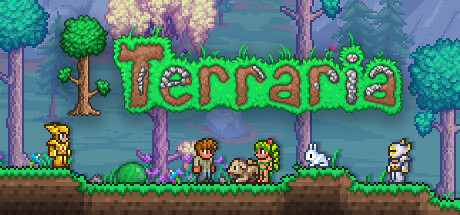
How to start your first Terraria world: dig and craft with a plan, house the allies you meet, set up the game on modest hardware and use trainer options in solo play.
What Terraria Asks of You
Terraria is built on digging, fighting, exploring and building, and it never tells you which to do first. New players often find that freedom harder than any enemy. Worlds are randomly generated, so someone else's map or route won't match yours. It helps to pick a direction early: chase stronger enemies, hunt for treasure underground or build a settlement. The other activities can then feed that goal instead of pulling you in four directions.
You can play alone, in online co-op or in PvP, and the game also supports Steam Workshop content and Steam Cloud saves. Learning solo, or with one patient friend, lets you set the pace. Re-Logic has shipped free content updates for years. The latest PC patch, 1.4.5.7, is billed as the last hotfix for the Bigger and Boulder update unless a critical fix is needed, so the current version should stay settled for a while.
- Choose one main goal for your first session and leave the rest for later.
- Give your first character a new world so you learn on fresh terrain.
- Stick to solo or one-friend sessions until the basics feel familiar.
Your First Hours
Start with shelter and a steady supply of basic materials. Collect what's near your spawn point, put up a small enclosed building and make any crafting stations you can. A crude box is fine for now. You'll rebuild it once you know what you want close at hand.
Digging straight down is tempting. In sandbox games like this, deeper ground tends to mean harder enemies and riskier terrain, and starter gear rarely survives it. Short trips work better: head out, bring materials home, craft better equipment, then go a little further. That loop of gathering, crafting and pushing outward carries you through most of the game.
- Finish an enclosed shelter before wandering far from spawn.
- Make short trips and come back to craft instead of attempting one long dive.
- Build simple landmarks so you can find your way back to base.
- Carry a stack of blocks to wall off danger in a hurry.
Crafting and Gear Progression
Crafting turns what you dig up into progress. Raw materials from the caves become gear, machinery and decorations, and better gear lets you reach places and beat enemies that were out of range before. Each time you bring home a new material, see what it unlocks. A better tool or armor piece often makes the next trip quicker and safer.
There is a lot to craft, so organize storage from day one. A messy base wastes more time than a short supply of ore. Sort materials by type, put crafting stations beside your chests and leave room to grow. Decorative and mechanical items are optional, but plenty of players spend most of their later hours on them once staying alive stops being the main worry.
- Upgrade your digging tools early, since faster digging speeds up everything else.
- Put crafting stations and storage in the same room.
- Check recipes whenever you return with an unfamiliar material.
- Hold on to materials you don't recognize instead of selling or tossing them.
Building a Home for Your Allies
You'll run into mysterious allies as you explore, and building a town for them is one of the main ways to play. In sandbox games with settlers, residents usually want proper housing before they move in. Separate, fully enclosed rooms are a safer bet than one big open hall, and a few basic furnishings make each one look like a home rather than an empty box.
Let the town grow alongside your gear. Early on, a row of plain rooms next to your base will do. Later you can rebuild in better materials, decorate and spread across the surface. Keeping allies near your storage and crafting area cuts down on walking and makes each trip home more useful.
- Build several small enclosed rooms instead of one large one.
- Add basic furniture to each room so it reads as a home.
- Put housing near your storage and crafting stations.
- Leave space to expand for new arrivals.
Combat and Exploration
Players who want a fight can go looking for steadily tougher enemies. Match the challenge to your gear. A fight that keeps going badly usually means it's time to head home, craft upgrades and come back. Healing items, sturdy armor and a dependable weapon count for more than quick reflexes, especially against the stronger foes.
Exploring is what links fighting and crafting. Caves, open ground and hidden spaces hold treasure and the materials for your next upgrade, and random generation means each outing can turn up something new. Before a hard fight, prepare the ground if you can: clear room to move and put up simple platforms or walls. A few minutes of setup often decides the result.
- Upgrade your armor before going after stronger enemies.
- Take healing items on every trip away from base.
- Clear and level the ground where you plan a tough fight.
- Pull back and craft when a fight is clearly beyond your gear.
PC Settings and Performance
Terraria asks very little of a PC. The minimum spec is a 2.0 GHz processor, 2.5 GB of memory, a graphics card with 128 MB of video memory and Shader Model 2.0 support, DirectX 9.0c and 200 MB of disk space, on Windows XP through 10. The recommended spec lists a dual-core 3.0 GHz processor, 4 GB of memory and 256 MB of video memory on Windows 7, 8/8.1 or 10. Almost any current desktop or laptop clears both.
On older machines, 2D sandbox games tend to slow down in busy scenes with lots of enemies, effects or big builds on screen, and the processor is usually the bottleneck rather than the graphics card. If the game stutters, start with the lighting, background and effects options in the video menu, then try a lower resolution or windowed mode. At or above the recommended spec you can generally leave settings high, though very large multiplayer worlds and heavy Workshop content may still strain systems near the memory floor.
- Close background programs if your PC sits near the 2.5 GB memory minimum.
- Reduce lighting and visual effects before lowering resolution.
- Switch to windowed mode if fullscreen stutters on older hardware.
- Go easy on Workshop content on low-end systems.
How the Trainer Fits Terraria
Terraria's solo play suits a trainer well. Infinite Health, Infinite Oxygen and Infinite Mana let you study a tough enemy or explore dangerous depths without losing progress. Fly Mode, Super Speed, Super Jump and Save and Load Position help with big building projects and with crossing large random worlds. Unlimited Items, Unlimited Money and Infinite Ammo take out the grind for players who mostly want to build, while One-Hit Kills, Game Speed and Player ESP change how fights play out and how much you can see coming.
Keep the trainer to single-player, offline sessions. Terraria has online co-op and PvP, and using options there affects other people. Back up your character and world saves before switching anything on, since Steam Cloud can sync changes to your other devices. A separate test character and world is a good place to experiment. Turning on several options at once strips the challenge fast, so many players pick one or two to fix a specific annoyance.
- Copy your character and world save files before using any option.
- Keep a separate character and world for trainer experiments.
- Never use trainer options in co-op, PvP or any online session.
- Keep trainer play away from the saves you want to stay untouched.
FAQ
What are the minimum PC requirements for Terraria?
Windows XP or newer, a 2.0 GHz processor, 2.5 GB of memory, a graphics card with 128 MB of video memory and Shader Model 2.0 support, DirectX 9.0c and 200 MB of disk space. Most modern PCs handle it easily.
Can I play Terraria with friends?
Yes. It supports online co-op and online PvP. Steam also lists Remote Play on phones, tablets and TVs. Keep any trainer use to single-player sessions.
Is Terraria still being updated?
Terraria has received free content updates over the years. Version 1.4.5.7 is described as the latest and last hotfix for the Bigger and Boulder update, barring critical fixes.
Does Terraria support controllers?
Yes. It lists full controller support, so you can play on PC with a gamepad instead of mouse and keyboard.
Will my progress carry between PCs?
Terraria supports Steam Cloud, so saves can sync between machines. Keep your own backups too, especially before using a trainer or adding Workshop content.
Comments
No comments yet
Be the first to share your thoughts.