Supermarket Simulator: Beginner's Guide and Best Settings
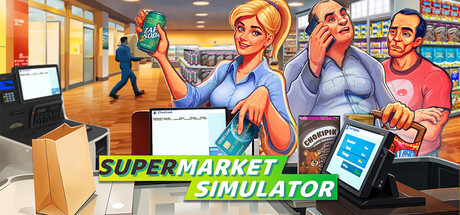
How to get a Supermarket Simulator store on its feet: the daily loop, stocking and pricing, hiring and security, co-op, PC settings for weaker and stronger rigs, and sensible trainer use.
How Your Store Actually Runs
Everything in Supermarket Simulator happens in first person, with your own hands. You order goods on a computer inside the shop, open the boxes, carry stock to the back room and fill shelves, fridges and freezers. Then you move to the till, scan items and take cash or card. Profit goes back into the business, and the loop repeats in a slightly bigger shop.
Most new players try to do everything at once and fall behind. Early on, the bottleneck is your own time: you cannot restock and work the register in the same moment. Spend the opening hours learning that rhythm. Keep the product range small, the shelves full and the checkout moving, because customers who find what they want and pay quickly are what keep money coming in.
- Start with a narrow product range you can keep fully stocked.
- Restock in short bursts, then head back to the register.
- Early on, the till queue deserves more attention than anything else.
- Note which items sell out fastest and order more of those.
Ordering, Unpacking and Storage
Stock arrives in boxes, and handling them well makes the whole day easier. Order through the in-game computer and decide straight away where each delivery goes: onto the shop floor if shelves are empty, or into the storage room if you are ahead. Group similar products together in storage and you will save a lot of walking once the catalogue grows.
Chilled and frozen goods need fridge and freezer space, so order with your equipment in mind. Buy more than it can hold and the extra boxes just sit on the floor. Local markets let you skip delivery fees or look for lower prices, but every trip takes you away from the store, and an empty shop sells nothing. Go when things are quiet.
- Group storage by category so boxes are easy to find.
- Match chilled and frozen orders to the fridge and freezer space you have.
- Visit local markets during slow periods, not rushes.
- Clear empty boxes and trash promptly to keep walkways open.
Pricing and the Live Market
Wholesale prices shift in real time, which gives you two levers: when you buy and what you charge. Buying a product while it is cheap widens your margin without touching the shelf price. Setting that shelf price is the harder decision. Too low and you work hard for thin profit; too high and customers leave less satisfied. The game asks you to balance the two rather than push either to the limit.
Change one price at a time and watch the result for a day or two before adjusting again. Steady sellers can usually carry a modest markup, while slow movers may need a lower price. When something you sell often drops in wholesale cost, buy a little more than usual, provided you have room to store it.
- Adjust a few prices at a time so you can tell what made the difference.
- Stock up on high-volume items when their cost drops.
- Do not overfill storage just to chase a discount.
Expanding, Hiring and Protecting the Shop
As profits build, you can enlarge the store, upgrade the interior and personalise it with flooring, wall paint and category signs. The signs earn their place: clearly labelled aisles make restocking faster and the layout easier to follow. Plan each expansion around movement, with the checkout easy to reach and related products close together, instead of fitting shelves wherever there is space.
Patch 1.7.0 overhauled the Hiring Tab with employee leveling, a reworked boost system and custom names, and patch 1.7.3 added a hireable Online Order Courier. Staff such as restockers take repetitive work off your hands, and getting them in is often where a run starts to feel manageable. Keep the place clean by sweeping floors, taking out trash and polishing windows. Shoplifters turn up too, so cameras, alarm sensors or security guards are worth looking at as the store grows.
- Hire first for the job that takes up most of your time.
- Use category signs to keep a growing layout readable.
- Leave clear paths between checkout, aisles and storage.
- Add security once theft starts to hurt and you can afford it.
Online Orders and Co-op
Some customers never walk in. Online orders have you pick the items, pack them and deliver them yourself, which adds income but pulls you off the floor. Playing solo, take them when the store is calm or staff can cover the register. The Online Order Courier added in patch 1.7.3 should take part of that work off you once you can afford one.
Online co-op lets you run the same supermarket with up to four friends. It works best with clear roles: one person on the till, one restocking, one handling orders, deliveries and cleaning. Agree on prices before anyone changes them, since two players editing the same shelf will only confuse each other. Several recent patches fixed multiplayer bugs, so make sure every player is updated before a session.
- Assign roles at the start of each co-op session.
- Give one player the final say on pricing.
- Check that everyone is on the same patch before joining.
PC Settings and Performance
The minimum spec calls for 64-bit Windows 10, an i5 3550 or Ryzen 5 2500X, 8 GB of RAM and a GTX 1050 or R9 270X, plus DirectX 11 and 5 GB of storage. That is a low bar, but a packed store with many shelves, products and customers is likely to be heavier than an empty one. If the frame rate sinks as your shop grows, the extra objects on screen are the probable cause.
On weaker machines, start with the settings that tend to cost most in 3D games: shadow quality, render resolution or scaling, and post-processing, then draw distance or detail if the menu has them. Close background apps, as 8 GB leaves little headroom. The recommended tier, an i5 7600K or Ryzen 5 2600X with 16 GB of RAM and a 2070-class NVIDIA card or AMD 5700 XT, should cope with higher settings and larger stores.
Handheld players have official backing: the game has full controller support and was announced as Steam Deck Verified with patch 1.7.2. Patch 1.6.0 added a Readability Mode for the interface, useful if text is hard to read on a small screen or from across the room.
- Lower shadows first, then resolution or scaling.
- Expect performance to dip as the store and customer count grow.
- An SSD install, if you have one, should shorten loading.
- Try Readability Mode on handhelds or TVs.
Using the Trainer in Supermarket Simulator
The trainer options line up with the game's main pressures. Unlimited Money and Free Purchases remove costs entirely, which suits players who mostly want to design and decorate. Instant Delivery cuts out the wait for stock, and Freeze Day Timer stops the clock so you can rearrange the store at leisure. Game Speed changes the overall pace, while Super Speed and Super Jump make crossing the shop floor and storage room faster.
XP Multiplier speeds up experience-based progression, and Max Employee Level ties into the new employee leveling system. Save Position and Load Position let you jump between the register, storage and distant aisles. Keep the trainer to single-player or offline play and never use it in co-op with other people. Back up your saves before enabling anything, since Steam Cloud may sync modified files to your other machines.
- Use trainer options in solo or offline play only.
- Copy your save folder before your first trainer session.
- Enable one option at a time to see what it does.
- Freeze Day Timer is ideal for unhurried layout redesigns.
FAQ
Can I play Supermarket Simulator with friends?
Yes. Online co-op lets you run one store with up to four friends, splitting stocking, checkout, deliveries and cleaning between you.
Does Supermarket Simulator run on Steam Deck?
Yes. Patch 1.7.2 announced that the game is Steam Deck Verified, and it has full controller support.
What PC do I need to play?
The minimum is 64-bit Windows 10, an i5 3550 or Ryzen 5 2500X, 8 GB of RAM and a GTX 1050 or R9 270X. For larger stores, the recommended tier lists 16 GB of RAM and a 2070-class or 5700 XT graphics card.
What changed in the recent Hiring updates?
Patch 1.7.0 overhauled the Hiring Tab with employee leveling, a reworked boost system and custom employee names. Patch 1.7.3 added the Online Order Courier as a new hireable NPC.
Can I use the trainer in co-op?
No. Keep it to single-player or offline sessions, and back up your saves first, since Steam Cloud can sync modified files.
Comments
No comments yet
Be the first to share your thoughts.