Cat Mail Co.: Beginner's Guide and Best Settings
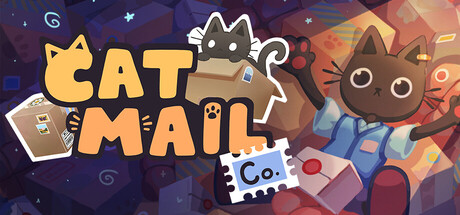
How to weigh, label, sort and ship parcels in Cat Mail Co., use the night shift, split work in co-op, tune your PC and run trainer options offline.
What Cat Mail Co. Asks of You
Cat Mail Co. puts you in charge of a run-down post office on an island in a world of cats. The previous postman has vanished and left a huge backlog behind. You clear it, serve customers, and handle mail that arrives by boat and leaves the same way. As the office recovers, new destinations unlock, along with tools and abilities for the bigger operation.
There are no timers or penalties, according to the store page. Steam also lists the game as playable at your own pace and without timed input, with adjustable difficulty. Speed matters less than preparation. The developers describe it as a pre-crastination experience: you get ready for the next wave before it lands, so the delivery itself goes smoothly.
- Use the first sessions to learn the routine rather than attacking the backlog.
- Difficulty is adjustable, so set it wherever the game feels relaxed to you.
- Rebind keys early if the defaults feel awkward. Key rebinding arrived in the August controller update.
Handling Parcels Step by Step
Each parcel runs through the same short sequence. Weigh it to set the postage, attach a destination label, mark it fragile or heavy if needed, then add stamps. The parcel tells you how it wants to be handled, so read it before you touch anything. Reading first saves you from fixing mistakes further down the chain.
Stamps are part function, part decoration, and the game says there is no correct way to place them. Once the essential markings are on, decorate as you please. Gamepad players got new stamp-mode controls in Patch Note #5: the left stick moves the cursor, the right stick rotates the parcel, and the D-pad navigates in any direction to select a stamp.
- Weigh before labeling so postage and handling marks are settled before anything cosmetic.
- Check every parcel for fragile or heavy markings. They are easy to miss on a busy wave.
- Leave decorative stamping for quiet moments if a pile needs to keep moving.
Sorting, Storage and the Boat
Mail comes in by boat, and outgoing parcels have to be loaded onto it carefully. Sorting is where errors hurt. Send a delivery to the wrong destination and it can come back damaged, so you do the work twice. With no timers, checking a label before a parcel leaves the counter costs nothing. Patch Note #7 fixed the Captain skipping some destinations under certain conditions, and Patch Note #8 reworked how his destinations are selected.
Storage can be arranged any way you like, and Patch Note #3 added more storage tags to help. Give each destination its own area, keep the busiest routes close to the loading point, and leave room for the next delivery. The same patch made piles empty slightly faster in their last two levels and added a smoke effect when you clear secondary piles.
- Give each destination a fixed spot and a matching storage tag.
- Clear secondary piles regularly so the main work area stays usable.
- Before the boat leaves, scan the outgoing stack for anything headed to the wrong place.
- Group parcels by destination before you start loading.
Day, Night and the Backlog Story
The office keeps running after dark, and that is when its stranger side appears. Under moonlight, some parcels show properties you could not see by day, giving magical hints about how to treat them. If a parcel puzzles you in daylight, setting it aside to check at night can beat guessing.
The story sits inside the old backlog, and you uncover it by sorting the forgotten piles. Some parcels behave differently from the rest. The patch notes mention lover parcels, which are paired with a partner; Patch Note #6 fixed those pairs changing partner after a reload.
- Keep a shelf for parcels you want to recheck after dark.
- Work through the old backlog when new waves are quiet. That is where the story is.
- Store paired parcels near each other so they are easy to match.
Running the Office in Co-op
Up to four players can run the office together in online co-op, and the work splits naturally. One player weighs and labels at the counter, another stamps, a third sorts into storage, and the fourth loads the boat. Fixed roles stop people from bumping into each other or grabbing parcels someone else is halfway through.
Patch Note #8 fixed a rare client crash in multiplayer, so update before inviting friends. Everyone works out of one storage layout, so agree where each destination lives before the first wave arrives. Solo play covers the full loop, and Patch Note #7 removed the internet requirement for single-player.
- Make sure every player is on the latest patch before joining a session.
- Give each player one stage of the parcel chain.
- Agree on what each storage tag means before things get busy.
PC Settings and Performance
The minimum specs are modest: 64-bit Windows 10 or 11, an Intel Core i5-3330 or AMD FX-8300, 8 GB of RAM, a GeForce GTX 950 or Radeon HD 7970, and 4 GB of storage. The recommended entry on Steam lists only a 64-bit system, so there is no official higher target to aim for.
Near the minimum, work through whatever your graphics menu offers in the usual order for 3D games. Drop resolution or render scale first, then shadows, then post-processing and particle effects. With 8 GB of RAM, close browsers and other background programs, especially when hosting co-op. On stronger machines, raise the visuals and go for a stable frame rate over the highest one.
- Reduce resolution or render scale first, then shadows and effects.
- An SSD install can help with loading times.
- On Steam Deck, the virtual keyboard added in Patch Note #6 handles text entry.
- Use the custom volume controls to get the audio mix where you want it.
Using the Trainer in Cat Mail Co.
Our trainer offers Unlimited Money, Infinite Stamina, Super Speed, Freeze Time of Day, Game Speed, Max Reputation, Super Jump, Save Position, Load Position and Teleport to Waypoint. Keep it to single-player. In co-op, altering the game state can cause desyncs or ruin the session for others. Single-player no longer needs an internet connection, so you can run it fully offline.
Freeze Time of Day pairs well with the night mechanic: hold the moonlight while you study odd parcels. Super Speed and Game Speed cut down the walking between counter, storage and dock. Save Position, Load Position and Teleport to Waypoint get you back to a favorite spot quickly. Steam Cloud syncs your saves, so copy your save folder by hand before enabling anything. Saves duplicating in single-player was a bug until Patch Note #8.
- Back up your saves before turning on any option.
- Switch the trainer off before hosting or joining co-op.
- Keep Game Speed moderate so stamping stays comfortable to control.
- Disable options before the game updates, then check the trainer version matches.
FAQ
Does Cat Mail Co. need an internet connection in single-player?
No. Patch Note #7 removed the internet requirement for single-player, so solo play works offline.
How many people can play together?
Up to four players in online co-op. The game also plays fully in single-player.
Is there a time limit or a fail state?
The store page says there are no timers or penalties, and Steam lists the game as playable at your own pace with adjustable difficulty. Parcels sent to the wrong destination can still come back damaged.
Can I play with a controller or on Steam Deck?
Yes. The game has full controller support, including DualShock and DualSense. Patch Note #6 added a virtual keyboard for SteamOS and Big Picture Mode to make it fully compatible with Steam Deck.
Are my saves synced, and were there save bugs?
Saves sync through Steam Cloud. Patch Note #3 reversed the save list so the newest slot appears at the top, and Patch Note #8 fixed saves duplicating in single-player.
Comments
No comments yet
Be the first to share your thoughts.