S.T.A.L.K.E.R. 2: Heart of Chornobyl Beginner's Guide and PC Settings
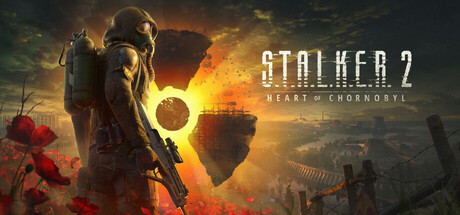
How to handle anomalies, mutants and rivals in your first hours, which PC settings suit your hardware, what recent patches fixed, and where the trainer options fit.
What You Are Walking Into
S.T.A.L.K.E.R. 2: Heart of Chornobyl sets you loose in the Chornobyl Anomalous Zone, a large open world where anomalies, mutants and rival stalkers all stand between you and your goal. It is a single-player game that Steam files under action, adventure and RPG, and exploring and scavenging carry as much weight as shooting. The pace is slow and tense. Carelessness gets you killed more often than bad aim does.
A lot has changed since the November 2024 launch. The free Update 2.0 overhauled large parts of the game, and GSC Game World now promotes it together with a new chapter, Cost of Hope. Older advice you find online may describe the game as it was before those changes. This guide sticks to what applies to the current version, and where official detail is thin it falls back on habits that work in most open-world survival shooters.
- Fully update the game before starting a new run.
- Read older forum advice with care; Update 2.0 changed a lot.
- Use headphones, since survival shooters lean heavily on sound cues.
Your First Hours in the Zone
Early on, resources matter more than heroics. Grab what you can carry, but be picky: ammunition for the guns you actually use, healing items and things worth selling. Hauling every scrap you find tends to leave you overloaded and slow at exactly the wrong moment. Head back to a safe area regularly to sell and restock rather than pushing deeper with empty pockets.
Save often, and spread your saves across several slots instead of overwriting one. Progress-blocking bugs have turned up and been patched over time; Patch 2.0.2, for example, fixed NPCs or bodies that could disappear and stall progress. With rotating saves, a bug, a bad fight or an unlucky anomaly costs you minutes rather than hours. Make a fresh manual save before any dangerous area or major story step.
- Keep at least three rotating manual saves.
- Carry ammo mainly for the weapons you actually use.
- Return to a safe area before supplies run low, not after.
- Save manually before major story steps and unfamiliar areas.
Anomalies, Mutants and Rivals
Anomalies are the Zone's environmental traps. The safest habit is to slow down the moment something looks or sounds off, because sprinting across open ground is how most new players get caught. Watch the terrain ahead, listen for odd noises and route around suspicious spots instead of through them. Careful movement saves more lives here than quick reflexes.
Mutants and armed humans need different tactics. With creatures, keep your distance, stay out of corners and fight where you can back away. With human rivals, use cover, pick the moment yourself and stay out of the open once shooting starts. Skipping a fight is often the smarter call, particularly early on when ammunition and healing are scarce.
- Walk rather than sprint through ground you have not seen before.
- Fight near cover and with a way out.
- Skip fights that gain you nothing while supplies are low.
- Loot slowly after a fight; the area may not be clear yet.
PC Settings and Performance
Minimum spec is an Intel Core i7-7700K or AMD Ryzen 5 1600X, 16 GB of dual-channel RAM and a GeForce GTX 1060 6GB, Radeon RX 580 8GB or Intel Arc A750. GSC rates that hardware for the Low preset at 1080p and 30 fps, evaluated with TSR or comparable upscalers. An SSD is required, along with 160 GB of free space. The requirements name dual-channel memory specifically, so two matching RAM sticks are worth checking for.
On a weaker PC, start from Low and leave an upscaler on, since the official targets assume one. In large open-world games, shadows, effects and draw or foliage distance usually cost the most, so trim those first. Keep texture quality within your card's video memory, which matters most on 6 GB cards. A steady 30 fps feels better than an unstable higher figure, and closing background programs frees up RAM.
Recommended spec is an Intel Core i7-11700 or Ryzen 7 5800X, 32 GB of dual-channel RAM and an RTX 3070 Ti, RTX 4070 or RX 6800 XT. That targets the High preset at 1440p and 60 fps, and it was tested with TSR, DLSS, FSR and XeSS, so even this tier assumes some upscaling. Expect to need more headroom if you push past High. HDR is available if your display supports it well.
- Install on an SSD; it is a hard requirement.
- Run two matching RAM sticks for dual-channel memory.
- Lower shadows and effects before dropping resolution.
- Pick DLSS, FSR, XeSS or TSR to match your graphics card.
- Keep GPU drivers current, especially on AMD cards.
Stability, Patches and Controllers
Fixes have come quickly since Update 2.0. Patch 2.0.6 targeted crashes, with several fixes for AMD GPU-related crashes among them, while Patch 2.0.5 listed more than 200 fixes. Earlier, Patch 2.0.3 dealt with a crash some players hit on launch. If you crash regularly, confirm you are on the latest version, update your graphics drivers and verify the game files through Steam before touching anything else.
Two fixes are worth knowing about. Patch 2.0.4 fixed a bug where loading a save made right after a C4 explosion could leave you unable to move, which is a good reason not to save mid-event. Patch 2.0.5 fixed overly sensitive analog sticks on PC controllers. Steam lists DualSense support and partial controller support, so if the sticks felt twitchy before, give a pad another try after updating.
- Verify game files through Steam after a run of crashes.
- Avoid saving during scripted explosions or big events.
- Recheck controller sensitivity now that Patch 2.0.5 is out.
Using the Trainer Options
S.T.A.L.K.E.R. 2 is single-player only, so trainer use affects nobody but you. Back up your save folder by hand before enabling anything. Steam Cloud syncs saves, so keep your own copy somewhere outside the game folder too. The game is still being patched, and a trainer can stop working after an update until it is refreshed, so check the versions match before loading a save you care about.
Infinite Health, Infinite Stamina and No Radiation strip out the survival pressure, which helps if you want to explore freely or get past a section that keeps stopping you. Infinite Ammo, No Reload, No Recoil and One-Hit Kills change how combat plays, and Stealth Mode is aimed at avoiding fights. Unlimited Money and Unlimited Carry Weight remove the scavenging economy, a big part of what makes the game tick, so they suit a replay or a short play session best.
Save and Load Position is useful for retrying an awkward route, but keep it away from scripted moments, since the C4 fix shows that saves made during events can go wrong. Game Speed can cut down long walks or slow a messy fight. If you want to earn Steam Achievements the normal way, keep a separate playthrough with no options turned on.
- Back up saves before enabling any option.
- Use Save and Load Position away from scripted events.
- Switch options off before saving if anything behaves oddly.
- Check that the trainer matches your current game version.
FAQ
Can I play S.T.A.L.K.E.R. 2 on a GTX 1060?
Yes. The GTX 1060 6GB is in the minimum spec, which targets the Low preset at 1080p and 30 fps with TSR or similar upscaling. You also need 16 GB of dual-channel RAM and an SSD.
Does the game have multiplayer?
No. Steam lists it as single-player, and its store data has no multiplayer category.
Is Update 2.0 free?
Yes, the developers describe Update 2.0 as free. They promote it together with the new Cost of Hope chapter.
Can I install it on a hard drive instead of an SSD?
The official requirements list an SSD as required at both minimum and recommended specs. Set aside 160 GB of free space.
Does it support controllers?
Steam lists DualSense support and partial controller support. Patch 2.0.5 fixed overly sensitive analog sticks on PC controllers.
Trainer and game page
S.T.A.L.K.E.R. 2: Heart of Chornobyl Trainer · S.T.A.L.K.E.R. 2: Heart of Chornobyl
Comments
No comments yet
Be the first to share your thoughts.