Sniper Elite 5: Beginner's Guide, Best Settings and Trainer Tips
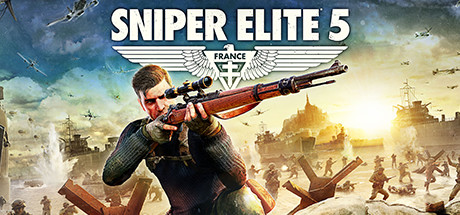
Getting started in Sniper Elite 5: how missions are laid out, shooting with gravity, wind and heart rate, workbench upgrades, online modes, PC settings and safe trainer use.
How Sniper Elite 5 Missions Work
You play Karl Fairburne, a marksman sent to Brittany in 1944 as part of a covert US Rangers operation against the Atlantikwall coastal defences. Working with the French Resistance, he uncovers a secret Nazi project called Operation Kraken. The campaign is built on large maps rather than corridors. Every mission offers several infiltration and extraction points, plus kill list targets you can hunt alongside the main objectives. Think of each map as something to approach from whichever side suits you, not a route to sprint down.
Start by choosing an entry point and noting where the extraction options sit, then decide how much of the kill list to attempt. Nothing forces you to finish it in one visit, and coming back through a different entry point often reveals routes you missed. Save Anytime and adjustable difficulty are both supported, so starting on a lower setting is a reasonable way to learn how enemies react before you push the challenge up.
- Save before every risky shot or new area; the game lets you save anytime.
- Check every infiltration point before committing to one.
- Leave kill list targets for later if a first run gets too tense.
- Learn the maps on a lower difficulty and raise it once you are comfortable.
Shooting Fundamentals: Gravity, Wind and Heart Rate
Long shots take work. Gravity drags the bullet down over distance, wind pushes it sideways, and your heart rate is another factor to manage as you line up the sights. Stock and barrel choices on your rifle also change how it handles. The farther away the target, the more drop and drift you have to allow for, and the more you gain from settling before you fire instead of shooting straight after moving.
Stopping after a sprint and letting Karl settle is the habit that pays off most, as it does in other shooters with this kind of ballistics. Where you can get closer without being noticed, do it: a shorter shot gives gravity and wind less room to act. Use the X-ray kill cam as feedback. It shows where the round actually went, including when a bone deflected it, and that tells you how to correct the next shot.
- Get closer quietly when you can; shorter shots are easier to land.
- Pause after running before you take a precise shot.
- Watch kill cam replays to see where your shots really hit.
- Re-check your aim after swapping stock or barrel parts.
Stealth, Traversal and Picking Vantage Points
Ziplines, sliding down slopes and shimmying along ledges get you onto high ground and side routes that guards are not covering. The ideal spot lets you see patrols, objectives and your escape route from one place. Find it before you fire, because a poor position can turn a clean kill into a running gunfight.
Watch first. Learn how sentries and lookouts move, spot the gaps in their patrols and route around them rather than through them. A ledge or a slope is often the quiet way past a sharp-eyed guard. Know where you will retreat to if you are seen. Third-person combat is there when stealth fails, but slipping away, regrouping and returning is usually easier than taking on a whole alerted area.
- Scout patrol routes before your first shot.
- Use ledges and ziplines to get past guards rather than fight them.
- Choose positions with a clear exit, not just a clear view.
- If you are spotted, break line of sight and reset.
Workbenches, Weapons and Ammo Choice
At workbenches you can change scopes, stocks, barrels, magazines and more, on rifles, secondaries and pistols alike. Players who like long engagements should build the rifle around precision and a suitable scope. If you keep getting caught up close, put effort into a secondary that copes with that, especially as SMGs and pistols can now trigger kill cams too.
Ammo matters as much as the gun itself. The range runs from armour-piercing down to non-lethal, so load for the target in front of you: penetrating rounds for armoured enemies, non-lethal when you want someone out of the way without killing them. Resist the urge to rebuild a weapon all at once. Change one part, try it on a mission, then decide whether it stays.
- Visit every workbench you find; upgrades happen there.
- Change one weapon part at a time so you can tell what it does.
- Carry ammo that covers both armoured and regular targets.
- Give your secondary and pistol loadouts the same attention as your rifle.
Co-op, Invasion, Survival and Multiplayer
The campaign works solo or with a partner. In co-op you can share ammo and items, give orders and heal each other, so settle on roles early; on big maps, one player covering from range while the other moves in is a solid split. Invasion mode lets another player drop into your campaign as an Axis sniper and hunt you. Playing as Karl, you can also call in a second sniper to help when a mission goes wrong.
Survival mode puts up to four players against waves of enemies, while adversarial multiplayer offers 16-player battles with character and loadout customisation and XP, medals and ribbons to earn. A May 2023 hotfix targeted the widely reported 12011 connectivity error in multiplayer, so if you run into connection trouble, make sure the game is fully updated first. Cross-platform multiplayer is also listed on the store page.
- In co-op, split roles between a long-range shooter and a mover.
- Share ammo and items so neither of you runs dry.
- Expect invaders to use the same high ground you do.
- Update the game before troubleshooting online errors.
PC Settings and Performance
Minimum spec calls for an Intel Core i3-8100 or equivalent, 8 GB of RAM and a DirectX 12 capable GPU with 4 GB of VRAM. Recommended steps up to a Core i5-8400 or equivalent, 16 GB of RAM and a DirectX 12 GPU with 6 GB of VRAM. Both list Windows 10, a 64-bit system and 85 GB of free storage. An SSD is not required, though with an install that large, faster storage usually shortens load times.
On a minimum-spec machine, drop texture quality first, since 4 GB of VRAM leaves little headroom for detailed environments. Shadows and other heavy effects come next, then render resolution if you still need frames. With only 8 GB of RAM, close background apps before launching. A recommended-spec PC has more VRAM and memory for higher textures; raise settings step by step and watch for stutter on the busiest maps.
Smooth aiming makes long shots easier, so a stable frame rate is worth more here than extra visual detail. Test changes in a demanding area, not a quiet corner. If the game refuses to start with an error mentioning NotifyNetworkConnectivityHintChange, a December 2022 hotfix addressed it, so check that you are on the latest version.
- Lower texture quality first on 4 GB VRAM cards.
- Cut shadows next, then resolution if you still need frames.
- Close background apps if you only have 8 GB of RAM.
- Free up 85 GB before installing.
- Favour a steady frame rate over visual extras for better aim.
Using the Trainer in Sniper Elite 5
The trainer is for the single-player campaign played offline. Invasion mode, co-op, Survival and 16-player PvP all put you alongside other people, so keep it out of those sessions entirely. Other players have not agreed to your cheats, and using them online can put your account at risk. Back up your save files before you start: Steam Cloud syncs saves, which means a broken save can follow you, and a manual copy is an easy safeguard.
Some options suit the way the game plays. No Bullet Drop and Steady Aim strip out the gravity and heart rate factors, so you can practise positioning without wrestling the ballistics. Stealth Mode and Wallhack (ESP) make it easier to study patrol routes on an unfamiliar map. Infinite Health, Infinite Ammo, No Reload, No Recoil and Infinite Grenades take the pressure off while you test workbench builds. One-Hit Kills, Aimbot, Super Speed, Game Speed and XP Multiplier change the game far more, so use them sparingly if you want the campaign to stay challenging.
- Use the trainer only offline in the solo campaign.
- Never enable it in Invasion, co-op, Survival or PvP sessions.
- Back up your saves before turning on any option.
- Try No Bullet Drop and Steady Aim to learn routes, then turn them off.
FAQ
Can I play the Sniper Elite 5 campaign alone?
Yes. The campaign works solo or with a partner in co-op, and you can lower the difficulty for an easier start.
How much disk space does Sniper Elite 5 need?
Both the minimum and recommended requirements list 85 GB of available storage, plus Windows 10 on a 64-bit system.
Is Sniper Elite 5 playable on a 4 GB graphics card?
Yes. The minimum requirement is a DirectX 12 capable GPU with 4 GB of VRAM. Lower texture quality and shadows first to keep the frame rate steady.
What should I do about a start-up error mentioning NotifyNetworkConnectivityHintChange?
A hotfix for this error was released in December 2022. Make sure the game is fully updated through Steam.
Can I use the trainer in Invasion mode or multiplayer?
No. Use it only in the offline single-player campaign, because Invasion, co-op, Survival and PvP all involve other players.
Comments
No comments yet
Be the first to share your thoughts.