Shift At Midnight: Beginner's Guide and Best Settings
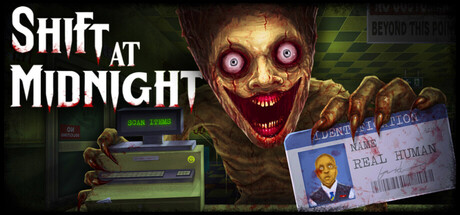
How to run the gas station, catch doppelgangers at the counter, survive the monster phase and set up Shift At Midnight to run well on your PC.
How a Shift Works
You run a gas station overnight in Shift At Midnight, and each shift ends with a sales quota you need to have met. The work splits into four jobs: stocking shelves, taking deliveries, serving customers and keeping the store clean. Shifts are randomly generated, so there is no fixed order of events to memorise. A routine you can adapt is worth more. Story Mode strings 13 of these shifts together, which gives you plenty of nights to work out how to divide your attention.
Empty shelves cost sales, so restock during quiet stretches instead of waiting until a queue has formed. Unpack deliveries promptly and the stock will be there when you need it. Cleaning is more than housekeeping here, because it ties into dealing with doppelgangers, covered below. Use your first shift to learn the store: walk every aisle, find where things are kept and get a feel for how long each task takes.
- Walk the full store layout before your first customer arrives.
- Restock in quiet moments, not while people are waiting.
- Unpack deliveries early so shelves never run dry.
- Clean as you go instead of leaving it all for the end.
Spotting Doppelgangers
Some of your customers are not human, and catching them before they leave matters more than any sale. You have three ways to check: their ID, the store computer, where you cross-check their details, and how they behave at the counter. Use all three on everyone, even with a long queue and a quota bearing down on you. A doppelganger you wave through does not just disappear. It comes back later in the same shift.
There is no published list of giveaways, and with randomly generated shifts it would be risky to rely on one. Stick to the method. Read the ID closely, compare it with the computer records and look for details that do not line up. Then pay attention to the person in front of you, because odd behaviour counts as evidence. Slow service costs a little time against the quota; letting a creature walk out costs a great deal more.
Once you are convinced a customer is not human, you can execute them on the spot, and the cleanup is your job afterwards. The game's description does not say what happens if you kill a real customer, so pull the trigger only when the evidence clearly points one way. Cleaning up takes time as well. Budget for it, or a single confrontation can leave your stocking and sales well behind.
- Check ID, computer records and behaviour for every customer.
- Slow down for anyone who seems off.
- Only execute when several signs agree.
- Clean up straight away so the mess does not pile up.
When a Creature Gets Out
Let a doppelganger leave and the shift changes from shopkeeping to survival. It returns later as a monster, and your options narrow to barricading the doors, setting traps and finding somewhere to hide. The game warns that survival is no longer guaranteed at that point. This is why interrogation deserves your full attention: each customer you check properly is one less threat later in the night.
Preparation does more than quick reactions here. Use the calm early part of each shift to note where the doors are and which corners might work as hiding spots, because there will be no time to look around once things go wrong. Set traps along the routes a monster would take to reach you, and get the entrances barricaded before you settle into a hiding place. Running for cover after the doors are already open leaves you with few options.
- Note door locations and possible hiding spots early in every shift.
- Barricade first, then set traps, then hide.
- Place traps on the paths leading to your hiding spot.
- In co-op, agree on roles before the monster phase starts.
Solo or Co-op
Shift At Midnight supports single-player and online co-op, and the developer says multiplayer is where the game is strongest. Proximity chat is built in, which generally means you hear teammates based on how close they are. That affects how a team plays. Spread out to cover more jobs and talking gets harder; stick together and you can talk easily but leave parts of the store unattended.
With enough players, one sensible split puts someone at the counter on customers and interrogation, someone on stocking and deliveries, and someone on cleaning and the computer checks. Regroup when the monster phase begins so you can hear each other again. Solo, every job falls to you, so put careful interrogation ahead of speed: missing the quota hurts less than a monster hunting you alone. Character customisation is also available, though it is purely a matter of taste.
- In co-op, give each player a clear job at the start of the shift.
- Regroup before the monster phase so you can hear each other.
- Solo players should favour careful checks over fast service.
PC Settings and Performance
The minimum specification is a 64-bit Windows 10 or 11 system with an Intel Core i5-10400F or equivalent, 8 GB of RAM, a GeForce GTX 1050 Ti or equivalent and DirectX 11. Recommended moves up to Windows 11, an Intel Core i5-10400 or AMD Ryzen 7 5800X, 16 GB of RAM, a GTX 1660 Ti with 6 GB and DirectX 12. Both tiers ask for a broadband connection and 3 GB of storage. Apart from the operating system and DirectX version, the main jump is in graphics card and memory.
On a minimum-spec machine, aim for a steady frame rate before visual quality. If the graphics menu includes them, drop shadows, post-processing and resolution scale first, as these tend to be the most demanding. With 8 GB of RAM, close your browser and other background programs, particularly if you run voice software alongside the game. A PC close to the recommended spec should cope with higher settings, and the recommended tier lists Windows 11 and DirectX 12.
The store page confirms two options that suit this game well. Adjustable text size makes ID cards and computer records easier to read, which matters when one misread detail can let a doppelganger out the door. Custom volume controls let you balance game audio against voice chat. Keep the game sound loud enough to follow what is happening in the store, since in a horror game a noise is often the first warning you get.
- Lower shadows and post-processing first on weaker hardware.
- Close background apps if you have 8 GB of RAM.
- Increase text size if IDs are hard to read.
- Balance voice and game volume so you can still hear the store.
Using the Trainer
Our trainer includes Infinite Health, Infinite Stamina, Freeze Shift Timer, Unlimited Traps, Instant Barricades, Stealth Mode, Super Speed, Game Speed, Save Position, Load Position and Super Jump. Keep it to single-player. In online co-op it changes the game for other people too, so close the trainer before you join or host a lobby. Shift At Midnight syncs saves through Steam Cloud, so make a manual backup of your save files and keep it somewhere the sync cannot overwrite.
Several options are useful for learning. Freeze Shift Timer and Game Speed give you time to study IDs and customer behaviour without the clock running down. Infinite Health and Infinite Stamina let you see the monster phase through to the end instead of starting over. Unlimited Traps and Instant Barricades make it easy to try out different defensive setups. Save Position and Load Position can mark the counter or a hiding spot, and Stealth Mode gives you a safer way to watch the monster phase unfold.
Super Speed and Super Jump get you around the store faster, which helps when you are learning layouts across different shifts. The game came out on July 22, 2026, and a major Endless Mode update is planned, so patches are likely. A game update can break trainer options until the trainer catches up. If anything behaves strangely after a patch, switch the trainer off and restore your backup rather than carrying on with a save that may be affected.
- Single-player only. Close the trainer before any co-op session.
- Back up saves manually because Steam Cloud syncs automatically.
- Use Freeze Shift Timer to practise interrogation without pressure.
- Turn the trainer off after game patches until it has been updated.
Story Mode and What Comes Next
At launch the game is built around Story Mode and its 13 randomly generated shifts. Replaying a shift will not bring back the same customers or events, so you improve by sharpening habits, not by remembering answers. Steam Achievements add goals beyond reaching the end, Steam Cloud carries your progress between PCs, and Family Sharing lets others in your Steam family play. If you played the demo, note that it got a significant update for Steam Next Fest in February 2026, so the full game may not match what you remember.
A free Endless Mode update, labelled as a beta, is planned for the fourth quarter of 2026, with exclusive customers, weapons, traps and monsters. Until then, Story Mode is where you learn the game. Release slipped more than once before landing in late July, and further patches for balance and bug fixes are a reasonable expectation as more players report problems.
- Replay shifts to build habits, not to memorise events.
- Expect differences from the Next Fest demo.
- Watch the patch notes for Endless Mode news.
FAQ
Can I play Shift At Midnight alone?
Yes. Single-player is supported alongside online co-op, although the developer says multiplayer is where the game is strongest, helped by proximity chat.
How many shifts are in Story Mode?
Story Mode has 13 shifts. Each one is randomly generated, so no two shifts play out the same way.
What happens if I let a doppelganger leave the store?
It comes back later in the same shift as a monster. At that point you need to barricade the doors, set traps and hide, and survival is not guaranteed.
Is there an Endless Mode?
Endless Mode, marked as a beta, is planned as a free update for the fourth quarter of 2026, adding exclusive customers, weapons, traps and monsters.
Will Shift At Midnight run on my PC?
The minimum is a 64-bit Windows 10 or 11 system with an Intel Core i5-10400F or equivalent, 8 GB of RAM and a GTX 1050 Ti or equivalent. Recommended calls for 16 GB of RAM and a GTX 1660 Ti, and both tiers list a broadband connection and 3 GB of storage.
Comments
No comments yet
Be the first to share your thoughts.