Ready or Not: Beginner's Guide and Best Settings
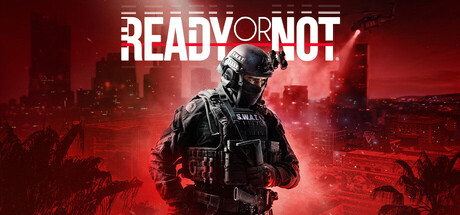
How to plan and clear missions in Ready or Not, keep your squad alive, set up the game for your PC, and use trainer options safely offline.
What Kind of Game This Is
Ready or Not puts you in charge of a SWAT team working high-risk calls in the fictional city of Los Sueños. Players arriving from fast arcade shooters need to slow down. Preparation, careful movement and clear communication count for more than reflexes. Each location may hide armed suspects, civilians or both, and a careless entry can turn a mission against you very quickly.
Single-player and online co-op run on the same loop: pick the squad, choose weapons and gear, deploy, clear the building, deal with threats and protect the innocent. Use your first few missions as practice. Learn how doors, corners and sightlines behave before chasing a clean result.
- Walk, do not sprint, into rooms you have not cleared.
- Assume a closed door hides someone until you know otherwise.
- Replay early missions to learn their layouts before moving on.
Squad and Loadout Planning
A lot of a mission is settled before the first door opens. You build the squad from SWAT officers and kit them out with weapons and gear modelled on real equipment. Pick for the job in front of you instead of grabbing the same kit every time: a cramped house and an abandoned island resort ask for different tools.
Beginners do best with a balanced team. Make sure someone can handle close quarters, carry gear for breaching and room entry, and avoid building every officer around the same role. The DLC packs add weapons and gear, with Home Invasion bringing three weapons and six pieces of gear and Dark Waters adding five weapons and two gear sets, so revisit your loadouts as new equipment arrives.
- Favour shorter weapons for tight interiors.
- Bring tools for getting into rooms, not only for fighting inside them.
- Try new gear on a mission you already know before taking it somewhere unfamiliar.
Clearing Rooms Without Losing People
Most of your time goes into clearing rooms. Move as a unit, watch the angles your teammates are not covering, and check corners before pushing deeper. Suspects can turn up behind you from rooms you thought were empty, so keep someone watching the rear. Steady progress through a building tends to beat restarting after a reckless push.
Penetration matters. Bullets pass through walls, furniture and bodies, and that cuts both ways: a suspect can hit you through thin cover, and your own rounds can reach a civilian or teammate you cannot see. Know what sits behind your target before you fire. The missions are built around apprehending suspects and rescuing innocents, so restraint is part of the job.
- Never fire blind through a wall when civilians might be on the other side.
- Stand to the side of a door you are about to open, not in front of it.
- Let the squad regroup after each room before the next breach.
- Treat thin interior walls as concealment, not cover.
The Weight of Losses
Losses in Ready or Not do not vanish when the mission ends. The deaths of squadmates and hostages take a psychological toll on the officers who survive, which can affect how they perform or end their careers outright. A sloppy run can leave you with a weaker team for the missions that follow.
Put clean outcomes ahead of speed. A slow mission where everyone walks out is worth more than a fast one that costs you an officer. If an opening breach goes badly, starting over may be the better call than pushing on and absorbing the damage. Protect the officers you rely on most and keep them out of positions where a single mistake gets them killed.
- Value civilian and squad survival over completion time.
- Start over if the first breach goes wrong.
- Watch how your officers perform after a rough mission.
PC Settings and Performance
Minimum requirements call for an Intel Core i5-4430 or AMD FX-6300, 8 GB of RAM and a GeForce GTX 960 2GB or Radeon R7 370 2GB, running 64-bit Windows 10 or 11 with DirectX 11. The recommended spec moves up to a Ryzen 5 1600 or Core i5-7600K and a GTX 1060 6GB or better, with RAM unchanged at 8 GB. Both list 60 GB of storage, and an SSD can shorten load times.
On a minimum-spec machine, 2 GB of video memory is the tightest limit. Drop texture quality first, then shadows and heavier effects, and only then lower the resolution or use a scaling option if one is available. A steady frame rate matters more than looks when you need to react to whoever is standing in a doorway. Keep the game patched as well: v1.5.3 was aimed at crashes and performance.
- Lower texture quality first on 2 GB graphics cards.
- Cut shadows and heavy effects before reducing resolution.
- Close background apps, since 8 GB of RAM leaves little spare.
- Install on an SSD if you have 60 GB free on one.
Updates, DLC and the Mission Editor
VOID Interactive has kept patching the game since release. Boiling Point landed with v1.4, and v1.4.3 dealt with online authentication and achievement problems. Version 1.5 added the Mission Editor, which lets you adjust gameplay variables inside existing missions, with most of the focus on non-player characters. Version 1.5.3 then fixed crashes, Mission Editor bugs and laser and flashlight attachments that were emitting from the wrong spot on weapons.
For newer players, the Mission Editor works as a practice tool. Changing how a mission's characters are set up lets you rehearse a specific situation, gently while you learn the layout or with more pressure once you know it. The Digital Deluxe Edition bundles the first three DLCs, Home Invasion, Dark Waters and Boiling Point, so check the store page to see what your edition includes.
- Rehearse hard missions in the Mission Editor with tamer settings.
- Read the patch notes after each update, since fixes can change how gear behaves.
- Steam Cloud syncs your progress, but keep manual backups as well.
Using the Trainer Options
Our trainer includes Infinite Health, Infinite Ammo, No Reload, No Recoil, Infinite Grenades, One-Hit Kills, Stealth Mode, Infinite Stamina, Super Speed, Game Speed and Save and Load Position. Use it only in single-player while offline. Ready or Not has online co-op, and running a trainer there affects other people's sessions, so keep it out of multiplayer completely.
A few options are good for learning. Save and Load Position puts you back at the same doorway so you can repeat an entry until the room makes sense. Game Speed slows encounters down so you can watch how suspects respond, and Infinite Health takes the pressure off while you explore a layout. One-Hit Kills works against the game's focus on arrests, so treat it as an experiment rather than your usual approach. Back up your saves before switching anything on, because what happens to your squad carries into later missions.
- Back up saves before every trainer session.
- Use Save and Load Position to practise difficult breaches.
- Turn every option off before joining online co-op.
- Switch the options off once you feel confident and play the missions as designed.
FAQ
Can I play Ready or Not alone?
Yes. Single-player has you leading a squad of SWAT officers, and online co-op is there if you want to play with others.
Will Ready or Not run on an older PC?
The minimum spec is an i5-4430 or FX-6300, 8 GB of RAM and a GTX 960 2GB or R7 370 2GB on 64-bit Windows 10 or 11. On hardware close to that, lower textures and shadows first to keep the frame rate steady.
Does it support controllers?
Yes. Steam lists full controller support, including DualShock and DualSense controllers.
What does the Mission Editor do?
Added in v1.5, it lets you change gameplay variables within existing missions, mainly how non-player characters are set up. That makes it handy for practising a mission at a level that suits you.
Do squad losses really matter?
Yes. When squadmates or hostages die, the surviving officers take a psychological hit that can hurt their performance or end their careers.
Comments
No comments yet
Be the first to share your thoughts.