Rainbow Six Siege: Beginner's Guide and Best Settings
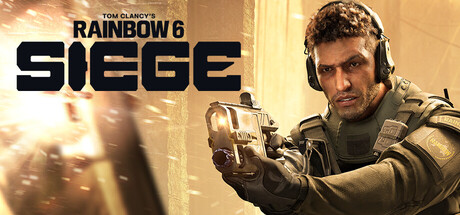
How Rainbow Six Siege's 5v5 attack and defense rounds work, which PC settings to lower first, and why trainer features don't belong in its online matches.
What Siege Is
Rainbow Six Siege is a 5v5 tactical shooter from Ubisoft Montreal. One team attacks and the other defends, and you swap sides as the match goes on, choosing an operator and adjusting your plan to that operator and the map. Quick Match and Unranked are free with a selection of operators. Ranked playlists, Siege Cup, additional operators and cosmetics cost money.
Rounds are won with intel and preparation. Defenders reinforce walls, set up barricades and lay traps, then hold the bomb site. Attackers scout with drones, break through those defenses and open new angles through walls, floors and ceilings. Destruction is a tool, not decoration: a wall is only temporary cover, and one fresh hole can turn a fight.
Ubisoft ships major updates every season, so operators and balance values keep moving. Read any operator advice, this guide's included, as a snapshot that the next season may overturn.
- Learn the maps in Quick Match and Unranked before you think about Ranked.
- Finish the clearance level onboarding path before trying competitive modes.
Learn Attack and Defense Fundamentals
Attackers should spend the opening seconds of a round droning. Locate defenders, traps and the objective before anyone pushes, because information wins more rounds than aim does. Once you move, clear angles slowly and let teammates cover the sightlines you can't. Hitting from the floor above or below, or rappelling in through a window, catches defenders who only watch the doors.
Defense starts with building the site. Reinforce the walls that matter, barricade the flanks and put gadgets on the routes attackers will actually take, not in empty floor space. Cameras and other surveillance tools let you read the push before it lands. Hold a disciplined angle and trade kills with a teammate; going out alone tends to end badly.
Both sides depend on communication. Call what you see, where you died and which gadgets have been destroyed. A team that shares intel will usually beat five better shooters who stay quiet.
- Drone before every push, and try to keep one drone alive to watch the objective.
- Agree on reinforcements as a team so none are wasted on the wrong walls.
- When you spot an enemy, give the room, the floor and the direction.
PC Settings and Performance
The minimum spec is Windows 10 or 11 (64-bit), a Ryzen 3 3100 or Intel i3-8100, 8 GB of RAM and a GTX 1650 4GB, RX 5500XT 4GB or Intel Arc A380 6GB, plus DirectX 12 and 65 GB of free storage. RAM stays at 8 GB on the recommended tier too, so the CPU and GPU decide how well the game runs. You also need a broadband connection, and the game uses BattlEye anti-cheat.
On a minimum-spec machine, favor steady frame times over looks. Cut the heaviest options first: shadows, ambient occlusion, any post-processing, and texture quality if your card is short on VRAM. Reduce render scaling before you lower your display resolution, and cap the frame rate at a value your system can hold to limit stutter.
The recommended tier asks for Windows 11, a Ryzen 5 3600 or i5-10400 and an RTX 2060 6GB or RX 6600 8GB, which leaves room for higher settings. Even on that hardware, keeping shadows and effects moderate makes moving targets easier to read. More than 8 GB of RAM and an SSD aren't required, but both can help with loading and hitching.
- Lower shadows and post-processing first; they usually return the most frames.
- Cap your frame rate at your monitor's refresh rate or at a level your PC holds steadily.
- Install the game on an SSD if you have room to shorten load times.
Operators, Seasons and Staying Current
Recent updates added Operation Split Fire and its new operator, Noor, along with the Legend Division and a 3v3 Arcade Mode. Balance patches keep arriving between them. The Y11S3 mid-season update cut the drilling time of Noor's Horus Lance Launcher, and Y11S2.3 reduced the detonation delay on Hibana's X-Kairos pellets. Tier lists go stale quickly, so check the latest patch notes and designer's notes before you invest in a pick.
New players shouldn't rush to buy operators. Get comfortable with a few of the free ones on each side first, so drones, reinforcements and gadget timing make sense. The designer's notes track win rates against pick rates and the most-banned operators, which is a decent guide to what's strong right now.
Patches can weaken the operator you depend on. Keep a second pick you're comfortable with on attack and on defense, and a nerf won't leave you without a role.
- Read the latest patch notes and designer's notes before you buy an operator.
- Keep one reliable attacker and one reliable defender to fall back on.
- Expect gadget timings and values to change from season to season.
How the Trainer Options Fit This Game
Our site lists Aimbot, Wallhack ESP, No Recoil, No Spread, Infinite Ammo, No Reload, Infinite Health, Rapid Fire, Radar Hack, Super Speed, Freeze Round Timer and Infinite Gadgets for this game. Siege is a poor fit for them. It's built around online PvP and co-op, needs a broadband connection and ships with BattlEye anti-cheat.
Trainers suit games you play on your own. In Siege, most matches run on live servers with other people, so Aimbot, Wallhack ESP or Radar Hack would change those matches directly. We don't claim any of these tools is undetectable or safe from bans, and using them against other players puts your account at risk.
To practice aim, movement or gadgets without affecting anyone else, use what the game already gives you: the onboarding path, the training content and the playlists with AI bots. That's where skill is meant to be built, and none of it endangers your account.
- Remember that trainer features are aimed at solo play, while Siege centers on online PvP and co-op.
- Back up local settings before changing any game files so you can restore them.
- Practice against bots and in training content instead of risking your account.
A Simple Plan for Your First Hours
Begin with the onboarding path and bot matches to learn the controls, drones and reinforcements. After that, Quick Match and Unranked let you make mistakes while you learn map layouts, common site setups and callouts. Knowing the maps matters more than anything else early on. Most early deaths come from not knowing where the angles and rotations are.
Stick to a small pool of operators. Two attackers and two defenders learned properly will serve you better than a little time on everyone. Give each session one habit to work on, such as droning before a push, reinforcing the right walls or holding an angle instead of chasing. Those habits add up faster than raw aim practice.
After a match, think back over your rounds. Note where you died and whether you had any intel before you moved. In time you'll start predicting the other team's plan, and that's what separates a confident Siege player from one who only reacts.
- Learn one map at a time until its rotations come naturally.
- Work on a single habit per session.
- After each death, ask whether you had intel before you moved.
FAQ
Is Rainbow Six Siege free to play?
Access is free and covers Quick Match and Unranked with a selection of operators. Ranked playlists, Siege Cup, additional operators and cosmetics have to be paid for.
What are the PC requirements?
Minimum: Windows 10 or 11 64-bit, a Ryzen 3 3100 or i3-8100, 8 GB RAM, a GTX 1650 4GB, RX 5500XT 4GB or Arc A380 6GB, DirectX 12 and 65 GB of storage. Recommended: Windows 11, a Ryzen 5 3600 or i5-10400, 8 GB RAM and an RTX 2060 or RX 6600.
Can I use a trainer or cheats in Siege?
Siege centers on online PvP and co-op, requires a broadband connection and uses BattlEye anti-cheat. Cheat features would affect live matches with other players and put your account at risk. We make no claim that any tool is undetectable or safe from bans.
How often does the game change?
Each season brings a major update with new content and features, and balance patches land between seasons. Recent updates added Operation Split Fire, the operator Noor, the Legend Division and a 3v3 Arcade Mode, so operator strength changes regularly.
Does it support controllers?
Yes. The Steam version lists full controller support, including DualShock and DualSense, and supports Remote Play on phones and tablets.
Trainer and game page
Tom Clancy's Rainbow Six Siege Trainer · Tom Clancy's Rainbow Six Siege
Comments
No comments yet
Be the first to share your thoughts.