Project Zomboid: Beginner's Guide and Best Settings
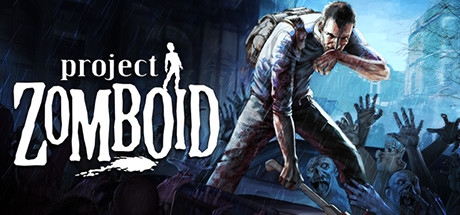
How to start in Project Zomboid: picking a mode, staying quiet through the first days, keeping your character fed and sane, setting up a base, tuning a PC near the minimum spec and using trainer options without wrecking a save.
Pick the Right Mode First
Project Zomboid is built around one assumption: your character will die. What you control is how long that takes, and the starting mode has more say in it than anything else. There are four standard modes, Outbreak, Rising, Apocalypse and the punishing Extinction, plus Challenge scenarios with fixed setups. On a first run, pick one of the gentler options. Early deaths should teach you how the game works, not end every attempt a few minutes after you spawn.
Most of the rules can be changed in the sandbox menu. Zombies walk by default, but the developers let you make them run there, which shows how far the settings go. Start with forgiving values and get used to the pattern of looting and hiding. After that, raise the difficulty one setting at a time, so you can see what each change actually does.
- Start in a gentler mode and treat your first character as practice.
- Leave zombie speed on the default until you understand how sight and sound work.
- Change one sandbox value per run so you can see its effect.
- Move to a Challenge scenario when you want a set goal rather than open survival.
Surviving the First Days
The map is huge and loosely modelled on real-world Kentucky, inside the Knox Event Exclusion Zone. You start in a town that already has zombies in it. Your first task is to search nearby houses for food, water, tools and anything you can swing. Clear them one at a time near your spawn point instead of running across town. Moving slowly lets you see what is around you and keeps an exit open.
Zombies react to line of sight, real-time lighting and sound. If one spots you, others will follow, and the developers warn that firing a gun gets you into trouble fast. Stay quiet in the early days. Fight lone zombies on open ground where you have room to back off, and leave groups alone. Because zombies swarm, one careless noise can bring in far more than you can handle.
- Loot the houses around your spawn before heading further out.
- Keep guns for emergencies early on, since the noise draws more zombies.
- Know how you will get out before you go into any building.
- Rest in a closed, quiet room, never out in the open.
Needs, Moods and Skills
The undead are not your only problem. Hunger, thirst, illness, boredom and depression all build up in the background while you are busy looting. As in most survival games, letting them slide weakens your character, and that makes every fight and escape more dangerous. Keep food and water stocked well ahead of need, and act on mood warnings before they turn into a crisis.
Skills and perks improve through what you do in the game, not by spending points in a menu. A good carpenter, cook or farmer comes from practising carpentry, cooking or farming. Decide early what your character will depend on, and spend quiet days doing that work. Useful tasks also keep boredom down, so a long stretch of building or cooking pays off twice.
- Stockpile food and water before you actually need them.
- Check mood indicators as well as health.
- Pick one or two skills to focus on and work on them during quiet days.
- Take illness seriously; resting with supplies beats pushing on.
Building a Base and Planning Long Term
Once you have supplies, settle somewhere. You can chop trees, saw planks, barricade windows and doors, and build forts from what you scavenge. Choose a building with few entrances, away from crowded streets, and secure it bit by bit. A small, well-sealed shelter is usually easier to hold than a large one with many weak points. Keep food, tools and building materials in one spot so you are not hunting for them in an emergency.
The world gets harder over time. Nights fall, the electricity eventually goes, hordes move around the map, winter sets in and nature starts reclaiming the towns. Prepare for each change before it arrives. Farming, fishing, trapping and cooking provide food that does not depend on looting. When the houses nearby are empty, vehicles, which have full physics, let you reach new areas. The longer you intend to last, the more you need to produce instead of scavenge.
- Choose a base with few entrances and a clear view of the approaches.
- Get ready for the power cut before it happens.
- Start farming, fishing or trapping before the nearby loot runs out.
- Keep a working vehicle parked by your exit in case you need to flee.
PC Settings and Performance
Steam only gives minimum requirements: 64-bit Windows 10 or 11, a 2.77GHz quad-core Intel CPU, 8GB of RAM, 10GB of storage, an FMOD-compatible sound card and a dedicated graphics card with at least 4GB of VRAM and OpenGL 2.1 and GLSL 1.2 support, which generally means 2012 or newer. There are no recommended specs, so you will have to test for smooth performance yourself. Integrated graphics fall short of the stated minimum, and the 4GB VRAM figure is a firm requirement.
On a machine close to the minimum, large crowds of zombies and busy towns are usually the heaviest load, because the game tracks hundreds of zombies along with what they can see and hear. With real-time lighting in play, lighting and visual effects are likely to cost the most, so turn those down first and resolution after that. Closing background programs frees up RAM. A PC with more memory and a faster CPU than the minimum should hold up better in crowded areas and over long sessions.
- Make sure your graphics card has 4GB of VRAM before you buy.
- Turn down lighting and visual effects first, then resolution.
- Close browsers and other programs to free memory.
- Test performance in a busy town rather than an empty field.
Using Trainer Options Sensibly
Trainer options take the edge off the harshest parts of the game while leaving the core intact. Infinite Health and Infection Immunity mean one bad encounter cannot end a long run. No Hunger and Thirst, No Fatigue and No Panic or Stress free you to build or explore without constant upkeep. Infinite Endurance is there for when a horde is behind you. These work best for learning the systems that keep killing you; turn them off again when you want the normal game.
Infinite Ammo and Unbreakable Weapons make fights easier, though gunshots still attract zombies. XP Multiplier and Instant Crafting speed up skill gains and construction, and Unlimited Carry Weight cuts the number of trips between loot and base. Game Speed shortens long waits, while Zombie ESP reveals zombies you would otherwise miss. Keep the trainer to single-player, stay away from multiplayer servers with it, and back up your save before switching anything on.
- Use the trainer only in single-player or offline games.
- Back up your save folder before enabling any option.
- Turn options on one at a time so problems are easy to trace.
- Switch everything off before a trainer-free run so the challenge stays intact.
Updates, Mods and Save Safety
Project Zomboid is still in Early Access and gets regular updates. The latest patch notes show Build 42 receiving incremental updates, with 42.22.2 now on the stable branch. The developers have also renamed their test branch from Unstable to Pre-Release, because the old name confused players. For fewer surprises, stay on the default stable version that Steam updates automatically, and only switch to Pre-Release if you can live with bugs.
Lua modding and the Steam Workshop are both supported. The team tries to keep old saves working on new versions, but that effort covers unmodded, vanilla games. They also ask players to reproduce bugs on a fresh save with no mods before reporting them. In practice, mods and trainers both raise the risk after an update. Keep separate backups, and wait until your mods are updated before loading an important save on a new build.
- Keep long-running saves on the stable branch.
- Back up saves before each major update.
- Turn off mods and the trainer when checking whether a bug is in the base game.
FAQ
Do zombies run in Project Zomboid?
Not by default; they walk. You can make them run in the sandbox settings if you want a harder game.
Can I play co-op with friends?
Yes. There is online co-op and PvP on persistent player-run servers, plus local split-screen co-op and Remote Play Together.
Will updates break my existing save?
The developers work to keep older saves playable, particularly unmodded vanilla ones. Modded saves are more at risk, so back them up before you update.
Can I use a controller?
Xbox controllers are supported on Windows, and Steam lists partial controller support. Other gamepads have to be set up manually.
Can I use the trainer in multiplayer?
No. Keep trainer options to single-player or offline games, and back up your save before using them.
Comments
No comments yet
Be the first to share your thoughts.