PowerWash Simulator 2: Beginner's Guide and Best Settings
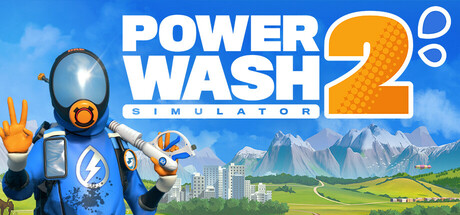
How to approach the new campaign, multi-stage jobs, tools and co-op in PowerWash Simulator 2, plus PC settings advice and where the trainer options fit in.
Getting Started with the Campaign
PowerWash Simulator 2 opens with a new campaign of cleaning jobs that gradually fills in what is going on in Muckingham, then sends you further afield to new locations such as Sponge Valley, Power Falls and Lubri City. There is no clock to beat. Steam lists the game as playable at your own pace and without timed inputs, and you can save at any point, so stopping halfway through a job costs you nothing.
Multi-stage jobs are the main structural addition. These open up in parts: you might clean a vehicle's exterior before getting into its interior, or finish one room before moving to another. Handle each stage as its own task. Clear it, check for stray specks, then move on. Hunting down leftover spots is usually what drags a job out, so a slow, methodical first pass tends to pay off.
- Finish one surface completely before moving to the next instead of spraying at random.
- Treat the stages of multi-stage jobs as natural break points.
- Save before you step away; the game lets you save at any time.
- Take on each new location as it unlocks to keep the campaign moving.
Tools, Reach and Soap
Most of the new equipment deals with height or scale. The abseiling rig and cherry picker lift you up to high walls and other upper surfaces, while the surface cleaner covers large stretches of ground far faster than sweeping a narrow jet back and forth. Picking the right tool for each surface saves a lot of time.
Soap has been reworked as well and now clings to stubborn stains while it breaks down dirt. A sensible routine is to go over the whole job with your standard washer first, then soap whatever is left and finish it off. Spending minutes grinding at one mark with plain water is exactly what soap is there to prevent.
- Use the surface cleaner on floors, driveways and other large ground areas.
- Take the cherry picker or abseiling rig to high walls instead of spraying from far below.
- Keep soap for marks that survive a normal pass.
Your Home-base and Downtime
Between jobs you head back to a home-base you can decorate with furniture and trinkets collected along the way, so it fills up gradually. Nothing in the official description links decorating to how well you clean. Treat it as a place to unwind rather than a system to optimise.
Your cats live there too, and they make a decent excuse to take a break. Friends can drop by to look around. Even if you play solo, it helps to call in after each job and place any new items, since a few pieces at a time are easier to arrange than a pile saved up over hours.
- Place new furniture as you earn it so decorating never turns into a chore.
- Use home-base as a pause point between longer jobs.
Co-op and Split-screen
Online co-op now shares campaign progression, which FuturLab presents as a first for the series. Cleaning with a friend moves your own campaign forward rather than sitting in a separate mode. Cross-platform multiplayer is listed too, so your partner may not need to be on PC.
Split-screen co-op puts two players on one screen. Rendering two views generally costs more than one, so if the frame rate dips, drop your settings a notch before settling in. Split the work before you start, for example one player on high areas and the other on the ground, and you won't both end up washing the same wall.
- Full controller support and DualSense support are listed, which makes it easy to hand a pad to a second split-screen player.
- Divide jobs by area or height before you start.
- Check performance in split-screen before committing to a long session.
PC Settings and Performance
The minimum spec calls for 64-bit Windows 10, a processor along the lines of a Core i5 7400 or Ryzen 3 1300X, 8 GB of RAM, DirectX 12, 8 GB of storage and a graphics card such as a GTX 1060 6GB or RX 5600M 6GB. These are older mid-range parts. If your PC sits near that level, start with modest settings and raise them once you know how it runs.
Graphics menus vary, so look for the closest equivalents in yours. On weaker hardware, lowering resolution or render scale usually brings the biggest gain. Shadows come next, then heavier effects such as reflections. Texture quality can often stay higher on cards with the 6 GB of video memory listed. With only 8 GB of system RAM, close browsers and other background apps before playing.
The recommended spec is much newer: 64-bit Windows 11, a Core i5-13600K or Ryzen 7 7700X, 16 GB of RAM and an RTX 4060 Ti 8GB or RX 6700 XT 8GB. A PC at that level should manage higher settings and resolutions, with more headroom for split-screen. Recommended storage doubles to 16 GB, so leave room for updates, and install to an SSD if you can for shorter load times.
- Lower resolution or render scale first on weak hardware.
- Cut shadows and reflections next, and keep textures high if video memory allows.
- Close background programs on systems with 8 GB of RAM.
- Keep at least 16 GB free for the game and future updates.
Using the Trainer Options
Several trainer options line up directly with the cleaning. Unlimited Soap means you can treat every stubborn stain without holding back, and Max Spray Power with Wide Spray Range cuts the time spent on big jobs. Instant Dirt Removal works best as a finisher for the one speck you can't find at ninety-nine percent. Switching it on from the start skips the part most people play for. Unlimited Money takes care of any grind for in-game cash.
The movement options cover reach and navigation. Super Speed and Super Jump get you across large sites faster, and No Clip Mode lets you pass through geometry into awkward corners. Store a spot with Save/Load Position before turning No Clip on, so you can get back if you end up stuck. The same feature is handy for returning to a high spot you need to revisit. Game Speed slows things down or speeds them up.
Keep the trainer to offline single-player sessions. Online co-op shares campaign progress, so changing values there affects your partner's game as well. Back up your saves before trying any option. Because the game uses Steam Cloud, copy the save folder somewhere outside the game directory, since sync can carry changes across. The game also has Steam Achievements, which you may prefer to earn unassisted.
- Never run the trainer during online co-op sessions.
- Copy your save folder before first use and after big milestones.
- Store a position with Save/Load Position before turning on No Clip Mode.
- Keep Instant Dirt Removal for the last hard-to-find specks.
Updates and What Comes Next
Update 1.3 is due on July 16 and adds a free job, Caldera Chronicles Job 2: The Bowling Alley, plus a Message Archive, bug fixes and a STAR WARS Pack. For the rest of 2026, FuturLab's roadmap focuses on fixes and quality-of-life improvements, with small furniture and cosmetic drops ahead of bigger updates next year.
Patches change game files, and trainers often need their own update to match. After any patch, confirm your trainer version matches the game before using it. Back up your saves right before a major update too, for the same reason you back them up before using cheats.
- Back up saves before major patches.
- Confirm the trainer matches the current game version after an update.
FAQ
Can I play PowerWash Simulator 2 in split-screen?
Yes. Split-screen co-op sits alongside online co-op, which now shares campaign progression. Cross-platform multiplayer is listed as well.
Will it run on a GTX 1060?
The GeForce GTX 1060 6GB is in the minimum requirements, along with 8 GB of RAM and DirectX 12. Expect to use lower settings, and drop resolution or render scale first if the frame rate falls.
Is there a timer or time pressure on jobs?
No. The game is listed as playable at your own pace and without timed inputs, and you can save at any time, so you can stop whenever you like.
Can I use the trainer in co-op?
Keep it to offline single-player. Online co-op shares campaign progress, so cheats there would affect your partner. Back up your saves before using any option.
Does it support controllers?
Yes. Full controller support is listed, along with DualSense support.
Comments
No comments yet
Be the first to share your thoughts.