PEAK: Beginner's Guide, Climbing Tips and Best Settings
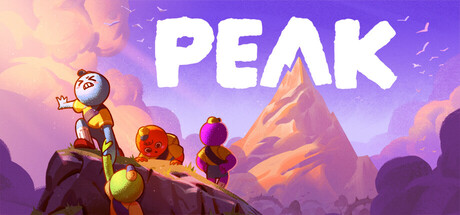
How a PEAK run works, from stamina, injuries and food to ropes, daily islands and co-op roles, plus PC settings for weaker machines and where trainer options fit in solo climbs.
How a PEAK Run Works
PEAK strands you on an island with one way out: climb the mountain at its center. You can attempt it alone in offline single player or with up to three friends online. The route runs through several biomes, each with its own hazards, and a single misjudged jump or an injury you didn't deal with can end the attempt. It plays better as a string of small, careful decisions than as a race.
The island layout rotates every 24 hours, and you can retry the current one as often as you like until it changes. Your first attempt on a fresh island is mostly reconnaissance. Later attempts that day are where knowing the route starts to pay off.
- Spend your first run of the day learning the layout rather than chasing a clean finish.
- Retry the same island before it rotates, while the route is still fresh in your head.
- Slow down near ledges. Small mistakes are what end runs.
Stamina, Injuries and Food
Stamina decides how far you can climb, and every injury you pick up cuts into it. Setbacks stack, so each one leaves less margin for the next wall. Before committing to a long vertical stretch, check whether you have enough left to reach the next safe ledge. If not, look for an easier line.
Food keeps you going between hazards, and the game is upfront that much of it is questionable. Learn which items you can trust and save the risky ones for when you have no better option. Hoarding everything is as bad as eating at random. In a group, say what you're carrying so nobody goes hungry while a teammate sits on spares.
- Plan each climb from one safe ledge to the next based on the stamina you have left.
- Deal with injuries early, since each one shrinks your stamina for the rest of the climb.
- Try unfamiliar food on solid ground, not halfway up a wall.
- Share food in co-op so the weakest climber isn't the one who falls.
Climbing Items: Ropes, Spikes and the Anti-Rope
Survival items are how a brutal section becomes a manageable one. Ropes and climbing spikes matter most here: once one scout has solved a tough stretch, they can place gear so the people behind them have an easier time. Energy drinks turn up too. The Anti-Rope is only described as mysterious, so test it somewhere low before you trust it on a cliff face.
Don't count on finding replacements, so think about placement. Gear earns its keep where a fall would cost the most or where a wall is too long to finish on one stamina bar. Leave easy sections bare. Solo players should ask whether a rope might be needed in a later biome before spending it on an early ledge they could handle with care.
- Save ropes and spikes for long walls and dangerous drops.
- In co-op, send your most confident climber first to place gear for the others.
- Try unfamiliar items such as the Anti-Rope close to the ground before relying on them.
- Pick up items you find even if you have no use for them yet.
Climbing With Friends
Multiplayer is friends-only and cross-platform, and sessions are joined with room codes. Patch 3.0.1 fixed codes for joining games in other regions, and 3.1.0 made the codes longer. Voice runs through proximity chat, so a scout who wanders off goes silent. Stay close enough to talk, particularly before a hard section where you need to settle who goes first.
Pulling each other up ledges is built into the design, and the patch notes confirm downed players can be revived. Campfires double as save points, which makes them the obvious place to regroup, split food and plan the next leg. If someone drops out, a recent fix means reconnecting players should no longer return dead when they should be alive.
- Settle roles early: a lead climber, a supply carrier, and the rest following the placed gear.
- Regroup at every campfire before pushing on.
- Stay within earshot, because proximity chat cuts out once the group splits.
- Help a struggling teammate up a ledge instead of leaving them to burn stamina.
Daily Islands, Biomes and Badges
The crossplay update added 208 maps to the game's map pool, according to the developers, and that explains a download larger than you might expect from an indie climber. Patch notes mention areas such as the Gloom and the Citadel. After a week where each day's islands were either all old or all new biomes, patch 2.6.a replaced the pool with properly randomized islands, so day-to-day variety should be back.
Badges are the long-term goal. There are dozens to earn, along with cosmetics for customizing your scout. Some are linked to particular areas or items: the Medieval History badge had bugs around the Gloom and the Citadel, and the Bookworm badge involves Guidebook Scrolls. Both had progress problems that were patched, so update the game if a badge doesn't seem to count.
- If badge progress looks wrong, check for updates first. Several badge bugs have been fixed.
- Keep the full 16 GB free, since the map pool is large.
- Note which biomes show up each day and plan your gear around them.
PC Settings and Performance
The minimum spec is 64-bit Windows 10 with an Intel Core i5 at 2.5 GHz, 8 GB of RAM and a GTX 1060 or RX 6600 XT, running DirectX 12. On hardware close to that, put a stable frame rate ahead of visual detail. Climbing depends on timing, and a stutter mid-jump costs far more than rougher shadows. The store page doesn't list the graphics menu, so work with whatever options the game gives you.
In most 3D games the heaviest settings are resolution or render scale, shadows, effects and draw distance, so cut those first. The recommended spec steps up to Windows 11, a 3.0 GHz Core i5 or Ryzen 5, 16 GB of RAM and an RTX 2060 or RX 7600 XT, which should leave room for higher settings. Both tiers ask for 16 GB of storage, and an SSD generally shortens load times.
- On minimum-spec PCs, lower resolution scale and shadows first.
- With only 8 GB of RAM, close background apps, especially if you also run voice chat.
- Keep GPU drivers current, since the game requires DirectX 12.
- Install on an SSD if you can to shorten waits between attempts.
Using the Trainer in PEAK
Keep trainer options to offline single player. Online play in PEAK is friends-only co-op, and changing game values there can ruin the run for everyone and cause technical problems. Back up your save data first: campfire saves track your progress, and several patches have changed how they behave. Cheats may also interfere with badge progress, so earn the badges you care about without them.
Infinite Stamina and No Hunger remove the main resource pressure, which helps when practicing routes on a new daily island. No Fall Damage and Infinite Health let you test risky jumps without restarting. Save Position and Load Position are ideal for repeating one awkward wall until you know it. Super Jump, Super Speed and Fly Mode suit scouting a layout, while Unlimited Items and Game Speed are handy for experimenting with gear.
- Use the trainer only in offline solo runs, never in a friends' lobby.
- Back up your saves before enabling any option.
- Drill a single hard section with Save Position and Load Position.
- After a game update, start with options off and check they still behave correctly.
FAQ
Can I play PEAK alone?
Yes. Alongside online co-op, PEAK has offline single player, so you can take on the mountain solo.
How many players can climb together?
Four scouts in total: you plus three friends. Multiplayer is friends-only and cross-platform, and you join sessions with room codes.
Why does the map change every day?
The island rotates every 24 hours to give you a new layout. Until it changes, you can retry the current island as many times as you like.
Why is PEAK's download so large?
According to the developers, the crossplay update added 208 maps to the map pool, which pushed up the file size. Plan for 16 GB of storage.
Can I use the trainer in co-op?
No. Stick to offline single player and back up your saves first, because changing values in a friends' online session can disrupt their game.
Comments
No comments yet
Be the first to share your thoughts.