Overcooked! 2: Beginner's Guide and Best Settings
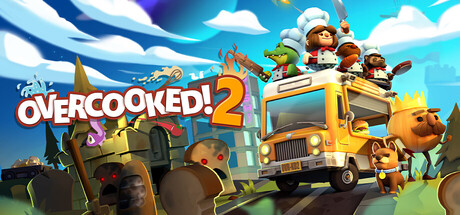
How to keep an Overcooked! 2 kitchen under control, split jobs in co-op, read shifting layouts, set up a modest PC and use trainer options offline.
What You Are Getting Into
Overcooked! 2, from Ghost Town Games and Team17, sends you back to the Onion Kingdom to fend off The Unbread. You cross an overworld map by land, sea and air, and each stop is a kitchen where orders come in against a level timer. Recipes include sushi, cakes, burgers and pizzas, and the kitchens move from sushi restaurants and magic schools to mines and alien planets.
Groups are the point. Steam lists couch and online co-op for up to four players, PvP online and on a shared screen, full controller support and Remote Play Together. Solo play is there too, but the levels are clearly built with a team in mind. Plan on replaying them: a first attempt shows you the layout, and the runs after it are where scores and star ratings go up.
- Use your first run on a level to learn the layout, not to chase a score.
- Full controller support is listed, and many players find a pad easier than a keyboard here.
- Steam Cloud is supported, so progress can carry between PCs.
Core Kitchen Habits
Most failed runs trace back to a handful of habits. Before the timer starts, find the ingredient crates, chopping spots, cooking stations, sink and serving window. Settle on a simple loop of prep, cook, plate, serve and wash. Keep one order in progress and the next one prepped rather than starting four at once, because that overlap is where food burns and plates run out.
Orders expire, so serve the oldest ticket first unless a newer one is nearly done. Dirty plates come back and need washing, which is the first job people forget under pressure. Food left on heat burns and can start a fire, and putting one out costs more time than the dish was worth. Pull food off the moment it is ready.
- Serve the oldest order first unless another dish is seconds from finished.
- Keep a few clean plates ready at all times.
- Never leave food on heat without knowing when you will come back for it.
- Dash across long gaps, but not next to hazards or edges.
Co-op and Solo Play
In co-op, give each player a job instead of letting everyone do everything. With two, one person handles ingredients and prep while the other cooks, plates and serves. Three or four players can split further, and a dedicated washer and server free up everyone else. Agree on roles before the level starts, and say what you are carrying and where you are putting it down.
Throwing is the best tool a team has. Rather than walking an item across the kitchen, toss it to a teammate or onto a counter near the next station. Online, the same tactics apply. On your own you cover every job, so run fewer orders cleanly instead of rushing and losing plates or starting fires.
- Assign roles before the timer starts and stick to them.
- Call out what you are holding and where you are dropping it.
- Throw ingredients across gaps instead of walking around them.
- Several 2022 connection fixes went to the Steam beta branch first, so check everyone in your group is on the same branch.
Handling Shifting Kitchens
Many kitchens in the sequel move. Teleporters carry you across the room, platforms slide back and forth, and some kitchens rearrange themselves or carry your chefs to a new location. These shifts will catch you out the first time, and that is fine. Note when the kitchen changes and what it blocks or opens up.
With that knowledge, plan ahead. Stage ingredients on the side you will end up on after a shift, and don't start cooking on a station you are about to lose. On moving platforms, waiting a second for them to line up beats a mistimed crossing. Throwing earns its keep here too, since it gets items across gaps you cannot walk over at that moment.
- Spend the first run of a level learning when and how it changes.
- Pre-stage ingredients on the side you will end up on.
- Wait for platforms to line up rather than crossing early.
- Learn where each teleporter drops you before carrying food through it.
PC Settings and Performance
Hardware demands are low. The minimum spec is 64-bit Windows 7, an Intel i3-2100 or AMD A8-5600K, 4 GB of RAM, a GeForce GTX 630 or Radeon HD 6570, DirectX 11 and 3 GB of storage. Recommended only steps up to an Intel i5-650 or AMD A10-5800K and a GTX 650 or Radeon HD 7510, so plenty of older machines meet the bar.
On weak hardware, drop the resolution first, since older GPUs feel that change most, then lower whatever visual options are available. A smaller window helps as well. This is a game about timing, so a steady frame rate matters more than a high one. In October 2025 the developers pushed a required update over a Unity security vulnerability, which is one more reason to stay on the current build.
- Lower resolution first on older or integrated GPUs.
- Choose a stable frame rate over a higher, uneven one.
- Close background apps on 4 GB systems to reduce stutter.
- Install the October 2025 update that addresses the Unity security vulnerability.
Using the Trainer Offline
The trainer options line up with the parts of a kitchen that cause trouble. Freeze Level Timer and Orders Never Expire take the clock away, handy for studying a new layout or practising a recipe. Instant Cooking, Instant Chopping and Instant Dish Washing cut out the slowest steps, and Never Burn Food and No Kitchen Fires remove the most common disasters. Super Move Speed, Infinite Dash and Game Speed change how fast you get around.
Score Multiplier and Max Stars change your results directly, which suits players who want to see the rest of the map without grinding for ratings. Keep all of it to offline single-player sessions; in online co-op or PvP it would affect other people. Back up your saves before switching anything on, and remember Steam Cloud may sync altered saves to your other PCs.
- Use Freeze Level Timer to learn a new kitchen without pressure.
- Turn every option off before joining an online session.
- Back up your saves before using Max Stars or Score Multiplier.
- Consider disabling Steam Cloud sync if you want to keep an untouched save elsewhere.
FAQ
How many players can play Overcooked! 2 together?
Up to four, either on one screen or online. Steam also lists PvP modes and Remote Play Together.
Can I play Overcooked! 2 alone?
Yes, single-player is supported. The levels are built around teamwork, so solo runs go better when you play steadily instead of rushing.
Will Overcooked! 2 run on a low-end PC?
Probably. The minimum spec is an Intel i3-2100 or AMD A8-5600K, 4 GB of RAM and a GTX 630 or Radeon HD 6570. Lowering the resolution helps on weaker machines.
Why am I having trouble connecting to online games?
Updates in 2022 targeted connection timeouts and reliability on unsupported NAT types, several of them on the Steam beta branch first. Check that you and your friends are on the same current version and branch.
Can I use the trainer in online co-op?
No. Keep trainer options to offline single-player, and back up your saves before changing scores or stars.
Comments
No comments yet
Be the first to share your thoughts.