No Man's Sky: Beginner's Guide and Best Settings
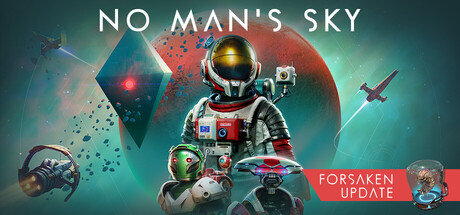
A practical start in No Man's Sky: choosing a role, ordering ship, weapon and suit upgrades, tuning PC performance and keeping trainer use offline.
Your First Hours in the Galaxy
The opening hours of No Man's Sky are about two skills: staying alive on a planet's surface and learning to fly. Every planet is procedurally generated rather than built by hand, so the world you start on may be mild or punishing. A rough first planet tells you very little about the rest of the galaxy.
A pull toward the galactic centre drives the long-term story, but nothing makes you hurry toward it. Use the early prompts as a tutorial, and once flying between planets feels routine, decide how much of the main thread you want to follow. Save Anytime is listed among the game's features, so short sessions work fine. Make a habit of saving before you try anything risky.
- Save before leaving a planet or heading somewhere unfamiliar.
- Stick with the early prompts until you can fly between planets reliably.
- If your starting world is hostile, put your effort into leaving rather than exploring it.
- Adjustable difficulty is available if survival pressure is too much at first.
Pick a Path: Fighter, Trader or Explorer
The store page frames the game around three broad roles, and picking one early tells you where your first credits should go. Fighters spend on ship speed and weaponry, then either collect bounties on pirates or prey on weaker ships. Traders find valuable resources on forgotten worlds and sell where prices peak, so cargo space is their main investment. Explorers head past the known frontier, upgrading engines to jump farther and strengthening their suit to survive toxic environments.
None of this is a permanent choice. Trading to pay for upgrades, fighting off pirates when they appear and exploring between jobs all fit together. Spreading credits across everything at the start, though, makes progress crawl. Set one priority, build toward it, then branch out. Factions compete for territory and the police are always watching, so aggressive play can carry consequences beyond the fight itself.
- Trader: buy cargo capacity before anything cosmetic.
- Fighter: upgrade ship weapons and speed before you go after pirates.
- Explorer: put engine range and suit protection first.
- Remember the police are watching before you attack other ships.
Upgrades and Staying Alive
You survive in No Man's Sky through upgrades to your ship, your weapon and your suit. Hostile creatures and pirates are a genuine threat and death comes at a cost, so a neglected piece of kit shows up fast. The suit sets how long you last in toxic environments. Your weapon decides how much trouble a hostile creature causes. Pirate fights in space depend on the ship.
For most new players, a reasonable order is suit first, so you can explore without constant retreats, then the ship, so travel and space combat stop feeling dangerous, and the weapon after that. Shift the order to suit your chosen role. After a death, work out which of the three let you down; the answer usually points to your next upgrade.
- Upgrade your suit before landing on toxic planets.
- Steer clear of pirates until your ship can absorb some damage.
- After dying, decide whether the ship, suit or weapon was the weak link.
- Lower the difficulty if repeated deaths stop being fun.
Playing Solo, With Friends, or Across Platforms
No Man's Sky is a complete single-player game, and it also offers online co-op, online PvP and cross-platform multiplayer. All players share one galaxy, and uploading your discoveries to the map of known space is your choice. Players who want a quiet solo game can keep to themselves. Co-op lets friends explore and survive with you, including friends on other platforms.
Cross-Save now covers PC, PlayStation 4 and 5, Xbox One and Series X/S, Game Pass, GOG, Nintendo Switch, Steam Deck, PlayStation VR and PCVR, so your progress can move between devices. The catch is that any change to your save moves with it. Steam Cloud is supported as well, so decide clearly which save is your main one, particularly if you use mods or a trainer.
- Decide early whether you want a solo or shared game.
- Treat PvP with caution while you are still learning.
- Keep one clean main save if you use Cross-Save on several devices.
- Steam Cloud syncs saves, and a damaged save will sync too.
PC Settings and Performance
Minimum specs call for 64-bit Windows 10 or 11, an Intel Core i3, 8 GB of RAM, 15 GB of storage and a GTX 1060 3GB, RX 470 4GB or Intel UHD 630. Steam's recommended entry only mentions a 64-bit processor and operating system, so there is no official higher target. Read the minimum as the point where the game runs, not where it runs smoothly, and bear in mind that COSMOS 7.0 overhauled space.
Steam's store data does not list the in-game options, so the following is general advice for large open-world games. On weaker PCs, drop resolution or resolution scaling first, then shadows, volumetric effects and view distance, which tend to cost the most. A 3 GB card benefits from lower texture quality to stay inside its video memory. Intel UHD 630 owners should plan on low settings at reduced resolution. With 8 GB of RAM, close browsers and launchers before you play. VR through SteamVR typically needs more headroom than flat-screen play.
On hardware well above the minimum, raise view distance and shadow quality first. Flights from deep space down to the surface happen without loading screens, and long sightlines are where extra power shows. HDR is available if your display supports it. Installing to a solid-state drive is a common way to cut stutter when terrain streams in, so use one if you can.
- On weak hardware, cut resolution or scaling first.
- Next, lower shadows, volumetrics and view distance.
- Reduce texture quality on 3 GB and 4 GB graphics cards.
- Close background apps if you only have 8 GB of RAM.
- Recheck your settings after big updates, as performance can change.
Using the Trainer in No Man's Sky
Our trainer includes Infinite Health, Infinite Oxygen, Infinite Stamina, Unlimited Money, Unlimited Items, Infinite Ammo, No Reload, Fly Mode, Super Speed, Super Jump, One-Hit Kills, Game Speed, Aimbot and Wallhack (ESP). Survival options suit an exploration game best. With Infinite Oxygen and Infinite Health on, you can stay on hostile worlds without running back to your ship. Fly Mode, Super Speed and Super Jump make crossing rough terrain much faster, and Game Speed cuts down on waiting.
Unlimited Money and Unlimited Items all but remove the trading loop, so go easy on them if you enjoy the economy. Keep every option to single-player and stay offline while the trainer runs. The game has online PvP, co-op and a shared galaxy, and Aimbot, Wallhack and One-Hit Kills are unfair to other players and can disrupt their sessions. No trainer can be guaranteed undetectable, so keep it out of multiplayer completely.
Back up your save before enabling anything. Steam Cloud and Cross-Save can carry an altered save to other devices and platforms, so make a manual copy first and consider pausing cloud sync while you experiment. Big updates such as COSMOS can change the game's internals, so confirm your trainer version matches the current build.
- Make a manual save backup before switching on any option.
- Stay offline and solo while the trainer is running.
- Never use Aimbot, Wallhack or One-Hit Kills near other players.
- Check the trainer version after every major game update.
FAQ
Can I play No Man's Sky entirely alone?
Yes. Single-player is fully supported, and co-op, PvP and shared discoveries are all optional.
Will my PC run No Man's Sky?
The minimum is 64-bit Windows 10 or 11, an Intel Core i3, 8 GB of RAM, 15 GB of storage and a GTX 1060 3GB, RX 470 4GB or Intel UHD 630. Steam gives no detailed recommended specs, so expect lower settings on hardware close to the minimum.
Does it support controllers and VR?
Yes. Steam lists full controller support, including DualShock and DualSense, along with VR through SteamVR and tracked controller support.
Can I move my save between PC and console?
Yes. Cross-Save works across PC, PlayStation, Xbox, Game Pass, GOG, Nintendo Switch, Steam Deck and VR. Keep backups, because changes to a save carry over too.
Will the trainer still work after the COSMOS update?
Major updates like COSMOS 7.0 can change the game's internals and temporarily break trainers. Confirm your trainer version matches the current build before using it.
Comments
No comments yet
Be the first to share your thoughts.