MechWarrior 5: Mercenaries: Beginner's Guide and Best Settings
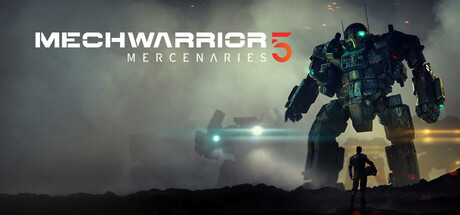
A practical start for new mercenary commanders: piloting basics, company management, contracts, PC settings for low and high-end hardware, and where trainer options fit in a single-player career.
How the Mercenary Loop Works
The year is 3015, and you have inherited a mercenary company that conspiring factions nearly destroyed. Your time splits between two jobs. In the cockpit you pilot a BattleMech against enemy 'Mechs, tanks, aircraft, defenses and fortified bases. At company level you take contracts, buy and maintain machines, hire pilots and manage your standing with the Great Houses. Each half depends on the other. A good pilot with an empty account stalls, and a rich company running poorly fitted 'Mechs loses them fast.
The story campaign sets your direction, but the Inner Sphere does not wait for you. During the Succession Wars, systems change hands, major events unfold and new technologies appear, while your relations with the factions move week by week. The map you know later in a career can look quite different from the one you started on, so hold early plans loosely. At first, aim to stay solvent and keep your lance in working order.
- Treat every mission as a fight and a business deal at once.
- Expect faction control and relations to shift as the weeks pass.
- Take contracts your current lance can finish, not the ones with the biggest number on paper.
Piloting Basics: Heat, Ammo and Armor
Heat is the resource to watch, as it has been throughout the MechWarrior series. Firing weapons and pushing your 'Mech hard both build it, and running past the limit in these games tends to end in a shutdown or self-inflicted damage at a bad moment. Heat dissipation was among the changes in the first patch for the Ashes and Ascension DLC, so returning players should retest their builds rather than trust old habits. Fire in controlled groups and pull back to cool down before enemies close in.
Weapons in this genre usually trade heat against ammunition, so a mixed loadout keeps you shooting when one runs low. Each 'Mech has detailed damage states, which means where you get hit matters as much as how often. Turning your torso to spread incoming fire, a long-standing MechWarrior habit, keeps one side from being stripped bare. Deal with the biggest threats first: enemies flanking the lance, advanced defenses and anything shooting at a damaged ally. Tanks and aircraft can look minor, but left alone they wear down your armor.
- Watch the heat gauge more closely than enemy health in your first missions.
- Bind weapons into groups so you control the heat cost of each volley.
- Twist your torso to spread damage and avoid losing a whole section.
- Clear small vehicles before they chip through your armor.
Running the Company: Money, Repairs and Salvage
Combat mistakes come back as bills. 'Mechs cost money to maintain and repair, and in games like this, replacing destroyed components usually costs far more than patching armor. Withdrawing from a fight you cannot win is often the sound business call. Keep enough cash in reserve to cover repairs after a bad mission, so one rough contract does not ground your lance while you wait for income.
The roster draws on more than 50 chassis and hundreds of variants, and you add to it in two ways: buying from markets around the Inner Sphere or salvaging from the wreckage of enemies you beat. Rare chassis and equipment can turn up on those markets, so check stock as you travel instead of relying on one place. You also hire MechWarriors to fight beside you. The first Ashes and Ascension patch improved lancemate AI and ally positioning, but their 'Mechs still deserve the same care as yours, because a lancemate who drops early leaves you carrying the fight.
- Bank a repair buffer before taking risky contracts.
- Check markets in the systems you visit for rare chassis and equipment.
- Upgrade your lancemates' 'Mechs, not only your own.
- Pull out when a mission's costs start to outweigh the payout.
Contracts and Faction Standing
Every contract comes with negotiation. In most mercenary games that means trading one term against another, such as cash against salvage. Early on, cash usually matters more because it keeps your 'Mechs repaired; salvage gains value once finances are stable and you are hunting specific parts or chassis. Read the terms and match each mission to what your lance can do now, not what it might manage later.
Your standing with the Great Houses moves with the war and with the jobs you accept. Steady work for one side may improve relations there and cool them elsewhere, so give some thought to where you want to operate. The Inner Sphere also shifts week to week, and an employer paying well now may be losing ground later. Avoid tying the whole company to one House too early.
- Take pay over salvage while the bank balance is thin.
- Lean toward salvage once repairs stop straining the budget.
- Keep track of which Houses you work for and how the others respond.
PC Settings and Performance
The minimum spec is an Intel Core i3-7100 or AMD Ryzen 3 1200, 8 GB of RAM and an NVIDIA GeForce GTX 770 or AMD Radeon R9 280X, on 64-bit Windows 10 with DirectX 11. Machines at that level should plan on reduced settings and a modest resolution. Shadows, post-processing, view distance and foliage are usually the most expensive options in 3D games like this, so lower those first. Test in a busy mission with plenty of units and destruction, where frame rates tend to dip, rather than on a quiet map.
Recommended hardware steps up to an Intel Core i7-6700K or AMD Ryzen 7 1700, 16 GB of RAM and a GTX 1070 or RX Vega 56. That tier should support higher settings than the minimum, and the extra memory helps on large maps with many active units. Both tiers list 80 GB of storage, and an SSD generally shortens loading between the company screens and missions. Once the game is downloaded, single-player runs without an internet connection.
Retest performance after adding Steam Workshop mods. Content and visual mods can raise memory use and loading times, which hurts most on systems near the minimum spec. If frame rates drop or the game crashes, disable mods to rule them out before you touch graphics settings.
- On weaker GPUs, lower shadows and effects before resolution.
- Benchmark in a crowded mission, not an empty map.
- Install on an SSD to cut loading times.
- Close background apps if you are on 8 GB of RAM.
- Disable Workshop mods first when diagnosing crashes.
Using the Trainer in MechWarrior 5
Keep the trainer to single-player, offline. The game has online co-op, and running a trainer in a shared session is unfair to other players and can cause desyncs or other problems for them. Back up your save files before activating anything and keep a clean copy aside. Chaos Reign and Ashes and Ascension both received follow-up patches, and any update can change game behavior before the trainer has caught up.
The combat options cover the cockpit: Infinite Armor, No Heat Buildup, Infinite Ammo, No Weapon Cooldown, Infinite Jump Jets and One-Hit Kills. They suit testing a new build or learning a mission's layout without risk. The company options work on the management side. Unlimited C-Bills and Instant Repairs remove money pressure, Max Reputation lifts your standing, and Pilot XP Multiplier speeds up pilot progression. Invincible Lancemates protects pilots you have invested in, and Game Speed can shorten slow stretches.
Turn on only what removes the part you find tedious. If repairs and grinding wear you down, Instant Repairs or a modest Pilot XP Multiplier leaves the combat challenge intact. For weapon experiments, No Heat Buildup shows a build's damage potential; switch it off afterward to see how the build actually runs.
- Never use the trainer in co-op sessions.
- Back up saves before enabling any option.
- Recheck compatibility after each game patch.
- Enable one option at a time so the campaign stays as hard as you want it.
Co-op, Workshop and Ongoing Updates
Online co-op lets friends join your missions, and a broadband connection is needed both to host and to play. Human partners can cover for AI lancemates, though the latest Ashes and Ascension patch did improve lancemate AI and ally positioning. Agree on roles before you launch. Coordinated focus fire and splitting enemy attention count for most on harder contracts.
Updates are still arriving. Chaos Reign and Ashes and Ascension both got post-release patches, and the free update released alongside Ashes and Ascension added new 'Mech variants and vehicles. A localization patch added Spanish (Latin America) and improved the Japanese translations. Workshop support makes community mods easy to try, but keep a list of what you install, since mods may need updating after major patches.
- Agree on roles before co-op missions.
- Check for mod updates after each major patch.
- Read the patch notes when returning, since balance and heat dissipation have been adjusted.
FAQ
Do I need an internet connection to play MechWarrior 5: Mercenaries?
Not for single-player once the game is downloaded. A broadband connection is only needed to play or host co-op games.
Can I play the campaign with friends?
Yes, the game supports online co-op. A broadband connection is needed to host and join, and the trainer should stay off in these sessions.
How much storage space does the game need?
Both the minimum and recommended specs list 80 GB of free space. An SSD generally gives shorter loading times.
Will a GTX 770 run the game?
The GTX 770 and Radeon R9 280X are the minimum graphics cards, so expect lower settings. A GTX 1070 or RX Vega 56 is recommended for higher quality.
Can I play with a controller?
Steam lists partial controller support, so some functions may still work better on keyboard and mouse.
Trainer and game page
MechWarrior 5: Mercenaries Trainer · MechWarrior 5: Mercenaries
Comments
No comments yet
Be the first to share your thoughts.