Kingdom Come: Deliverance II: Beginner's Guide and Best Settings
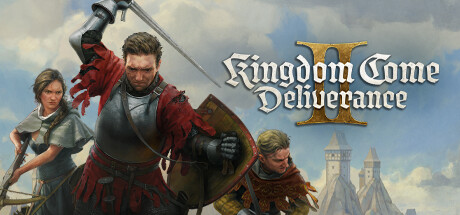
How to approach Henry's first hours in 15th century Europe: careful early fights, open-world pacing, PC settings from GTX 1060 to RTX 4070, and how to use the trainer without breaking your run.
Know What You Are Starting
Warhorse Studios released Kingdom Come: Deliverance II on February 4, 2025. It is a story-driven action RPG set in 15th century Europe, and you see it through the eyes of young Henry. The open world can be explored at your own pace, which matters for the first few hours. Spend them learning the controls and how the game responds to you instead of sprinting between objective markers.
Steam lists only the single-player category, so nobody is waiting on you and there is no reason to hurry. The historical setting points to a grounded tone rather than fantasy heroics. Because the store page says little about specific systems, parts of this guide rely on advice that holds for most story-driven open-world RPGs, and we say so where that applies.
- Take the opening slowly and learn the controls before you take risks.
- Read quest text and listen to dialogue closely, since hints often sit there.
- Save whenever the game allows it, especially before long trips or risky fights.
Surviving Early Fights
Treat early combat as dangerous, as you would in any grounded action RPG. Henry starts young, so avoid taking on several opponents at once, back away when outnumbered and pick fights on your terms. Our trainer includes both Infinite Health and Infinite Stamina, a hint that stamina deserves as much attention as health. In most action RPGs, running dry mid-fight leaves you exposed.
Many deaths come from setting out already hurt. Leave on full health, carry whatever healing the game offers and retreat when a fight turns. Losing a skirmish and walking away is cheaper than losing progress, and knowing when to disengage is worth more in a game where combat carries real risk.
- Never start a long trip with low health.
- Back off from groups and aim to fight one opponent at a time.
- Hold some stamina in reserve rather than spending it all in one exchange.
- Read early defeats as a sign of which fights to leave for later.
Exploring the Open World
Most of your hours will go into the open world. In games of this type, side activities and conversations tend to lead to rewards, better equipment and context for the main plot, so there is no need to follow the main quest in a straight line. Visit settlements and listen to what people say. If an area proves too much, leave and come back later.
The trainer has a Max Reputation option, which suggests that how people see Henry has an effect. In many story-driven RPGs, violence or theft in front of witnesses changes prices and dialogue. The store data gives no detail here, so act as though your choices carry consequences. Save before experimenting, and keep risky behaviour away from places you visit often.
- Talk to people in settlements, since side content often pays off later.
- Leave dangerous areas and return when Henry is better prepared.
- Assume witnesses and reputation count until the game shows otherwise.
Progression, Money and Gear
The trainer's options hint at how Henry grows: experience, skill points, attributes, money and items. As in most RPGs built this way, invest in what you actually use. Put points into survival if you fight often, and lean towards talking or stealth if that is how you play. Spreading points across everything tends to leave a character weak during the hardest early stretch.
Spend money on survival first. Protection and healing supplies matter more in the early game than anything decorative. A common open-world mistake is hoarding coin and items for a moment that never comes while struggling through fights better gear would settle. Sort your inventory regularly and sell what you will never use. If the game limits how much you can carry, a lean inventory also saves time.
- Spend skill points on the playstyle you actually use.
- Buy protection and healing before anything cosmetic.
- Sell duplicates and unused items rather than hoarding them.
PC Settings and Performance
The minimum specification calls for Windows 10 64-bit, an Intel Core i5-8400 or AMD Ryzen 5 2600, 16 GB of RAM and an NVIDIA GeForce GTX 1060 6GB or AMD Radeon RX 580. You need 100 GB of storage, and the SSD is required, not optional. Near this level, aim for modest settings at a modest resolution and expect busy areas to be the most demanding. With 16 GB as the floor, close browsers and other background programs before playing.
On a weaker PC, cut the heaviest settings first. In most open-world games that means shadows, volumetric effects such as fog, lighting quality, vegetation density and view distance. Texture quality depends mainly on video memory, so 6 GB cards should keep textures moderate. If an upscaler or render scale option is available, try it before lowering the resolution itself. Test each change in a crowded settlement, not an empty field.
The recommended specification is a big step up: an Intel Core i7-13700K or AMD Ryzen 7 7800X3D, 32 GB of RAM and an NVIDIA GeForce RTX 4070 or AMD Radeon RX 7800 XT, again on an SSD. Hardware at that level should handle high settings. The demanding processor requirement may mean the CPU does a lot of work, so if you pair a strong graphics card with an older processor, try lowering view distance and crowd-related settings before visual detail.
- Install on an SSD with at least 100 GB free, since it is required.
- On older hardware, lower shadows, volumetrics and vegetation first.
- Keep texture quality moderate on 6 GB graphics cards.
- Update your graphics drivers before your first session.
- Benchmark changes in a busy town, where the load is highest.
Controls, Audio and Accessibility
Controller support is full, with DualShock and DualSense pads listed, so you can play from the sofa if you prefer. Mouse and keyboard usually feel more precise in menus and inventory, while a controller suits long stretches of riding or walking. Try both early and settle on one before habits form. Steam also lists the game as playable without timed input, which helps anyone who struggles with reaction-based prompts.
Separate volume controls let you balance music, dialogue and effects. Nudging dialogue above the rest makes it easier to catch details in a story-heavy game. Stereo and surround sound are supported, and headphones help you tell where threats are coming from. Steam Cloud syncs saves between PCs, Family Sharing is available, and there are achievements and trading cards for collectors.
- Set dialogue volume slightly above music and effects.
- Use headphones to locate threats by sound.
- Choose one input method early and stay with it.
Using the Trainer
Our Kingdom Come: Deliverance II trainer offers Infinite Health, Infinite Stamina, Unlimited Money, One-Hit Kills, XP Multiplier, Unlimited Skill Points, Max Attributes, Unlimited Items, Stealth Mode, Max Reputation, Super Speed, Game Speed and Save and Load Position. It is meant for offline, single-player use. Enable only what you need: Infinite Stamina or a small XP Multiplier can soften a hard opening, while One-Hit Kills or Max Attributes strip out most of the challenge at once.
Back up your saves first. Steam Cloud syncs a damaged save as readily as a good one, so copy the save folder by hand and store the copy outside the cloud. Steam has published no patch notes for the game, so confirm the trainer version matches your installed version before launching. Save and Load Position helps when scouting an area and getting back safely, and Super Speed or Game Speed shorten long trips. Switch options off before important story scenes to avoid scripting problems.
- Copy your save folder before enabling any option.
- Use the trainer offline and in single-player only.
- Turn on one option at a time and test it somewhere quiet.
- Keep a clean save if achievements matter to you.
- Disable options before key story scenes.
FAQ
Can I run Kingdom Come: Deliverance II on a GTX 1060?
Yes. The GTX 1060 6GB is the listed minimum, paired with an Intel Core i5-8400 or Ryzen 5 2600 and 16 GB of RAM. Plan on lower settings, starting with shadows, vegetation and view distance.
Do I need an SSD to play?
Yes. Both the minimum and recommended specifications list an SSD as required, with 100 GB of free space.
Does the game have multiplayer or co-op?
Steam lists only the single-player category, with no multiplayer or co-op. The trainer is likewise intended for offline, single-player use.
Can I play with a PlayStation controller?
Yes. Controller support is full, and both DualShock and DualSense controllers are listed.
Will my saves carry over to another PC?
Steam Cloud is supported, so saves sync between PCs. Keep a manual backup too, particularly before using trainer options.
Trainer and game page
Kingdom Come: Deliverance II Trainer · Kingdom Come: Deliverance II
Comments
No comments yet
Be the first to share your thoughts.