Jurassic World Evolution 3: Beginner's Guide and Best Settings
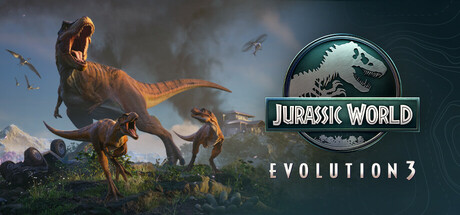
Getting started in Jurassic World Evolution 3: how the campaign works, raising dinosaur families, attractions, disaster prep, PC settings by hardware tier and where the trainer options fit.
How the Game Is Laid Out
Frontier Developments' third Evolution game is a park-building and management sim built around a non-linear campaign. You pick sites from a world map that mixes familiar ground like the Montana Badlands with new locations such as Japan, and Dr. Ian Malcolm, voiced by Jeff Goldblum, is among the franchise characters along the way. Since the order is up to you, each site arrives as its own challenge rather than as the next step in a fixed sequence.
The creative tools sit alongside the campaign. Terrain editing and modular scenery let you shape a park in detail, and the Island Generator produces a different map every time. Through the Frontier Workshop you can browse, place and share parks, buildings and enclosures made by other players, across platforms. Newcomers to the series should start in the campaign, then switch to free building once enclosures, guests and security make sense together.
- Saving is allowed at any time, so save before every major build or expansion.
- Steam Cloud is supported, but keep manual copies of important saves too.
- Generate one Island Generator map early to practise without campaign pressure.
First Enclosures and Dinosaur Families
New animals come from synthesis; after that, breeding takes over. Of the more than 85 prehistoric species, 75 can form families that you raise across generations, with distinct male, female and juvenile variants. Juveniles grow into adults and pass their genes on, so the animals you start with shape the herds you are still managing hours later.
Social needs differ by species, and some behaviours change how you should design a space. Semi-aquatic dinosaurs move into deep water, while pterosaurs walk on land. Build one enclosure at a time, give it more room than seems necessary and watch how the animals settle before adding another.
Steam's listing does not say which species can share an enclosure, so check each species' needs in-game before mixing herds. Steep slopes and scenery make for natural-looking habitats, but get the basics running first and decorate later.
- Keep one species per enclosure until you understand its social needs.
- Plan deep water for semi-aquatic species from the start rather than adding it later.
- Leave room around enclosures so growing families have space to expand into.
Guests, Attractions and Reputation
Guests see your animals through attractions. The Balloon Tour takes them overhead, the Dinosaur Encounter lets them see and touch prehistoric animals up close, and the Cretaceous Cruise shows dinosaurs from the water. Free Update 1.5 added the Walkway Attraction for yet another angle. An attraction is only worth what guests can see from it, so run routes past the spots where your dinosaurs actually spend their time.
Campaign play adds a political layer. You manage your standing with three influential industry sectors as well as site-owning clients who each have their own demands, and some parties would rather your dinosaurs did not thrive. Read a client's demands before spending heavily, and avoid favouring one sector so hard early on that the other two turn on you.
- Get one attraction working well before spreading money across several.
- Pair water-based attractions with enclosures that have deep water.
- Check sector reputation before making choices that benefit only one group.
Preparing for Disaster
Escapes will happen, so treat security as part of the first build rather than a later upgrade. Security cameras help automate the response when a dinosaur gets out, and the Maintenance team works to keep threats contained. Use the park management tools to spot problems early instead of letting a crisis reveal them.
Growth is usually where parks break. Expanding faster than your security and staff can cover leaves gaps, and one escape is enough to find them. Expand in stages, confirm each new area is covered, and save before risky changes such as adding a large carnivore or reshaping terrain near an enclosure.
- Place security cameras while building each enclosure, not afterwards.
- Keep a save from just before every major expansion.
- Hold off on a new area until your Maintenance team can reach it.
PC Settings and Performance
At minimum you need an Intel i5-6600K or Ryzen 5 2600, 16 GB of RAM and a GTX 1060 6GB, RX 5600 XT 6GB or Intel Arc A750 8GB, running on 64-bit Windows 10 version 22H2, with DirectX 12 and 25 GB of free space. An SSD is recommended at the minimum tier and required at the recommended one, so install there if you can. On minimum-spec hardware, start with modest settings and raise them only if the game holds up.
If frame rates struggle, cut shadows, effects and draw distance first, or whichever equivalents your graphics menu offers, since those tend to be the heaviest options in large 3D sims. Resolution or upscaling comes next. Bear in mind that park builders lean harder on the processor as animal and guest numbers climb, so a busy late-game park can slow down even if the opening hours ran well.
The recommended tier calls for an i7-10700K or Ryzen 7 5800 paired with an RTX 2070 Super, RX 6700 XT or Arc B580, which leaves headroom for more detail and larger parks. HDR is available on supported monitors. Steam also lists camera comfort settings, colour alternatives, contrast controls, subtitle options and custom volume controls.
- Install on an SSD; the recommended spec requires one.
- On a 6 GB card, lower shadows and effects before touching resolution.
- Judge performance in a crowded park, not only in the first hour.
- Close background apps; both spec tiers list 16 GB RAM.
Keeping Up With Free Updates
Frontier has kept adding content since launch. Update 1.5 brought the Walkway Attraction, the one-year anniversary on 21 October 2026 came with Update 1.5.5 and the Pentaceratops and Crichtonsaurus, and Update 1.5.6 added Euoplocephalus and Camarasaurus as free family units. Smaller patches fill the gaps between them; 1.4.3, for example, fixed a set of bugs including dinosaur issues.
With patches landing this often, load a test save after each one before starting a long session. The patch notes say they do not cover everything the team is working on, and they link to official channels for reporting bugs that remain. New species are worth checking in an existing save too, since a fresh family unit may change what you want to build next.
- Read the patch notes before a long campaign session.
- Load a test save after each update to make sure nothing broke.
- Check for newly added species before planning your next enclosure.
Using the Trainer in Jurassic World Evolution 3
Unlimited Money and Instant Construction suit creative building, removing budget and build-time limits while you shape terrain, scenery and enclosures. Instant Research and Instant Incubation cut out the waiting when you want to test a species or layout. Fast Dinosaur Growth lets you watch juveniles mature and see how a family develops across generations in far less time.
While you learn enclosure design, Max Dinosaur Comfort, Infinite Dinosaur Health and No Hunger or Thirst keep animals stable. Max Park Rating and Max Guest Satisfaction take guest management off your plate, and Game Speed sets the pace. These options also mask the problems the campaign wants you to solve, so switch them off when you want an honest read on your park.
Keep trainer use to offline single-player sessions, and keep those parks apart from anything you upload to the Frontier Workshop. Back up your save files by hand before enabling anything, because Steam Cloud can sync an altered save over your only copy. Trainers are tied to the game version, so after a patch, wait for a matching trainer update.
- Copy your save folder before switching on any option.
- Stay offline and in single-player while the trainer is active.
- Turn on one option at a time so you can see what it changes.
- After each game update, confirm the trainer matches your version.
FAQ
Will Jurassic World Evolution 3 run on a GTX 1060?
Yes. The 6 GB GTX 1060 appears in the minimum requirements alongside an i5-6600K or Ryzen 5 2600 and 16 GB of RAM. Start with modest settings, and install on an SSD if possible, as one is recommended.
How many dinosaurs are in the game?
More than 85 prehistoric species, 75 of which can be bred and raised as families across generations. Free updates have since added Pentaceratops, Crichtonsaurus, Euoplocephalus and Camarasaurus.
Can I build freely without following the campaign?
Yes. Terrain editing, modular scenery and the Island Generator, which creates a new map each time, are all available outside the campaign. You can also place parks and buildings shared through the Frontier Workshop.
Does it support a controller?
Steam lists full controller support, along with accessibility options including camera comfort settings, colour alternatives, contrast controls and subtitles.
Can I use the trainer with Workshop content?
Keep the trainer to offline single-player sessions, and keep trainer-edited parks separate from anything you share online. Back up your saves before enabling any option.
Trainer and game page
Jurassic World Evolution 3 Trainer · Jurassic World Evolution 3
Comments
No comments yet
Be the first to share your thoughts.