IRON NEST: Heavy Turret Simulator Beginner's Guide and Best Settings
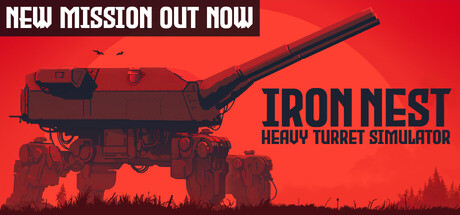
How new Operators in IRON NEST read orders, build firing solutions, pick shells, tune their PC and use trainer options without spoiling the campaign.
How IRON NEST Plays
IRON NEST seats you in the control cabin of a huge dieselpunk artillery turret, not behind a crosshair. You never point at an enemy and click. You work out where the target is, convert that into gun settings, and fire a shot whose result you usually confirm only afterwards. The campaign takes place in an alternate-history Spain of the late 1920s, with the monarchy still in power and a republican uprising spreading, and you are the operator taking orders from a High Command far from the guns.
Let that pace set your approach for the first few hours. The game is listed as playable without timed input, so care counts for more than speed. Rushing is an easy way to miss: a misread figure, a charge that doesn't match the elevation, or a shot fired before the latest message has been read. Run each mission as a checklist. Read, plan, set, verify, fire, then review the result. When that loop becomes habit, the unlockable ammunition, medals and challenge modes start to make sense.
- Play the handcrafted campaign first to learn the loop before moving to skirmish or challenge modes.
- A notepad helps if you like writing down coordinates and settings.
- Missions test precision and attention far more than reflexes.
Orders, Intel and the Map
Information arrives on two teleprinters. One prints top-priority directives from High Command; the other relays calls from units at the front. Part of the job is judging which message should change your plan, so read both in full before you touch a control. Frontline reports often supply the detail that turns a vague order into a usable target. The free skirmish missions added after launch rely on this, asking you to follow frontline reports to concealed anti-aircraft batteries or to tell friendly ships from hostile ones.
The tactical map is where intelligence becomes a plan. You take measurements there and place markers, and markers can be moved as new reports come in. Shells already fired cannot be taken back. Aerial photos show what your strikes actually hit, which makes them your main source of feedback, so check them after every strike. If a photo shows a shot landed short or wide, correct the measurement or the gun settings instead of repeating the same shot.
- Read both teleprinters before setting up a new firing solution.
- Re-measure on the map whenever a report moves a target.
- Look at the aerial photos before planning the next strike.
- In friend-or-foe tasks, confirm what you are looking at before committing a shell.
Building a Firing Solution
Each shot depends on three linked inputs: your map measurements, the elevation set on the wheel and the propellant charge. The ballistic calculator grinds through your numbers toward a solution, and it can only be as accurate as what you give it. One mistyped figure can wreck a well-planned strike. Check every input before the calculator runs, then compare its answer against the map before firing.
Charge and elevation have to agree. Higher charges throw shells across long distances, while a lower charge lets you arc a shell deliberately into an enemy emplacement. Adjust one without the other and the round lands somewhere you never meant it to, which the game warns can turn a surgical strike into a mess. The machine can also fail, so watch for malfunctions and don't assume the turret will behave exactly as it did on the last shot.
- Check every number before the calculator runs.
- Drop the charge and arc the shell in for dug-in emplacements.
- Raise the charge for targets far across the map.
- When correcting a miss, change one variable at a time.
- Deal with a malfunction before firing again rather than shooting blind.
Shells, Traverse and Downtime
Pick the ammunition as part of the plan, not as an afterthought. Armor-piercing rounds are built for breaching bunkers, smoke screens friendly troops as they pull back, and phosgene gas shells serve darker purposes that the store page partly redacts. Thirty ammunition types and abilities unlock over time, so early on, concentrate on what each basic shell is for. Match the round to the target named in your orders and think about who else is near the impact point.
Rotating a 5,000-ton turret is slow on purpose. Pull the traverse lever and the whole structure takes time to swing round, and the developers expect skilled Operators to use that time for other work. Read the next teleprinter message, update the map or prepare the next solution while the gun turns. Watching the rotation idly just stretches the mission. The coffee machine on your desk, the customizable cat companion and the working warhorn give those quieter moments some character.
- Armor-piercing for bunkers and hardened positions.
- Smoke to cover friendly withdrawals.
- Prepare the next shot while the turret is still traversing.
- Check where friendly units are before firing gas or other area shells.
Modes, Progression and Saves
Besides the handcrafted story, the game has fifteen regions, procedurally generated objectives for replay, two challenge modes, leaderboards and more than a hundred medals. Free skirmish missions have followed since launch. Guarding the Strait asks you to identify vessels and stop hostile ships before they get through, and Ground Truth sends you after anti-aircraft batteries hidden across a city. Newspaper reports also cover the war, a reminder that your strikes carry weight outside the mission screen.
Saving improved considerably after release. Patch 6 added a save and resume system, answering the many requests for mid-mission saves, and also fixed a soft lock in the Iron Road mission. Patch 7 then fixed a gun jam caused by saving or loading mid-reload, along with a bug where loading a save stopped the player from going to sleep. Update the game before relying on mid-mission saves, and save during a calm moment between shots, not while a shell is loading.
- Install the latest patch before trusting mid-mission saves.
- Save between shots, never during a reload.
- Try the free skirmish missions once the campaign basics feel comfortable.
- Steam Cloud keeps saves in sync if you play on more than one PC.
PC Settings and Performance
The minimum specs are modest: a 64-bit system, an Intel Core i5-4460 or AMD FX-8350, 4 GB of RAM, integrated graphics at the level of Intel UHD or AMD Vega 8, DirectX 10 and 5 GB of storage. The developers say this targets an average of 30 FPS at 720p on low settings and recommend a dedicated graphics card for smoother play. With no timed input and a deliberate pace, 30 FPS is workable, though steadier frame rates make the dials and levers feel more responsive.
On weaker or integrated-graphics machines, drop the resolution first, then reduce the heaviest visual options available. Keep laptops plugged in and well ventilated, since the developers note that thermal conditions can affect performance. The recommended tier is an i5-8400 or Ryzen 5 2600 with 8 GB of RAM and a GTX 1060 6GB or RX 580 8GB; no resolution or frame-rate target is published for it. If your hardware falls short, GeForce NOW support arrived in patch 7.
- On integrated graphics, start at 720p and low settings, then raise one option at a time.
- With 4 GB of RAM, close browsers and background apps before launching.
- Use the color alternatives and contrast controls if dials or map markings are hard to read.
- Set custom volume levels early; the store page promises military-grade hearing loss.
Using the Trainer Options
Trainer options are meant for single-player, offline play. IRON NEST is single-player, but it has leaderboards, so keep the trainer away from any run that posts a score; modified results are unfair to other players and could be removed. Back up your save files before first use. Steam Cloud syncs whatever is in your save folder, so a modified save can overwrite a clean one on another PC. Switch everything off before touching leaderboard content.
Some options fit the game's loop directly. Fast Turret Traverse cuts the rotation wait, Instant Reload and Infinite Ammo let you test shell types and charge settings freely, and Game Speed or Freeze Mission Timer give you breathing room while learning the calculator. Infinite Health, Infinite Stamina, One-Hit Kills and Unlimited Hydraulic Pressure touch systems the store page doesn't describe in detail, so try each on a single mission to see what it changes. Given the reload-related save bug fixed in patch 7, don't save while a reload is in progress.
- Back up saves and consider pausing Steam Cloud sync before first use.
- Keep every option off for challenge modes and leaderboard runs.
- Enable one option at a time so you can see what it does.
- Fast Turret Traverse plus Freeze Mission Timer suits practicing firing solutions.
- Turn options off before saving to keep save files clean.
FAQ
Can I save in the middle of a mission?
Yes. Patch 6 added a save and resume system, and patch 7 fixed a gun jam that could occur when saving or loading during a reload. Saving between shots is the safest habit.
Will IRON NEST run on integrated graphics?
The minimum specs list Intel UHD or AMD Vega 8, aiming for about 30 FPS at 720p on low settings. The developers recommend a dedicated GPU for smoother play, and GeForce NOW is supported if your hardware falls short.
Does the game support controllers?
Yes. It has full controller support, including DualShock and DualSense controllers.
What is there to do after the campaign?
Procedurally generated objectives, two challenge modes, leaderboards, free skirmish missions such as Guarding the Strait and Ground Truth, and more than a hundred medals to collect.
Where and when is the story set?
In an alternate-history Spain of the late 1920s, where the monarchy still rules and a republican uprising is spreading as the country edges toward civil war.
Trainer and game page
IRON NEST: Heavy Turret Simulator Trainer · IRON NEST: Heavy Turret Simulator
Comments
No comments yet
Be the first to share your thoughts.