Half Sword: Beginner's Guide and Best PC Settings
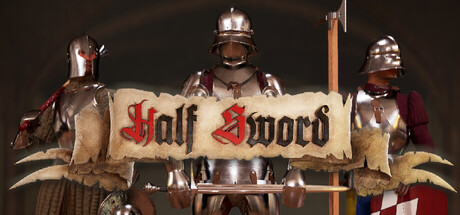
How Half Sword's mouse-aimed combat works, how to keep a permadeath career alive, when betting makes sense and which PC settings to lower first.
How a Half Sword career works
You begin as a commoner in 15th-century Europe and work up through brawls and tournaments toward the title of Arena champion. Wins pay out renown and money, and the opponents get harder as you rise. One rule governs all of it: Half Sword calls itself a simulation, and death is final. A single careless fight can erase hours of progress, so caution is part of the skill set.
Half Sword is in Early Access. It launched on January 30, 2026, and updates arrive often. The 0.7 Crypts Update alone brought a new mode, an Abyss rework and physics changes. Older videos and guides may describe systems that now behave differently, so if a tip doesn't match what happens in your build, believe your build and check the latest patch notes.
- Read the latest patch notes before following older guides or videos.
- Treat every fight as a risk to the whole career, not just one match.
- Expect balance and physics to shift between Early Access updates.
Learning the mouse-driven combat
The mouse moves your weapon directly; there are no canned attack animations to trigger. The developers built the system with input from Historical European Martial Arts practitioners and sword fencers, and it shows in what gets rewarded: the path of the blade, its speed and what it hits. Expect the first few hours to feel clumsy while you learn how small mouse movements translate into a swing.
Constant wild swinging burns effort and leaves you exposed. Deliberate, committed strikes tend to land better. Damage depends on the weapon and armor on both sides, so a blow that drops a lightly dressed brawler may barely trouble an armored fighter. Find the gaps in an opponent's protection before you commit.
Injuries are simulated too. Bone snapping arrived recently and has been tuned in follow-up patches, and the trainer's option names hint that stamina and blood loss matter as well. A broken limb can turn a fight you were winning into a loss. Once you're hurt, step back and reset the distance instead of trading blows up close.
- Keep mouse movement smooth; jerky input tends to produce weak, uncontrolled swings.
- Look at what your opponent is wearing before picking a target.
- Back off and reset distance after a serious injury.
- Take care when picking up heavy objects; the 0.6.1.3 hotfix fixed limbs breaking this way but still advises caution.
Gear, money and betting
Winnings buy new equipment, or you can forge armor and weapons suited to the way you fight. The arms and armor are based on historical pieces, so judge them practically: what a piece of armor covers, and whether a weapon's reach and weight fit your style. Early on, money spent on protection usually does more for you than a weapon you can't yet handle well.
You can also bet on your own fights to raise your earnings, and with permanent death this is where many careers fall apart. A big wager on a fight you aren't ready for puts both your purse and your character on the line. Bet only when you're confident in the matchup and your gear, and hold back enough to re-equip after an expensive win. Patch 0.6.1.4 also lists gear randomization among its changes, so check the notes for how that affects what you'll see.
- Buy protection before showy weapons early in a career.
- Bet only on fights where you understand the opponent's gear.
- Keep a cash reserve so one rough fight doesn't leave you under-equipped.
- Try forging once you know which weapon style suits you.
Modes: Progression, The Crypts and scenarios
Progression is the main career, taking you from commoner toward knighthood. Since update 0.7, a new mode called The Crypts replaces the Abyss, both in Progression and in a second mode named in the 0.7 notes. The developers describe 0.7 as one of their biggest updates so far. Before it, patch 0.6.1.5 reworked the Abyss zombies and made them weaker in some respects. Don't assume your Abyss experience carries straight over to The Crypts.
The hotfix for patch 0.6.1.4 added a new combat scenario, which may be a lower-stakes place to work on technique than a career fight. Modes also keep getting rebalanced: 0.6.1.5 was a dedicated balancing and quality-of-life patch covering the Abyss, combat and settings. If something feels different after an update, it probably is.
- Check whether the new combat scenario works as practice before risking a Progression character.
- Play The Crypts carefully until you know how it behaves in your build.
- Re-test your favorite tactics after each major update.
Best PC settings and performance
Minimum specs call for an Intel i7-6700HQ or Ryzen 5 3500U, 8 GB of RAM and a GTX 1060 6GB or RX 580 on DirectX 11. Both processors are laptop chips, and at this tier you should plan on reduced settings. The recommended specs rise to an i7-12700 or Ryzen 7 7700X, 16 GB of RAM and an RTX 4070 or RX 7800 XT on DirectX 12. Either way you need 15 GB of storage, and an SSD is recommended.
That big step up in recommended CPU suggests the physics simulation is demanding, so your processor likely matters a lot for smooth play. Since you aim the weapon directly with the mouse, a steady frame rate is worth more than visual detail. On weaker PCs, start with render resolution or resolution scaling, then shadows, then post-processing. Close background programs, especially with 8 GB of RAM.
Recommended-spec machines should handle higher settings and resolutions with room to spare when fights get messy. The Gore settings also gained a Bone Fragility slider in 0.6.1.4, which controls how easily bones break rather than how anything looks. The patch notes carry a warning about when the setting takes effect, so read it before concluding the slider does nothing.
- Install the game on an SSD, as both spec tiers recommend.
- Choose a stable frame rate over visual quality for precise mouse control.
- On minimum-spec machines, lower resolution scale and shadows first.
- Adjust Bone Fragility in the Gore settings if limbs snap too easily for your taste.
Using the trainer in Half Sword
The trainer includes Infinite Health, Infinite Stamina, No Blood Loss, Unbreakable Bones, One-Hit Kills, Super Strength, Weak Enemies, Freeze Enemies, Game Speed, Save and Load Position, and Super Jump. Half Sword is single-player, so these only affect your own sessions. Infinite Health, No Blood Loss and Unbreakable Bones let you drill mouse technique without one mistake ending a career, while Freeze Enemies and a slower Game Speed make it easier to see how your blade actually moves.
Because death is final, back up your saves before switching anything on. Steam Cloud syncs save files, so a damaged save can overwrite the cloud copy as well; keep a manual backup in a separate folder. Early Access patches land often and can break trainer options until the trainer catches up, so test them after every game update.
Physics games react oddly to options like Super Strength and Super Jump, and bodies or objects may behave strangely. Altering Game Speed also changes how your mouse input feels. One-Hit Kills and Weak Enemies strip out most of the challenge, so use them sparingly if you want your real swordplay to improve.
- Back up your saves manually before turning on any option.
- Use Infinite Health and Unbreakable Bones to practice without risking a career.
- Slow the Game Speed to learn how your mouse moves the weapon.
- Re-check trainer options after every Early Access patch.
FAQ
Is death permanent in Half Sword?
Yes. The game describes itself as a simulation and states that death is final, so losing a fight can end your career character.
What happened to the Abyss?
Update 0.7, The Crypts Update, introduced a new mode called The Crypts that replaces the Abyss in Progression and in one other mode. The same update also changed the physics.
Does Half Sword have multiplayer?
Steam lists it as single-player only, with Steam Cloud and Family Sharing support.
Will Half Sword run on a GTX 1060?
The GTX 1060 6GB is the minimum graphics card, alongside the RX 580, so it should run with lowered resolution and visual settings. An SSD is recommended.
How do I make bones break less often?
Patch 0.6.1.4 added a Bone Fragility slider to the Gore settings. The patch notes include a warning about when the setting takes effect, so check them before assuming it isn't working.
Comments
No comments yet
Be the first to share your thoughts.