GTA San Andreas Definitive Edition: Beginner's Guide and Settings
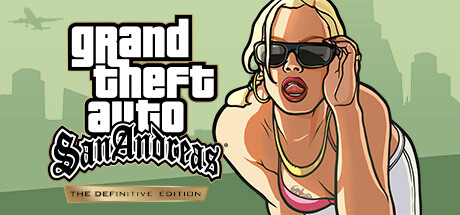
How to start CJ's return to Los Santos: the GTA V-style controls, PC settings for minimum and recommended hardware, Classic Lighting, and careful trainer use.
What this edition is
The Definitive Edition is Rockstar's early-90s crime story rebuilt for current hardware, with the adaptation handled by Grove Street Games. You play Carl 'CJ' Johnson, back in Los Santos after five years away because his mother has been murdered. Soon after he returns, two cops frame him for a homicide, and the plot eventually drags him across the entire state of San Andreas. Steam lists it as a single-player game, so this is a solo campaign.
The upgrades over the original are new lighting, environmental improvements, high-resolution textures, a longer draw distance, and controls and targeting modeled on Grand Theft Auto V. The story is the one you may remember; the handling and the hardware demands are not. Update 1.112, released in November 2024, brought numerous fixes and a Classic Lighting mode, so if you dropped an earlier build, install the current patch before giving it another try.
- Let Steam finish updating before your first session so you start on build 1.112 or later.
- Expect GTA V-style controls, not the original's handling.
- Budget time for a campaign that covers the whole state.
Your first hours in Los Santos
Early on, your main job is learning your way around. Following the story missions steadily is a safer bet than wandering for hours at the start, since the plot is what eventually carries CJ out of Los Santos. Treat the first jobs as practice for driving, shooting and running under the new control scheme.
Save often, and rotate between more than one slot when the game allows it. A single save made just before a hard stretch can leave you stuck, and an older fallback spares you a full restart. Free roaming between missions is still worth doing: it is the easiest way to get comfortable behind the wheel with nothing at stake.
- Rotate between at least two save slots.
- Practice driving between missions, not during them.
- Read the full objective before you set off.
- Losing the police is often easier than fighting them.
Controls, targeting and controller play
The biggest control change is the switch to Grand Theft Auto V-style controls and targeting, so aiming should sit closer to a modern third-person shooter than to the original release. Players who know the old scheme should give it a mission or two before passing judgment.
Steam lists full controller support. Many players find driving smoother on analog sticks than on keys, and some switch to mouse and keyboard when they want precise shooting. Open the control options early either way: set sensitivity and rebind anything awkward before the missions start demanding quick reactions.
- Try both controller and mouse aiming in the first hour.
- Lower camera sensitivity if fast driving feels twitchy.
- Rebind awkward keys early, not mid-campaign.
PC settings and performance
Minimum spec is a 64-bit Windows 10 system with an Intel Core i5-6600K or AMD FX-6300, 8 GB of RAM, and a GeForce GTX 760 2GB or Radeon R9 280 3GB, plus 19 GB of free storage. On a 2 GB card, video memory is the tightest limit, so drop texture quality first. The high-resolution textures are one of the headline upgrades and the likeliest cause of stutter when memory runs short.
Next, cut the costly extras: whatever your version calls them, look for settings tied to the new lighting, environmental detail and draw distance. Lower resolution last, since it costs the most clarity. The recommended spec asks for a GTX 970 4GB or RX 570 4GB, a CPU such as the Ryzen 5 2600, and 16 GB of RAM, which should give more room for higher texture settings and the longer draw distance. An SSD install typically helps loading and streaming in open-world games.
- Weaker GPU: lower textures first, then lighting and draw-distance effects, then resolution.
- 8 GB RAM: close browsers and background apps before playing.
- Recommended hardware: start with high textures and adjust from there.
- Keep 19 GB free plus extra room for updates.
Lighting and the Classic Lighting mode
The new lighting changes the mood of the game noticeably, and not every returning player likes it. Update 1.112 added a Classic Lighting mode that restores the look and feel of the sky from the original games. If the modern sky bothers you, try this mode before reaching for mods.
It comes down to taste, so compare both options in the same spot at a few times of day. The patch notes describe Classic Lighting as a change to the sky, not a performance setting, so don't expect extra frames from it. For frame rate problems, the texture and effect settings in the previous section are the place to start.
- Compare both lighting modes in the same spot before choosing.
- Treat Classic Lighting as a visual choice, not a performance fix.
- If the mode is missing, check that you are on update 1.112 or later.
How the trainer options fit this game
With no multiplayer listed, the trainer only touches your own campaign. Play offline and back up your save folder before switching anything on. Infinite Health, Infinite Armor, Infinite Ammo and No Reload make firefights forgiving, and Never Wanted keeps the police off you while you explore. Infinite Sprint and Infinite Oxygen remove the stamina and breath limits for running and swimming, while Indestructible Vehicles keeps your car in one piece through crashes.
Unlimited Money and Max Respect edit your progress values directly, so test them on a copy of your save first. Teleport to Waypoint cuts out long drives across the state; Super Jump and Game Speed are mostly for messing around or skipping dull travel. Some missions may depend on a wanted level or a wrecked vehicle, so turn off Never Wanted and Indestructible Vehicles if a scene won't progress. Game updates can break compatibility too, so match the trainer to your installed version.
- Copy your save files before enabling any option.
- Switch options off before saving if you want a clean fallback.
- Disable Never Wanted or Indestructible Vehicles if a mission stalls.
- Recheck trainer compatibility after every game update.
FAQ
Does GTA San Andreas Definitive Edition have multiplayer?
Steam lists it as a single-player game, with no multiplayer mode listed. The campaign follows CJ across San Andreas.
Can I play it with a controller?
Yes. Steam lists full controller support, and the game uses Grand Theft Auto V-style controls and targeting.
Can I get the original game's look back?
Partly. Update 1.112 added a Classic Lighting mode that restores the look and feel of the sky in the original games.
Will it run on an older PC?
Minimum spec is a 64-bit Windows 10 system with an i5-6600K or FX-6300, 8 GB of RAM, and a GTX 760 2GB or R9 280 3GB. On cards near that level, lower texture quality first.
How much disk space do I need?
Steam lists 19 GB of available space for both the minimum and recommended specs. Leave extra room for future updates.
Trainer and game page
Grand Theft Auto: San Andreas – The Definitive Edition Trainer · Grand Theft Auto: San Andreas – The Definitive Edition
Comments
No comments yet
Be the first to share your thoughts.