Grand Theft Auto V Enhanced: Beginner's Guide and Best Settings
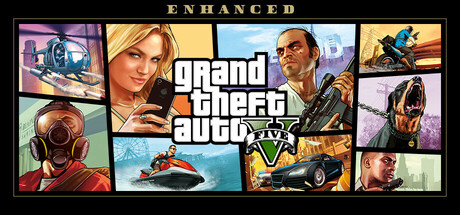
How to start GTA V Enhanced on PC: migrating your legacy progress, first steps in Story Mode and GTA Online, settings for your hardware tier, and keeping the trainer offline.
What Enhanced Changes and How to Start
GTA V Enhanced is the current PC edition of Grand Theft Auto V. It brings ray tracing, AMD FSR and NVIDIA DLSS upscaling, DirectStorage loading on supported SSDs, DualSense adaptive triggers and Dolby Atmos audio. Story Mode and GTA Online are both included. Treat it as a technical upgrade with a reworked way into Online, not a new game.
Installing and playing online both require a Rockstar Games account login, so sort that out first. Legacy PC players get a one-time migration of Story Mode progress and GTA Online characters and progression. You only get one shot at it, so confirm which save and which character you want to carry over before you start.
- Clear 105 GB on an SSD before you download.
- Have your Rockstar Games account login ready, since installation needs it.
- Decide between a fresh Story Mode run and your old save before starting the transfer.
First Steps in Story Mode
The campaign follows three men: a young street hustler, a retired bank robber and a frightening psychopath. Their trouble spans the criminal underworld, the U.S. government and the entertainment industry, and they survive it by pulling off a run of heists. New players should start here. With no one else around, you can learn the driving, the gunplay and the layout of Los Santos and Blaine County at your own speed.
Early on, the main missions are a better use of your time than side activities. Get comfortable with the car handling at different speeds, because it takes practice. In firefights, use cover rather than trading shots in the open. Save before long heists so a failed attempt costs you little.
- Clear a few main missions before you go exploring.
- Save before every heist and any risky chase.
- Learn the main roads early; escapes get much easier once you know them.
Getting Started in GTA Online
GTA Online holds up to 30 players per session, and Enhanced ships with every update released since launch, more than 40 in total. That is a lot to wade through, which is why the new Career Builder exists. It asks you to pick one of four businesses: Biker, Executive, Nightclub Owner or Gunrunner. From there you choose properties, vehicles and weapons to get it running.
Pick the business you want to spend time with, not the one that looks best on paper, because you will be running it for a long while. The redesigned main menu puts the latest and most popular updates up front, so you can find things without scrolling the map. On offer are co-op Heists, Stunt Races, Adversary Modes and social spaces such as nightclubs, arcades, penthouse parties and car meetups, and you can play solo or with friends.
- Play some Story Mode first so the controls are second nature.
- Choose a Career Builder business you will enjoy running long term.
- Bring friends for co-op Heists instead of relying on random lobbies.
Cars, the Car Meet and HSW
Enhanced adds content aimed squarely at drivers. Hao's Special Works sits inside the Los Santos Car Meet and sells high-performance upgrades and exclusive modifications for this edition. Cars built there can be taken into HSW races and the new time trials.
If racing is why you play, learn one car properly before spreading your money across a garage. Time trials make good practice: you race a target rather than other players, so you can repeat a route until every corner is familiar. Clean lines and consistent braking points usually gain more than raw top speed. Stunt Races test something else entirely, which is keeping the car under control through the jumps.
- Use time trials to learn routes without other players in the way.
- Fully upgrade one car before buying several half-finished ones.
- Try a few Stunt Races to see whether the style suits you.
PC Settings and Performance
Minimum spec is an Intel Core i7-4770 or AMD FX-9590, 8 GB of RAM, and a GTX 1630 or RX 6400 with 4 GB of VRAM, running Windows 10. An SSD is required even here. On this class of hardware, leave ray tracing off; it is the most demanding option on both GPU and VRAM. Switch on FSR or DLSS to suit your card, then lower texture and shadow quality until the frame rate holds steady.
The recommended tier calls for an Intel Core i5-9600K or Ryzen 5 3600, 16 GB of RAM, and an RTX 3060 or RX 6600 XT with 8 GB of VRAM, on Windows 11 with a DirectStorage-compatible SSD. Here the ray tracing options become realistic: ambient occlusion, global illumination, shadows and reflections. Enable them one at a time and watch your frame rate. Should you need headroom, reflections and global illumination are sensible ones to drop first. Leave an upscaler on in quality mode.
- On minimum-spec PCs, turn off ray tracing before touching anything else.
- Use DLSS on NVIDIA RTX cards and FSR on AMD or older cards.
- With 4 GB of VRAM, lower textures first; running out of video memory is a common cause of stutter.
- Install on your fastest SSD; DirectStorage only works on supported devices.
- Close background apps if you only have 8 GB of RAM.
Controls and Audio
The DualSense is supported, adaptive triggers included. Resistance changes with directional damage, weather, rough road surfaces and explosions. Steam also lists controller support as partial, so some menus or situations may work better on mouse and keyboard. Try both early and settle on what works for driving and for aiming.
Audio supports Dolby Atmos, with improved fidelity for speech, cinematics and music. Rockstar recommends a Windows Spatial Sound-compatible setup, and full Atmos needs a solution with Dolby Atmos support. Good positional sound pays off in combat: you can place gunfire, sirens or a helicopter before they come into view.
- Test a controller for driving and a mouse for shooting.
- Enable Windows Spatial Sound if your headset supports it.
- Wear headphones in combat to judge where shots come from.
Using the Trainer in GTA V Enhanced
Our trainer includes God Mode, Infinite Ammo, No Reload, Unlimited Money, No Wanted Level, Infinite Stamina, Max Car Stats, Teleport to Waypoint, Super Jump, Game Speed, No Recoil, Aimbot and Wallhack ESP. Keep it to offline Story Mode and never load it into GTA Online. Online is shared with other players and has PvP, co-op and in-app purchases; tampering with it affects other people and breaks the rules you agreed to. No trainer can guarantee your account stays safe there.
Story Mode is where these options make sense. No Wanted Level and Teleport to Waypoint take the friction out of exploring. Max Car Stats shows what a vehicle can do at its limit, and Game Speed slows down a chaotic moment. If one heist keeps beating you, God Mode will get you through it. Aimbot and Wallhack ESP strip most of the challenge from gunfights, so go easy on them if you want missions to stay tense. Back up your saves before switching anything on, Unlimited Money in particular.
- Story Mode only, never GTA Online.
- Back up your saves before enabling any option.
- Turn on one option at a time so you know what changed.
- If something misbehaves around cutscenes or mission transitions, switch options off.
FAQ
Can I move my progress from the old PC version to GTA V Enhanced?
Yes. Current PC players get a one-time migration of Story Mode progress and GTA Online characters and progression from the legacy version. You can only do it once, so check which save and character you want before confirming.
Will GTA V Enhanced run on a hard drive instead of an SSD?
Rockstar lists an SSD as required even at minimum spec, so plan on one. The recommended setup specifies a DirectStorage-compatible SSD for faster loading.
What graphics card do I need for ray tracing?
The recommended tier lists an RTX 3060 or RX 6600 XT with 8 GB of VRAM, and that is where ray tracing becomes practical. On minimum-spec cards such as the GTX 1630 or RX 6400, leave it off and rely on FSR or DLSS.
Which Career Builder business should I pick in GTA Online?
The choices are Biker, Executive, Nightclub Owner and Gunrunner. Go with the one whose activities you enjoy, since you will spend a lot of time running it.
Can I use the trainer in GTA Online?
No. Use it only in offline Story Mode. GTA Online is a shared multiplayer world with PvP and in-app purchases, and cheating there affects other players and puts your account at risk.
Trainer and game page
Grand Theft Auto V Enhanced Trainer · Grand Theft Auto V Enhanced
Comments
No comments yet
Be the first to share your thoughts.