Gears of War: E-Day: Beginner's Guide and Best PC Settings
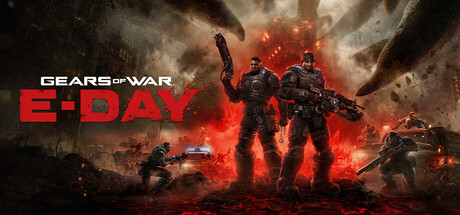
Getting started in Gears of War: E-Day: campaign combat habits, Horde Siege classes, Versus basics, PC settings for minimum and recommended specs, and where a trainer does and doesn't belong.
What E-Day Is and Where to Start
E-Day is a prequel set fourteen years before the first Gears of War, following Marcus Fenix and Dominic Santiago on the day the Locust Horde breaks through to the surface. Built in Unreal Engine 5, it comes in three parts: a story campaign you can play solo or online with up to four players, Horde Siege, a larger-scale PvE wave mode with classes, and Versus, a 4v4 PvP mode with Ranked and Social playlists.
Newcomers should start with the campaign. It teaches cover, the reworked movement and the weapons at your own pace, with no squad relying on you. Series veterans can head to Horde Siege sooner, but a few campaign chapters are still worth the time: you can now jump, vault and slide, and that changes how some old habits play out.
- Play the opening campaign chapters before you join matchmaking.
- Set up keyboard and mouse or controller remapping before your first real fight.
- Run the built-in benchmark once before you touch the graphics settings.
Campaign Combat Basics
Survival still comes down to cover. Move from one solid position to the next, lean out only to shoot, and duck back before the return fire lands. The difference in E-Day is how freely you can move between those positions. Jumping, vaulting and sliding open up vertical routes and quicker flanks. Use them to reach a better angle, then settle back into cover rather than standing in the open.
The tone leans darker, closer to horror. Familiar enemies have been reworked to be more dangerous, and new creatures join them. Sitting still too long gets punished, and so does running ahead of your cover. Before you advance, pick out your next safe spot and clear any flanking lanes. Reloads and grenade throws leave you most exposed, so do both from behind something solid.
Classic weapons come back in reworked form, joined by new guns built for close-quarters fighting. The store listing doesn't name individual weapons, so test each new pickup on easier encounters. A gun that feels weak at range is probably meant for close work. When you can, carry one weapon for distance and one for enemies that get on top of you.
- Reload and throw grenades only from behind cover.
- Use slides and vaults to flank, then get back into cover.
- Clear the sides of a room before you push forward.
- Try unfamiliar weapons on weaker enemies first.
Horde Siege: Classes and Squad Play
Horde Siege rebuilds the series' wave survival mode around bigger maps and more players. You pick one of four classes, Assault, Marksman, Medic or Breacher, and drop in as a four-player squad. Several squads can share a map, chase common objectives and take on world bosses together. Surviving earns rewards that unlock customization and improve your loadout, so progress carries from one match to the next.
The store listing doesn't spell out each class's abilities, so judge them by role for now. The names suggest the Medic keeps the squad standing and the Marksman handles distant threats, while Assault holds the main line. The Breacher likely suits pushing into close-range fights. A mixed squad will usually outlast four players on the same class, so agree on roles before the first wave.
Discipline matters more than your kill count here. Stay near your squad and fall back to defensible ground when waves get heavy. Hold your strongest tools for world bosses and late waves instead of burning them early. Because rewards feed into your loadout, even a failed run moves your progression forward, so treat early losses as practice.
- Settle classes with your squad before the match starts.
- Stay within reach of your team so revives are possible.
- Keep heavy firepower for world bosses and late waves.
- If nobody picks Medic, consider taking it yourself.
Versus: Ranked or Social
Versus runs 4v4 modes on new maps, split between Ranked, where results count toward your competitive standing, and Social playlists for lower-stakes matches. Start in Social to learn layouts, sightlines and the new movement without your record taking the hits. Switch to Ranked once you can move between cover points under fire and know the common flanking routes.
In their October 22 notes, the developers said they are reviewing Versus balance and working on Season 1 updates, so don't build your whole approach around one tactic that may get adjusted. Cross-platform multiplayer means you could face both controller and mouse players, which makes it worth tuning your sensitivity and bindings carefully. Trainer features have no place in Versus or any other mode with real players.
- Learn maps in Social playlists before you queue for Ranked.
- Re-check your sensitivity after any controls update.
- Read the patch notes when Season 1 arrives, since balance is under review.
PC Settings and Performance
Check the hard requirements first. Even the minimum spec calls for a GPU with hardware ray tracing, such as an RTX 2060, RTX 5050, RX 6600 or RX 9060, so older cards without it are not supported. You also need a Ryzen 5 2600X, i7-6850K or i5-10400, 12 GB of RAM, a recent 64-bit Windows 10 build and DirectX 12. The install takes 115 GB and must go on an SSD. The recommended tier asks for a Ryzen 5 5600 or i5-11600K, 16 GB of RAM, an RTX 3060 Ti, RTX 5060, RX 6700 XT or RX 9060 XT, and Windows 11.
On a minimum-spec machine, lower ray-traced reflections and shadows first if they can be adjusted separately; ray tracing can't be switched off entirely. Next, move DLSS or FSR Redstone to a more performance-focused mode, and only after that drop the resolution. Variable Rate Shading can buy a little extra headroom. Frame generation smooths motion but adds input latency and works best when your base frame rate is already steady, so leave it off for Versus.
Recommended-spec PCs should handle higher presets and quality-focused upscaling, though the listing doesn't pair specific frame rates with that tier. Display options include borderless, exclusive and windowed modes, ultrawide at 21:9 or 32:9, and HDR10. Frame rates can be uncapped, but a cap at your monitor's refresh rate reduces heat and stutter. If you're on 12 GB of RAM, close browsers and other background apps before launching.
- Rerun the built-in benchmark after each major settings change.
- Lower ray-traced reflections and shadows first, then the upscaler mode, then resolution.
- Keep frame generation off in PvP to hold input latency down.
- Install on an SSD with space to spare for patches.
How the Trainer Options Fit This Game
Our trainer is meant for the campaign played solo, and nothing else. It offers Infinite Health, Infinite Ammo, No Reload, Infinite Grenades, One-Hit Kills, Aimbot, Wallhack (ESP), No Recoil, No Spread, Rapid Fire, Super Speed, Game Speed and XP Multiplier. E-Day requires a broadband connection and includes online co-op, Horde Siege, Versus and in-app purchases, so keep the trainer closed whenever other players are involved. Using Aimbot, Wallhack or Rapid Fire against real people is cheating and can lead to action against your account, and no trainer can promise protection from that.
Solo, Infinite Health and Infinite Ammo let you explore and follow the story without pressure. No Recoil, No Spread and No Reload help you get a feel for unfamiliar weapons, and Game Speed can slow a fight down so you can study how a new creature moves. One-Hit Kills will get you past a section you're stuck on. Progression may be tied to your online account, so don't count on XP Multiplier working, or being appropriate, outside offline solo play.
Back up your saves before enabling anything. Steam Cloud isn't among the listed features, so find your local save files and copy them somewhere safe. The game got a significant patch on October 14 and a crash-fix hotfix on October 22, and updates like these can break a trainer until it's updated too; if you start seeing crashes, switch it off. Super Speed can also break scripted scenes, and some achievements may not register while options are active.
- Use the trainer only in solo campaign sessions, never in co-op, Horde Siege or Versus.
- Copy your save files before turning on any option.
- Disable options after a game update until the trainer is confirmed working.
- Turn off Super Speed during cutscenes and scripted moments.
FAQ
Can I run Gears of War: E-Day on a graphics card without ray tracing?
No. Even the minimum requirements call for a GPU with hardware ray tracing, such as an RTX 2060, RTX 5050, RX 6600 or RX 9060.
Do I need an SSD, and how much space does it take?
Yes. Both the minimum and recommended specs require an SSD, and the game needs 115 GB of free space. Leave extra room for future patches.
Can I play the campaign alone?
Yes. The campaign supports single-player, and you can also play it online with up to four players.
What classes are in Horde Siege?
There are four: Assault, Marksman, Medic and Breacher. You play in a four-player squad, and multiple squads can team up on shared objectives and world bosses.
Can I use the trainer in Horde Siege or Versus?
No. Keep it to solo campaign play. Using it in online modes affects other players and can lead to action against your account.
Comments
No comments yet
Be the first to share your thoughts.