For The King II: Beginner's Guide and Best Settings
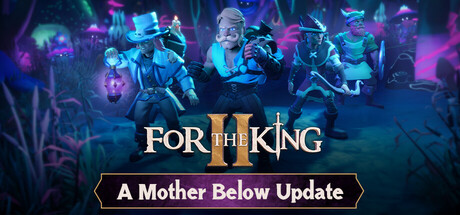
How runs and failure work in For The King II, Battle Grid tactics, solo versus co-op, Dark Carnival and Dungeon Crawl, PC settings for low and high specs, and where trainer options fit.
How a Run Works
For The King II mixes turn-based RPG combat with a roguelite structure and a tabletop look. Your party crosses Fahrul to fight Queen Rosomon, who has forced her own subjects into servitude in the mines and allied herself with darker forces. The campaign runs to more than 30 hours across seven linked adventures. Every map is procedurally generated, so routes cannot be memorised. Dice-style rolls decide movement, encounters and combat, which means a careful turn can still fall apart, and you have to plan with that in mind.
Failure is built into the design. When the party wipes, the next attempt begins with better starting items to draft into your loadout, so an early loss still moves you forward. Your first try at a new adventure works best as reconnaissance: you see how encounters play out, how quickly the danger rises and which roles your party lacked. Expect to lose a run or two per adventure. After each one, change the loadout rather than repeating the plan that failed.
- After a failed run, change one thing in your loadout before trying again.
- Check your drafted starting items before each attempt, since they carry your progress between runs.
- Do not reuse a route because it worked last time; the map is different on every playthrough.
Dice, Positioning and the Battle Grid
Fights take place on the Battle Grid, where position grants buffs and penalties to both sides. Placement can count for as much as raw damage. IronOak's own examples are a Tower Shield guarding the back row, enemies pushed into burning fire, and dark magic from looted weapons entangling melee troops. When a weapon drops, read what it does before you compare its numbers. A single crowd-control or push effect can change how the whole party fights.
Standard tactics advice holds here. Keep fragile characters out of melee range and give one sturdy character the job of absorbing pressure; Shield abilities such as Taunt, mentioned in the patch notes, suit that role. Since rolls decide outcomes, avoid plans that hinge on one success. Set up turns where a miss still leaves the party safe, and take the gamble only when losing it won't end the run.
- Read every looted weapon for its abilities, not just its damage.
- Watch for hazards such as fire and push enemies into them.
- Assign one character to protect the back row.
- Plan turns that still hold up after a bad roll.
Solo or Co-op
Fahrul can be played alone or with up to three friends. Solo, you control every character and make every call on the map and in combat, which is the quickest way to learn how the roles fit together. In co-op each player runs their own character or characters, and the group has to agree on routes and fights. That slows things down and turns every decision into a negotiation. Online play is cross-platform, local co-op works on one PC with shared or split screen, and Steam Remote Play Together is supported.
Save Anytime lets you quit mid-adventure, and Steam Cloud syncs those saves between PCs. If the dice keep punishing you, Adjustable Difficulty gives you room to ease in. Options also cover text size, camera comfort and individual volume levels, along with full controller support including DualShock and DualSense, plus keyboard-only and mouse-only control. For couch co-op on a TV, raise the text size before the session starts.
- Learn the game solo first so you know every role before coordinating with others.
- Lower the difficulty while learning and raise it once fights feel predictable.
- Save before any fight you are unsure about.
- Increase the text size for couch co-op on a TV.
Dark Carnival and Dungeon Crawl
Dark Carnival is the endless dungeon mode, run by the Ringmaster. There is no finish line; you are scored on how many floors you clear before the party falls. Carnival tickets open new paths, and along the way you find themed rooms and the Wheel of Death. The main decision is when to play safe and when to gamble. A party that protects its health usually gets further than one that takes every risky path.
On May 5, 2026, IronOak released the free Dungeon Crawl update alongside Into The Wild, a paid character pack that adds new characters to the Resistance. The free update brought Dungeon Crawl back with a revamped Gauntlet mode, and Patch 1.13.3 later reworked the Shepherd. Returning players should read the recent patch notes before relying on an old strategy, because character changes can alter how a familiar party plays.
- In Dark Carnival, judge a run by floors cleared, since there is no ending to reach.
- When the party is already weak, spend tickets on paths that keep it healthy.
- Read recent patch notes before reusing an old party setup.
PC Settings and Performance
The minimum specification is Windows 10 64-bit, an Intel Core i5-4670K or AMD FX-8350, 8 GB of RAM and a GeForce GTX 960 or Radeon RX 550 with 4 GB of video memory. The recommended tier steps up to an Intel Core i7-6700K or Ryzen 5 1500X, 16 GB of RAM and a GeForce RTX 2060 Super or Radeon RX 5700 XT with 8 GB. Both need 7 GB of storage, and an SSD is recommended. Combat is turn-based, so a steady frame rate is worth more than a high one.
Near the minimum spec, drop the resolution first. After that, shadows, post-processing and effects quality are the usual settings to cut in a 3D game like this, depending on what the menu offers. On 8 GB of RAM, close browsers and other background programs. A machine at the recommended level should cope with higher detail, which suits the forests, toxic swamps and lava wastelands. An SSD install should also shorten loading. Patch 1.14.7 included performance fixes, so keep the game updated.
- Lower resolution first, then shadows and effects.
- Install on an SSD to cut loading times.
- Close background programs on 8 GB systems.
- Keep the game updated, since recent patches include performance fixes.
Using the Trainer
The trainer includes Infinite Health, Unlimited Gold, Infinite Focus, One-Hit Kills, XP Multiplier, Max Level, Max Attributes, Unlimited Items, Reveal Map and Game Speed. Infinite Health is the practical pick for learning the Battle Grid, because you can test positioning without losing runs. XP Multiplier speeds up levelling without skipping it, so it is gentler than Max Level or Max Attributes. Reveal Map removes exploration of the procedural map and makes more sense on repeat runs. One-Hit Kills reduces combat to a formality, which only fits a story-focused playthrough.
Keep the trainer to offline, single-player sessions. In online co-op it changes the game for other players and can cause problems. Back up your saves before changing anything: Steam Cloud syncs them, so an edited or broken save can spread to your other PCs. Go easy with Game Speed as well. The game has needed several softlock fixes, so speed up quiet stretches rather than complicated turns. After each game patch, test the trainer on a backup save first.
- Back up saves before enabling any option.
- Use the trainer only in solo, offline play.
- Try XP Multiplier before Max Level to keep some challenge.
- Test the trainer on a backup save after every game update.
Avoiding Softlocks
Several recent patches targeted softlocks. Patch 1.13.4 fixed one triggered by choosing No when asked to launch a vessel from a boat deed, and runs saved before the fix can be continued. Patch 1.14.7 fixed an online softlock that left off-turn players stuck while the active player used Shield abilities such as Taunt. The same hotfix also dealt with save-file softlocks and performance problems.
In a campaign this long, frequent saves and an up-to-date install are your best protection. If a run freezes after a specific action, check whether a newer patch covers it before abandoning the save. Save Anytime makes it easy to set a recovery point before boat events or big fights. Trainer users should also keep a clean backup, so they can tell a game bug from a conflict with the tool.
- Update the game before resuming an old saved run.
- Save before boat or vessel events and major fights.
- Keep one clean backup save apart from any trainer-edited save.
FAQ
Can I play For The King II alone?
Yes. Solo, you control every character in the party and make all the map and combat decisions yourself.
How long is the campaign?
More than 30 hours, split across seven narratively linked adventures. Maps are procedurally generated, so each attempt plays out differently.
What happens when my whole party dies?
The run ends, but the next attempt starts stronger, with better starting items to draft into your loadout.
Is there an endless mode?
Yes. Dark Carnival is an endless dungeon where the aim is to clear as many floors as possible. The free Dungeon Crawl update also added a revamped Gauntlet mode.
Will it run on an older PC?
The minimum specification is an i5-4670K or FX-8350, 8 GB of RAM and a 4 GB GTX 960 or RX 550. On hardware near that level, lower the resolution first, then effects.
Comments
No comments yet
Be the first to share your thoughts.