Farming Simulator 25: Beginner's Guide and Best PC Settings
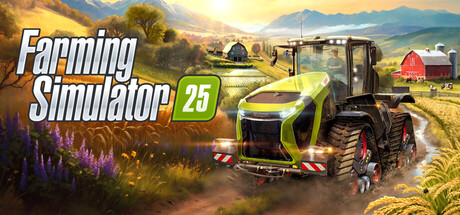
How to start well in Farming Simulator 25: choosing a region, planning first crops and animals, tuning PC settings to your hardware, and using trainer options offline.
Picking a Region and a Plan
Farming Simulator 25 has three regions. North America offers winding rivers and historic grain elevators, Central Europe is dotted with ponds, and the East Asian map sets rice paddies near a neon-lit port city. Your choice shapes what you will want to farm. The East Asian map is the place for water-retaining rice fields and the new equipment that comes with them. If you would rather learn the basics on familiar field crops, either of the other two is a gentler start.
Decide what your farm will do for the first few in-game months before you spend anything. In farming sims, the players who struggle early tend to be the ones who buy a bit of everything at once. Pick one income source, usually a field crop, and learn its whole cycle from soil preparation to sale. Animals, trees and productions can wait. GIANTS has put work into accessibility and quality-of-life features in this entry, so look through the options menu before you commit money.
- Start with one crop and the machines it needs.
- Compare sale prices at several points before your first harvest.
- Save before any large purchase so you can undo it.
- If keyboard driving feels awkward, try a controller; DualShock and DualSense pads are supported.
Your First Crops and Fieldwork
There are 25 crops in total. New ones include two types of rice grown on water-retaining fields, plus spinach, peas and green beans, and greenhouse vegetables and several tree species sit on top of that. For a first season, pick crops that work with equipment you already own or can buy cheaply, not ones that need a specialist harvester. Rice means flooded fields and unfamiliar machinery, so save it for a second project once the basic loop makes sense.
That loop is the same as in any farming sim: prepare the soil, sow, look after the crop, harvest, then store or sell. Every step uses fuel, time and seed or fertilizer, and machines wear with use. GPS-assisted steering makes straight, even passes far easier, so learn it early. Paired with the improved automation, it frees your attention from the steering wheel for deciding which field to work next.
- Use GPS steering for long, straight passes.
- Leave specialist crops like rice until your income is steady.
- Refill seed and fertilizer before driving to distant fields.
- Plan the order of fields so machines are not crossing the map again and again.
Animals, Trees and Productions
Livestock gives the farm a daily routine. Cows, sheep, pigs, chickens and horses return, buffalo and goats are new to this entry, and there are baby animals too. Animals need regular care, so they suit players who like routine and don't mind checking pens often. If you prefer long stretches of fieldwork, keep the first herd small or hold off until crop income can cover the feed and the time.
Forestry and productions are the other main branches. You can plant and fell trees, and GIANTS is still fixing forestry tools: Patch 1.25 corrected the stump cutter on uncut trees. Productions, farm shops and constructions turn raw goods into higher-value products and build a business beyond the fields. They punish poor planning, so make sure you can supply the inputs reliably before building anything that depends on them.
The Pumps N' Hoses Pack, released free in September 2026, adds systems for handling manure, fertilizing fields and running biogas. For livestock farmers it turns waste into something useful rather than a chore. Leave it until your animal side runs smoothly. Since it costs nothing, there is no reason not to try it then.
- Keep the first herd small and close to the farmyard.
- Secure a steady supply of inputs before building a production.
- Try the Pumps N' Hoses systems once your animals produce manure.
Weather, Ground and Machinery
Weather matters more this time. Twisters and hail can hit, and you are expected to prepare for them and assess crop damage afterwards. A storm can't be stopped, but you can limit how much is exposed to it. Bring in ripe crops when the weather looks unsettled instead of waiting for a perfect day. Spreading income across more than one crop also softens the blow when a single field is hit.
Ground deformation means heavy machines leave tire tracks in the soil. Drive with some care and avoid cutting across freshly worked ground. The fleet runs to more than 400 vehicles and tools from over 150 brands, among them Case IH, CLAAS, Fendt, John Deere, Kubota, Massey Ferguson, New Holland and Valtra. Free Content Update #6 added three John Deere machines, and Update #7 brought four more, including two from SOLÀ and a new Merlo, along with a brand new to the series. Size machines to your fields: early on, a modest tractor you have paid off is worth more than an expensive one draining your account.
- Harvest early when storms look likely.
- Keep heavy machines off freshly sown ground.
- Buy equipment sized to your own fields, not the biggest in the shop.
PC Settings and Performance
At minimum you need an Intel Core i5-6400 or AMD Ryzen 5 1400, 8 GB of RAM and a GeForce GTX 1050 Ti or Radeon RX 470 with at least 3 GB of VRAM. Both tiers require 64-bit Windows 10, DirectX 12 and 50 GB of storage. The recommended spec steps up to an Intel Core i7-10700 or Ryzen 7 3800X, 12 GB of RAM and an RTX 2070, RX 5700 XT or Intel Arc A750 with at least 8 GB of VRAM. Video memory shows the widest gap between the two, from 3 GB to 8 GB.
On a minimum-spec PC, expect VRAM to run out first. Lower texture quality before anything else, then shadows and foliage or vegetation density, then view distance. The new weather effects, morning mist and light rays all cost performance, so turn down atmospheric effects where the options allow it. With only 8 GB of system RAM, close browsers and background programs before playing. An SSD can also help with loading and streaming on large maps.
A recommended-spec PC should cope with higher textures and longer view distances, which pay off when you are looking across wide fields. Patch 1.19 improved terrain rendering and texture streaming, so judge performance on a current build, not an old one. Mods can add to memory use on any system; if frame rates fall after installing some, test without them first. GIANTS itself notes that the listed specs can't cover every configuration.
- Lower textures first if you have 3 to 4 GB of VRAM.
- Reduce shadows and vegetation before dropping resolution.
- Install the game on an SSD if you can.
- Update GPU drivers, since DirectX 12 is required.
- Test performance without mods when troubleshooting.
How the Trainer Fits Farming Simulator 25
Most trainer options target the game's main costs and waits. Unlimited Money removes financial pressure for players who want a big farm or expensive machines without the grind. Infinite Fuel, No Vehicle Wear, Infinite Seeds, Infinite Fertilizer and Infinite Tank Fill remove the refilling and repair trips. Instant Crop Growth skips the wait between sowing and harvest, handy for testing an unfamiliar crop such as rice before giving it a real season.
Freeze Time of Day keeps you working in daylight or holds a sunrise for screenshots, and Game Speed changes how fast time passes. On large maps, Super Walk Speed and Teleport to Waypoint cut the trek between the farmyard and a distant field. Stick to one or two options at a time, because removing every cost also removes the planning that makes progress feel earned. Plenty of players switch an option on for a single task and off again afterwards.
Keep the trainer to offline single-player. Farming Simulator 25 has multiplayer and online co-op, and a trainer has no place there because it affects other players' farms. Back up your save folder manually before you start. Steam Cloud syncs saves, so a modified save can overwrite your clean one, and a local copy is the dependable way back. Patches arrive regularly and can break a trainer until it is updated, so check compatibility after each one.
- Back up saves before enabling any option.
- Use options in single-player only, never in co-op sessions.
- Try Instant Crop Growth on a test save first.
- Reset Game Speed to normal before saving.
- Recheck the trainer after each game patch.
Mods, Updates and Long-Term Play
The in-game ModHub carries user creations that the developers test before release, from extra machines to buildings and tools. Install them in small batches so that when something breaks, you know which mod to remove. Patch 1.19 added protection against mod-related crashes, but conflicts still happen, and an outdated mod is a frequent culprit after a game update.
GIANTS has kept the patches coming, with free content updates adding machines and packs alongside fixes. Patch 1.25 alone fixed the moon rising instead of the sun at the start of a day, a lighting jump at dusk and dawn, the fence snapping angle and some input bindings. When something behaves oddly, check the latest patch notes before assuming your save is broken. A backup taken before each update costs a minute and can save a farm.
- Add mods a few at a time.
- Back up your save before a major update.
- Read patch notes when something changes unexpectedly.
FAQ
Can I play Farming Simulator 25 with friends?
Yes. Multiplayer includes online co-op, so you can build and run a farm together. Keep trainers out of those sessions and use them only in single-player.
Which region should a beginner choose?
No region is labelled as the easiest. North America and Central Europe suit players who want to learn traditional field farming first, while East Asia is where you grow rice and use the new equipment that goes with it.
Will Farming Simulator 25 run on an older PC?
The minimum is an i5-6400 or Ryzen 5 1400, 8 GB of RAM and a DirectX 12 card with at least 3 GB of VRAM, such as a GTX 1050 Ti or RX 470, on 64-bit Windows 10. On hardware close to that, lower textures, shadows and vegetation first.
Does the game support controllers?
Yes. It has full controller support, including DualShock and DualSense pads.
Do I need an internet connection?
A broadband connection is listed in the system requirements, and you need one for online co-op and for downloading mods from the ModHub.
Comments
No comments yet
Be the first to share your thoughts.