Factorio: Beginner's Guide, Best Settings and Trainer Tips
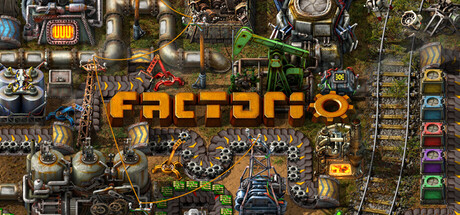
How to get a first Factorio factory running: moving from hand crafting to automation, dealing with the locals, matching settings to your PC and using the trainer without risking your saves.
How a Factorio Run Works
Freeplay is Factorio's main mode. You land on a planet with almost nothing, gather raw materials by hand, and steadily hand that work over to machines. Each layer of automation frees you to build the next. Nothing runs on a timer, and you can save at any point, so a bad decision costs little if you save often. This guide is aimed at a first freeplay run, though most of it carries over to the Scenarios and to co-op.
The loop is simple to describe: mine resources, research technologies, build infrastructure that moves and processes materials, and defend it. Research unlocks new buildings, and the planet's locals respond as your industry spreads. Think of progress as a chain. Fixing one bottleneck usually exposes the next one further down the line, and learning to spot that pattern is most of what the game asks of you.
- Save before every major rebuild so you can roll back a bad layout.
- Use Adjustable Difficulty to set up a calmer first world if combat worries you.
- Expect your first factory to be messy; clean layouts come with practice.
- When production stalls, stop and plan rather than hand-crafting around the gap.
The First Hour: From Hands to Machines
You begin by chopping trees, mining ore and crafting tools yourself. Do it only for as long as it takes to build your first machines. Hand crafting gets you started, nothing more, and every minute spent on it is a minute the factory isn't running. Head early for transport belts and mechanical arms (inserters): between them, they move items from machine to machine without you.
Get used to thinking in lines rather than single machines. Ore goes onto a belt, the belt feeds processing, and the output feeds the next step. Leave empty ground beside early lines so you can add machines later without pulling everything up. A tightly packed build looks efficient, but it is usually the first thing you end up ripping out.
- Automate whatever you find yourself hand-crafting most.
- Leave gaps between production lines for later expansion.
- Carry a small stock of belts and inserters at all times.
- Make sure every belt has somewhere to go; a backed-up belt stops the chain without warning.
Scaling Up: Research, Power and Robots
With basic automation running, research takes over as the thing that drives progress. Keep it going at all times, because idle labs slow down everything that follows. Power demand rises quickly as machines go down, and large solar fields are one way to meet it later on. If the whole base slows at once rather than a single line, check your power supply before anything else.
Oil refining and cracking add a more involved layer of production built around fluids. Construction and logistic robots change how you build: construction robots place structures for you, and logistic robots carry items around the base. From here the work moves away from laying belts by hand and towards managing systems. Hold off on robots until your base can supply them reliably, or you will spend more time feeding the network than using it.
- Keep research queued so labs never sit idle.
- Add power capacity before placing a large batch of new machines.
- Treat oil processing as a separate project and give it plenty of room.
- Unlock robots once your basic material lines run steadily.
Defending Your Factory
The locals don't take kindly to you stripping their planet, and they will come for your machines. Plan defences before the first attacks rather than after a line has been wrecked. Turrets run on ammo, and keeping them stocked is one of the first useful jobs for belts and inserters.
Put defences where the base meets the outside world, not in the middle of it. A short perimeter is easier to keep supplied than a sprawling one, which is one more reason to expand on purpose rather than by accident. If logistics interest you more than combat, Adjustable Difficulty lets you ease the pressure, and there is nothing wrong with playing that way.
- Automate ammo delivery to turrets early.
- Build defences at the edges of the base, not the centre.
- Expand in controlled steps so the perimeter stays manageable.
- Use Adjustable Difficulty to reduce enemy pressure for a building-focused run.
PC Settings and Performance
Minimum spec is a 3GHz quad core, 8 GB of RAM and a DirectX 11 GPU with 1 GB of VRAM, such as a GTX 750 Ti, Radeon R7 360 or Intel UHD Graphics 730. That target assumes normal sprite resolution, low quality compression and 1080p. On hardware close to this, those are the settings to hold: sprites at normal, compression at low quality, resolution no higher than 1080p.
The recommended spec steps up to a 4GHz quad core from 2020 or newer, 16 GB of RAM and a 4 GB GPU such as a GTX 1050 Ti, Radeon RX 570 or Intel Arc, which covers high sprite resolution and high quality compression. The jump in processor speed and memory is worth noting. Graphics card examples stay modest, so if you are planning an upgrade for Factorio, a faster CPU and more RAM are likely to matter at least as much as the GPU.
- On weaker PCs, set sprite resolution to normal and compression to low quality first.
- Stay at 1080p on minimum-spec hardware.
- Close background programs to leave the game as much RAM as possible.
- If a big base starts to slow, look at CPU and memory before blaming the graphics card.
- Keep 10 GB of storage free if you want the high quality assets.
Using the Trainer in Factorio
The trainer options line up with the slow parts of Factorio. Instant Handcrafting and Instant Construction shorten the opening grind, while Instant Research and Fast Production speed up progression. With Unlimited Items, Infinite Fuel and Infinite Resource Patches you can test layouts without worrying about supply. God Mode and Infinite Ammo take care of defence, and Super Run Speed, Game Speed and Reveal Map make it quicker to get around and find resources.
Keep the trainer to single-player and offline sessions. Factorio has online and cross-platform co-op, and changing a shared game ruins it for everyone else. Back up your saves before enabling anything and use a separate save for trainer play, because Steam Cloud syncs saves and a modified file can overwrite a clean one. Wube patches the game regularly, with 2.1 recently marked stable, and an update can break a trainer until the trainer catches up.
- Copy your save folder before the first trainer session.
- Keep trainer and clean runs in separately named saves.
- Never turn on trainer options in multiplayer or co-op.
- Pair Unlimited Items with Instant Construction to prototype layouts quickly.
- After a game update, check that the trainer supports your current version.
Co-op, Mods, Scenarios and Updates
Co-op works online, over LAN and across platforms, and Factorio is well suited to splitting the work. One player can run defence while another expands production, or each can take charge of a separate part of the base. Agree on rough layout rules first so your sections join up cleanly. Remote Play on Tablet and partial controller support give you more options for where and how you play.
Outside freeplay, Scenarios provide set challenges, and the Map Editor lets you place terrain, entities and enemies and add your own scripts. Mods range from small helpers to complete overhauls, and the in-game mods screen now shows an error rather than restarting when dependencies are missing. Space Age came out two years before 2.1 went stable, and recent patches have fixed problems with rockets, cargo pods and inserters, so it pays to stay up to date.
- Set shared layout rules before starting a co-op factory.
- Try a Scenario if freeplay feels too open-ended.
- Add mods one at a time so conflicts are easy to trace.
- Back up saves before installing a large overhaul mod.
FAQ
Can my PC run Factorio?
The minimum is a 3GHz quad core, 8 GB of RAM and a DirectX 11 GPU with 1 GB of VRAM on Windows 10 or 11. For high sprite resolution and high quality compression, the recommended spec is a 4GHz quad core from 2020 or newer, 16 GB of RAM and a 4 GB GPU.
Is Factorio playable solo?
Yes. Freeplay is the core of the game and works fully in single-player, and the Scenarios and Map Editor add more to do on your own.
Can I turn down enemy attacks?
Factorio supports Adjustable Difficulty, so you can set up a calmer world if you would rather build than fight.
Can I use the trainer in multiplayer?
No. Use trainer options only in single-player and offline, and keep a clean backup save, since Steam Cloud can sync modified files over it.
Will updates affect my mods or trainer?
They can. Factorio gets regular patches, including the recent 2.1 stable release, so check that mods and the trainer still work after each update.
Comments
No comments yet
Be the first to share your thoughts.