Endacopia: Beginner's Guide, PC Settings and Trainer Tips
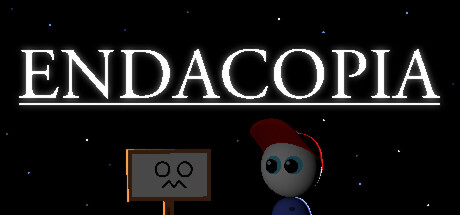
Getting started with Endacopia: exploring and puzzling as Mellow, surviving the fist fights, dodging the bugs patched since launch, running it on an old PC and using the trainer safely.
What Endacopia Asks of You
Endacopia is a surreal point-and-click adventure from Andyland. You play as Mellow, a young boy who has lost all of his senses while trying to escape an uncomfortable home. The game mixes odd humour with genuine unease, and many of its horrors only surface if you poke at things you probably shouldn't.
There is more going on than clicking through scenes. You pick which area to explore next, talk to strange characters who may or may not help, fill your pockets with tools and junk, work through abstract puzzles and play a spread of mini-games. Monsters are fought in first person with Mellow's bare fists. The pace shifts often, and the game rewards patience more than speed.
- A working keyboard and mouse are required, according to the store page.
- The structure is open: you choose the order in which you visit areas.
- Linger on each screen. The animated background gags and hidden details are part of the point.
Your First Hour: Controls and Audio
Check your sound before anything else. At launch, starting a new game with the volume slider at zero left the game silent even after you raised it. Patch 1.05 added in-game volume control on the plus and minus keys. Patch 1.07 then changed how those keys work, after players with some keyboard layouts emailed to say they had muted the game for good. The notes say Left Shift is now involved, so read the latest patch notes if your audio seems stuck.
Set a comfortable volume before you create a save file, and make sure the game is updated. Use the first area to get used to clicking, talking and picking things up before you go near anything that looks dangerous.
- Do not start a new game with the volume slider at zero.
- If the game is silent, try the plus and minus volume keys before reinstalling.
- Update before a long session. Patches arrived every few days in the first two weeks.
Exploring, Items and Puzzles
You choose where to go next, so being stuck in one area is rarely a dead end. The usual adventure-game habit works here: leave a puzzle that has you beaten, explore somewhere else and return with a new item or a new line of dialogue. Mellow collects tools, toys, gadgets and plain trash, and in this genre the trash often matters as much as the tools.
The store page calls the puzzles abstract, so don't expect real-world logic every time. Try items on objects and characters even when the connection looks thin. One patch fixed a bug with using the camera item on a green mug, a small sign that using inventory on the scenery is a regular part of play. Talk to people more than once, because what they say may change as events move on.
- Jot down locked doors and open questions so you know where to go back.
- Try each new item on anything that didn't respond before.
- Revisit characters after major events; their lines may have changed.
- Some secrets are meant to be disturbing, so dig only as far as you want to.
Fist Fights and Mini-Games
Fights switch to a first-person view where Mellow blocks, dodges and punches with his bare hands. The store page says nothing about enemy patterns, so standard advice for reactive combat applies. Watch an enemy for a few attacks before committing, block or dodge until a gap opens, and hit back between its swings. Rushing in usually costs more health than it saves.
The patch notes mention a dice game and something called cutie collector. The dice room crashed for some players at launch; patch 1.05 was meant to fix it, and with 1.06 the developer said they believed the crash was finally gone. If a mini-game feels unfair, play a round just to learn the rules before you take it seriously.
- Learn an enemy's rhythm before you throw punches.
- Defend first, then counter.
- Run version 1.06 or later before entering the dice room.
- A softlock at the Chameleon fight was fixed in 1.03, another reason to stay updated.
PC Settings and Performance
The minimum requirements are low: Windows 7, Vista or XP, a Pentium 4 at 3.0GHz, 2 GB of RAM, a 128 MB graphics card with Shader Model 2.0 such as an ATI X800 or NVidia 6600, DirectX 9.0c, a compatible sound card and 2 GB of storage. No recommended specs are listed. Hardware from the last decade or so should clear that bar comfortably.
The store information doesn't describe a graphics menu, so don't count on many settings. On a machine close to the minimum, close background programs, and if there is a choice between windowed and fullscreen, try both. On a current PC, frame rate won't be the issue. Spend your setup time on updates and checking that the volume works.
- On PCs near the 2 GB RAM minimum, close browsers and overlays first.
- If the game won't launch, make sure the DirectX 9.0c components are installed.
- An SSD may cut load times, though the store page doesn't mention loading.
- Any recent laptop or desktop should beat the listed minimum easily.
Patches, Bugs and Your Saves
Six patches, 1.03 to 1.08, landed between July 29 and August 7. They fixed softlocks, including one caused by pausing in the core room, the dice room crash, camera item bugs, a rendering layer problem on the bottom right office stairs and Genesis 01 misbehaving when you equipped the skateboard while pressing a button. If something breaks, check whether a newer version already fixes it before restarting a long run.
Patch 1.04 switched on Steam Cloud, so saves should now sync between machines. The catch is that a broken or stuck save can sync too. Copy your save files by hand now and then, especially before a tricky section or before using any third-party tool. To report a bug, the developer asks for an email with pictures or videos and a detailed description.
- Spread your saves across several slots if the game offers them.
- On versions older than 1.03, avoid pausing in the core room.
- Back up saves manually; cloud sync won't rescue you from a bad one.
- Attach a video or screenshot when you report a bug.
Using the Trainer in Endacopia
Several options map neatly onto how Endacopia plays. Super Walk Speed shortens the walk between rooms when you backtrack for a puzzle, and Instant Text skips dialogue you've already read. Infinite Health takes the pressure off the first-person fights. Game Speed works in both directions: slow it down to read enemy attacks, or speed up slow stretches. Freeze Timer helps in any timed section, and Max Minigame Score gets you past a mini-game that is holding up progress.
This is a single-player game, so keep trainer use offline and back up your saves first, since Steam Cloud will sync whatever state you end up in. Unlimited Items, Save Position and Restore Position can put the game in situations its puzzles weren't built for. With so many softlocks already patched, test Restore Position somewhere safe first, and don't use it during cutscenes or fights.
- Copy your save folder before enabling any option.
- Switch off Steam Cloud for the game while testing if you want to protect your synced save.
- Use Save Position and Restore Position in open rooms, not during scripted events.
- If a puzzle stops responding, turn off Unlimited Items.
FAQ
Can I play Endacopia with a controller?
The store page says you need a functional keyboard and mouse and doesn't mention controller support, so plan on mouse and keyboard.
Why does my game have no sound?
Starting a new game with the volume slider at zero could leave it muted. Patch 1.05 added in-game volume keys and 1.07 adjusted them, so update and try the plus and minus keys.
Does Endacopia support cloud saves?
Yes. Steam Cloud was enabled in patch 1.04, and saves should sync across devices.
The game crashes in the dice room. What should I do?
Update to the latest version. Patches 1.05 and 1.06 both targeted the dice room crash, and with 1.06 the developer said they believed it was fixed.
Will Endacopia run on an old PC?
Very likely. The minimum is a Pentium 4 at 3.0GHz, 2 GB of RAM and a 128 MB graphics card with DirectX 9.0c, and no recommended specs are listed.
Comments
No comments yet
Be the first to share your thoughts.