Dune: Awakening: Beginner's Guide and Best PC Settings
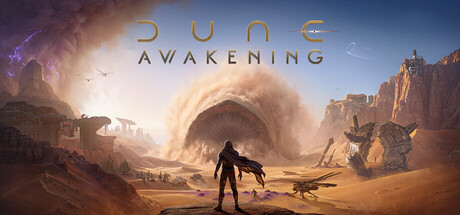
How to handle heat and thirst on Arrakis, pick a School, build a first base, set up your PC and use trainer options safely in offline mode.
Your First Hours on Arrakis
Dune: Awakening is Funcom's open-world survival RPG set on Arrakis. You play an agent of the Bene Gesserit, sent to find out what happened to the missing Fremen. The premise is an alternate history in which Paul Atreides was never born. Duke Leto Atreides and Feyd-Rautha Harkonnen both turn up, but the plot centres on your own character and the truth about their past.
Treat the opening hours as a survival tutorial, not a sprint through quests. Hagga Basin, Arrakeen, the hidden Fremen caves and the Deep Desert each test you in different ways. The early loop is a familiar one: gather, craft better tools, secure a safe spot, then push further out. Pick the main story back up when your supplies feel stable, and return to gathering and building whenever water or gear runs low.
- Follow the story objectives, but keep gathering from the start.
- Explore in short trips out from a known safe spot.
- Make a note of shaded areas and landmarks as you travel.
Heat, Water and Sandworms
The planet is the first thing trying to kill you. Direct sun is dangerous, so get into the habit of moving from one patch of shade to the next. Water drives everything: you extract liquid from the bodies of enemies and refine it into drinkable water. That makes fights a supply source as well as a risk, so pick them when you need to top up rather than stumbling into them.
Sandworms roam the open sand, and the advice is simple: stay out of their way. Cross open desert quickly, keep close to rock where you can and never linger on the dunes. Sandstorms sweep across the landscape too, and they are destructive. When one approaches, find cover instead of trying to push through.
- Stick to shade on long trips.
- Carry a reserve of refined water before heading somewhere new.
- Cross open sand in quick, straight lines toward rock.
- Shelter from a sandstorm instead of trying to outrun it.
Choosing a School and Building Your Character
Abilities, weapons and tools come from studying the Schools of the Imperium. Four are described: the Trooper, built on firepower; the Bene Gesserit, who use the Voice to control enemies; the Mentat, who set deceptive traps; and the Swordmaster, a close-quarters blade specialist. Think about how you actually like to fight before sinking early progress into one.
Newcomers to survival games tend to find a direct, ranged style like the Trooper easiest, since it lets you deal with threats at a distance. Players who enjoy setup and positioning may lean toward the Mentat, and anyone who likes duels will want the Swordmaster. Respecs and multi-School builds are not covered in the official description, so check the in-game skill screens before assuming you can change course freely.
- Pick the School that matches how you like to engage enemies.
- Ranged play is usually more forgiving if survival games are new to you.
- Check the skill screens before pouring points into one tree.
Bases, Crafting and Vehicles
Building sits at the centre of the game. Bases go up piece by piece, from a small outpost to a towering stronghold, in Atreides, Harkonnen or other architectural styles. They also house crafting machines, so your base is a workshop as much as a shelter. Start small near shade and useful resources, and expand once your supply runs are reliable.
Mobility is what opens the map. You can assemble vehicles, scale mountains with the Shigawire hook and eventually build an ornithopter to fly over sandworm territory. Every trip on foot across the dunes carries risk, so prioritise anything that gets you over terrain more safely. Faction play runs alongside all this: join the Atreides or the Harkonnen and rise through their ranks, each with its own storyline.
- Put your first base near shade and resources.
- Get crafting machines running before you spend time decorating.
- Use the Shigawire hook to reach high ground and stay off the sand.
- Make the ornithopter your mid-term goal.
PC Settings and Performance
The minimum spec is an Intel Core i5-7400 or AMD Ryzen 3 1200, 16 GB of RAM and a GeForce GTX 1060 6 GB or Radeon 5600XT 6 GB, running DirectX 12. Storage is stricter than usual: an SSD is required even at minimum, and the recommended spec asks for NVMe. A hard drive falls below the listed requirements, so install to your fastest drive. You need 60 GB free at minimum and 75 GB for the recommended setup.
On minimum-spec hardware, begin with the low or medium preset and aim for a stable frame rate. In large open worlds the heaviest options are usually shadows, volumetric fog and clouds, view distance and foliage density, so cut those first. Texture quality depends mostly on video memory, and medium is a sensible starting point on 6 GB cards. The recommended tier pairs an RTX 3070 or Radeon 6700XT with an i7-10700K or Ryzen 5 2600X; on that hardware, try a higher preset and adjust from there.
- Install on an SSD, ideally NVMe; a hard drive is below spec.
- On weaker PCs, lower shadows, volumetrics and view distance first.
- Start textures at medium on 6 GB graphics cards.
- Close background apps, since 16 GB of RAM is the minimum, not a margin.
- Restart Steam if a hotfix download does not appear.
Solo Play, Co-op and Offline Mode
Steam lists Dune: Awakening as both single-player and massively multiplayer, with online co-op. You can explore, build and survive alone or with friends. Patch 1.5.20.0 added the much-requested offline mode, a big change for anyone who wants to play at their own pace without servers. The system requirements still list a broadband connection.
Recent hotfixes have required client-side downloads, and their notes mention servers coming back up afterwards, so online players should expect short downtime around patches. Steam Cloud and Save Anytime support let solo players stop whenever they need to. Accessibility settings cover adjustable text size, camera comfort, color alternatives, subtitles and full controller support, and they are worth setting before you get far.
- Switch to offline mode for solo play without servers.
- Check the official Discord or Steam discussions for known issues after a patch.
- Set accessibility and controller options before your first long session.
Using the Trainer in Dune: Awakening
Keep the trainer to the offline mode added in patch 1.5.20.0. Online servers are shared, so changing the game there affects other players and can put your account at risk, and no trainer is guaranteed safe from detection. Back up your save files by hand before enabling anything, because Steam Cloud may sync changes you later want to undo. Patches arrive often and can break compatibility, so keep both the game and the trainer up to date.
Each option lines up with one of the game's pressures. No Thirst switches off the water loop, while Infinite Health and Infinite Stamina take the edge off climbing and combat. Unlimited Resources, Free Crafting and Free Building are handy for testing base layouts. XP Multiplier and Unlimited Skill Points let you sample every School. Infinite Ammo and No Reload pair well with a Trooper, and Super Speed, Game Speed and Save and Load Position get you out of risky spots.
- Enable options only in offline mode, never on online servers.
- Back up your saves before each trainer session.
- Turn options on one at a time to catch conflicts after a patch.
- Save your position before heading into dangerous areas.
FAQ
Can I play Dune: Awakening completely solo?
Yes. It is listed as single-player as well as multiplayer, and patch 1.5.20.0 added an offline mode for play without servers.
Will Dune: Awakening run from a hard drive?
A hard drive is below spec. The minimum requirements list an SSD as required, and the recommended spec calls for NVMe.
Which School is easiest for beginners?
The Trooper's ranged firepower tends to be the most forgiving for new survival players. The Bene Gesserit, Mentat and Swordmaster suit other styles of fighting.
Can I use the trainer on online servers?
No. Use it only in offline mode: online servers are shared with other players, and no trainer is guaranteed safe from bans.
How much disk space do I need?
60 GB at minimum and 75 GB for the recommended setup. Leave some extra room, as patches arrive often.
Comments
No comments yet
Be the first to share your thoughts.