DREDGE: Beginner's Guide, Best Settings and Trainer Tips
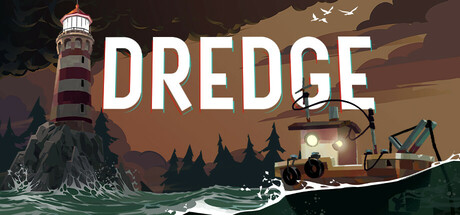
How the fishing and upgrade loop in DREDGE works, how to handle night and fog, which PC settings to change first on older hardware, and where trainer options fit in a solo run.
How DREDGE Plays
DREDGE is a single-player adventure with light RPG progression, and everything happens from the deck of a small fishing trawler. You leave harbour, pull fish and strange objects out of the water, then bring them back to sell to the people living on the islands. Sales and quests fund better equipment, and better equipment gets you into deeper trenches and more distant regions. Each area also has a troubled past, and you piece it together by exploring and doing jobs for the locals.
Time is what keeps you on edge. The biggest threats sit in the fog that covers the sea at night, while sharp rocks and shallow reefs are a hazard whenever you sail. Early on, most of your choices come down to the clock: how far to go, how long to stay out and when to head back. Treat each outing as a short trip with a plan rather than an aimless cruise and the game becomes much more forgiving.
- Set one goal per trip, such as finishing a quest, making a sale or checking a new spot.
- Talk to the locals in each harbour, since their quests unlock new abilities.
- Let the story come to you as you explore rather than racing through it.
Your First Days in The Marrows
The Marrows is your new home and the place to learn the controls. Stay near the harbour for the first few outings and get used to steering around rocky coastline. Fill the hold, sail back, sell, go again. These short runs pay for your first upgrades and teach you which waters are worth a return visit. Heading far out on day one gains you little, and a damaged boat a long way from port is a bigger setback than a slow start.
Keep track of what the locals want. Quests pay, and they are how the game gives you new abilities, so they matter as much as your catch. When a request matches water you already fish, fold both into one trip. There are more than 125 deep-sea creatures to find, and you will not see most of them early, so concentrate on catches that sell well or push a quest forward.
- Sell regularly in the early game instead of sitting on a full hold.
- Learn where the shallows and rocks are near home before sailing further.
- Plan your fishing routes around open quest objectives.
Night, Fog and Getting Home Safely
Watching the time of day is the habit that will save you most often. As evening comes in, decide whether you can reach port or whether you are ready to spend the night at sea. The fog that rolls in after dark hides the game's worst dangers, and the rocks and reefs are still out there while you are trying to navigate through it. Staying out for one more catch is an easy way to lose a good run.
The night is not off limits, though. The game expects you to strengthen your mind and use your abilities to survive trips after dark, so you will be out there eventually. Wait until your boat has a few upgrades and you know the route well. Leave port with a specific job in mind, keep moving and turn back before you start pressing your luck.
- Head for port as the light fades unless the night trip was planned.
- Memorise a safe route between your usual fishing spots and the nearest harbour.
- Hold off on risky night outings until after your first few boat upgrades.
Upgrades, Research and Abilities
Progress comes from three places: equipment bought with your earnings, special gear you research, and abilities earned through quests. Boat upgrades get you to more secluded locations, and new equipment gives you access to rare fish and valuable curios from deep water. Upgrades that let you do something new tend to pay for themselves faster than ones that only make a familiar task slightly quicker.
Several updates have changed details since launch. Hotfix 1.5.2 removed the need to have the correct rod equipped to use exotic bait. Hotfix 1.5.3 fixed a bug that let players duplicate the Aurous Anchor, as part of a final round of fixes for The Iron Rig. Older advice built on either behaviour may no longer hold on the current version.
- Put money into upgrades that open new areas or new types of catch first.
- Follow quest chains through, since they are the source of new abilities.
- Check which version a guide or video was made for before relying on it.
PC Settings and Performance
The hardware bar is low. Minimum spec is Windows 10, an Intel Core i3-2100 or AMD Phenom II X4 965, 4 GB of RAM and an Nvidia 8800 GT or Radeon HD 6570 with DirectX 11, targeting 720p at 30 fps. The recommended spec, an Intel Core i5-2550K or AMD FX-8370, 6 GB of RAM and a GTS 450 or HD 5770, targets 1080p at 60 fps. Storage needs are just 2 GB.
On a PC close to the minimum, drop the resolution first, since the developer's own target at that level is 720p. If the game still struggles, look for heavier visual settings such as shadows and effects, and consider locking the frame rate at 30 so it stays even. Hardware at or above the recommended spec should manage 1080p at 60. Before you start, also check the camera comfort, colour alternative and custom volume options.
- On older hardware, lower resolution before touching anything else.
- A steady 30 fps usually feels better than a frame rate that swings up and down.
- Turn on camera comfort options if the boat's movement makes you uneasy.
- Keep the game updated: an October 2025 update addressed a Unity security vulnerability.
Using the Trainer in DREDGE
DREDGE has no multiplayer, so trainer options only change your own game. Use them offline and on the current version; after a game update, the trainer may need updating too before every option works properly. Steam Cloud syncs your saves, which means changes made with a trainer can sync as well. Copy your save files to a separate folder first and keep that copy until you are happy with the result.
Each option targets one of the game's pressure points. Freeze Time of Day and No Panic take the edge off the night, and Infinite Hull Health means rocks no longer cost you anything. Unlimited Money and Unlimited Research Parts cut out the grind for upgrades. Instant Fishing Catch, Fish Never Spoil, Super Boat Speed, No Ability Cooldown and Game Speed shorten routine trips. Racing the clock is central to DREDGE, so one or two options at a time will keep more of its character than switching everything on.
- Back up your saves before enabling any option.
- Keep trainer use offline and in single-player.
- Freeze Time of Day allows unhurried exploration while leaving other hazards in place.
- Switch off Super Boat Speed near rocky coastline if steering gets difficult.
Accessibility and Difficulty
The Steam listing includes adjustable difficulty, full controller support and a keyboard-only option. If the night sections are too stressful, lowering the difficulty is a cleaner fix than reaching for outside tools. Colour alternatives help if some elements are hard to tell apart, and custom volume controls let you balance the mix so sounds on the water come through clearly.
A controller works well for steering the boat, and the keyboard-only option means you never have to touch the mouse. Steam Achievements and Family Sharing are supported too. If you share the game with family, keep backing up saves before anyone experiments with a trainer.
- Try the difficulty setting before trainer options if the tension is too much.
- Enable colour alternatives if any visual cues are hard to read.
- Raise the effects volume so you pick up sounds on the water.
FAQ
Will DREDGE run on an older PC?
Probably. The minimum spec is an Intel Core i3-2100 or AMD Phenom II X4 965 with 4 GB of RAM and an Nvidia 8800 GT or Radeon HD 6570, targeting 720p at 30 fps.
Can I make DREDGE easier without mods or trainers?
Yes. The game has adjustable difficulty, so you can lower the challenge in the settings before trying any trainer options.
Do I still need the right rod to use exotic bait?
No. Hotfix 1.5.2 removed the requirement to have the correct rod equipped for exotic bait.
Does DREDGE support controllers and keyboard-only play?
Yes. It has full controller support and a keyboard-only option.
Are my DREDGE saves backed up automatically?
Steam Cloud syncs your saves, but it syncs any changes too. Before using a trainer, copy your save files to a separate folder yourself.
Comments
No comments yet
Be the first to share your thoughts.