DRAGON BALL: Sparking! ZERO Beginner's Guide and Best Settings
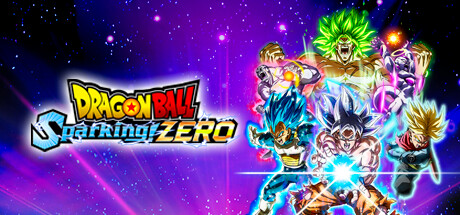
Where to start in DRAGON BALL: Sparking! ZERO, how to handle its fast 3D fights and huge roster, which PC settings to use, and where trainer options fit in offline play.
Where to Start
Sparking! ZERO continues the Budokai Tenkaichi line. Fights take place in open 3D arenas where you fly, dash and fire energy attacks across wide spaces, not on a flat 2D plane. If you skipped the older games, expect a learning curve. Camera control and distance count for as much as combos, so play a few sessions before you decide how the controls feel.
Story mode is the obvious first stop. It replays battles from the series from the perspectives of eight characters, with cutscenes between fights, and lets you unlock extra encounters for favorite fighters along the way. Because the battles follow the series, you will probably end up playing fighters you would not have picked yourself, which is useful early on. Treat the first chapters as a guided tutorial before moving to harder modes or online matches.
- Use a controller if you have one; Steam lists the game as gamepad recommended with full controller support.
- Play the early story fights even if you know the plot, since they double as practice.
- Keep the game updated, as recent patches have changed both battle mechanics and modes.
Combat Fundamentals
The store page names the core pieces: rush attacks, beam clashes, movement too fast to follow and ultimates big enough to wreck a planet. The basic loop will be familiar from other arena fighters. Close the gap, land a string of hits, then either keep up the pressure or back off and recharge. The trainer's Infinite Ki and Infinite Skill Count options point to ki and skill counts as limited resources, so your strongest moves come at a cost. Burn everything in one exchange and you may have little left to fall back on.
Beam clashes and ultimates are the big moments, but they are not always the right call. An attack the opponent sees coming can be avoided, and the resources you spent on it are gone. Look for windows where a large move is more likely to connect, such as right after a successful rush or while the opponent is recovering. The June 2025 update also adjusted the Short Dash Attack. If an older guide or video describes it differently, go by what your current version does.
- Keep an eye on your resource gauges instead of emptying them in one burst.
- Open fights with rush attacks and hold big attacks for clear openings.
- If a move behaves differently from a tutorial video, check when that video was made.
Picking Fighters From a Large Roster
The base game has more than 180 fighters from Dragon Ball Z, Dragon Ball Super, Dragon Ball GT and selected movies, each with their own techniques and transformations. That much choice can stall a new player. Settle on a couple of characters you like and learn them properly instead of sampling dozens. Knowing one fighter's full toolkit teaches you more about the systems than brief time with many.
Many characters are built around transformations. Find out when your fighter can change form and what that costs in the middle of a fight. As in most fighting games with forms, transforming at a bad moment can leave you open, while doing it after winning an exchange tends to be safer. Patch notes since launch keep listing character adjustments, so a fighter's standing can shift from one update to the next. Play the characters you enjoy, not whoever is popular this month.
- Pick a small main roster of two or three fighters and practice with them.
- Learn each main's transformation timing before taking them online.
- Re-test your mains after major updates, since characters have been rebalanced several times.
Modes Beyond the Story
After the story, tournament modes with different victory conditions run you through a series of fights back to back. Custom battles let you recreate scenes from the series or set up a dream story battle with your favorite characters. You can share those creations and play scenarios built by other fans, so there are new fights to try once the main content is done.
For human opponents there is online PvP, local split-screen and Remote Play Together. The June 2025 patch notes list changes to DP Battles, so that mode is still being tuned. Patches have arrived with scheduled maintenance windows, and the notes ask players to install the latest update. If matchmaking will not connect, check for a pending update or maintenance before you start troubleshooting your own network.
- Use tournaments to practice adapting to several opponents in a row.
- Try community-made custom battles when you want new fights without grinding.
- Split-screen with a friend is a low-pressure way to learn matchups.
- If online play fails, look for a pending update first.
PC Settings and Performance
The minimum spec, an Intel Core i5-9600K or Ryzen 5 2600 with 8 GB RAM and a GTX 980, RX 590 or Arc A750, targets 1080p at 60fps on the Low preset. The recommended tier, a Core i7-9700K or Ryzen 5 3600 with 16 GB RAM and an RTX 2060 or RX Vega 64, targets the same resolution and framerate on High. Both tiers warn that the framerate may drop in graphics-intensive scenes, most likely during ultimates and other effect-heavy moments. DirectX 12 is required, and that needs Windows 10 version 1809 or later plus a GPU with 4 GB VRAM.
Near the minimum, start with the Low preset at 1080p and raise individual options only once performance holds steady. In effect-heavy action games, shadows, post-processing and particle effects are usually the most expensive, so lower those first if big attacks cause dips. A stable framerate matters more than visuals here, because stutter throws off your timing. Recommended hardware should handle High at 1080p, and HDR is available if your monitor supports it.
- Start on the Low preset with minimum-spec hardware and raise settings gradually.
- Lower effect-heavy options first if fps drops during ultimate attacks.
- Keep 29 GB free; an SSD will usually cut loading times.
- Update GPU drivers and confirm your Windows version meets the DirectX 12 requirement.
- Close background programs if you only have 8 GB of RAM.
Using the Trainer Options
The trainer offers Infinite Health, Infinite Ki, Infinite Skill Count, One-Hit Kills, Damage Multiplier, Defense Multiplier, Freeze Enemy AI, Freeze Battle Timer, Unlimited Zeni, Super Speed and Game Speed. They are meant for single-player and offline play only. Never turn them on in online PvP or any connected mode: it ruins other players' matches and can put your account at risk. Since the game has online features, close the trainer completely before going online.
Several options work well for practice. Freeze Enemy AI and Freeze Battle Timer give you a quiet space to drill a character's inputs or transformation timing. With Infinite Ki and Infinite Skill Count you can try every special move without worrying about resources, and Game Speed can slow fast exchanges down so they are easier to follow. Unlimited Zeni skips the grind for unlocks, but it also skips part of the progression, so decide whether that trade suits you.
- Back up your save folder before using any option; Steam Cloud can also sync changes you might not want.
- Turn the trainer off and restart the game before any online session.
- Wait for a trainer update after game patches, since they can break compatibility.
- Use Freeze Enemy AI to practice combos and transformation timing.
FAQ
How many characters are in DRAGON BALL: Sparking! ZERO?
The base game has more than 180 fighters from Dragon Ball Z, Super, GT and selected movies, each with their own techniques and transformations.
Can I play with a friend on one PC?
Yes. The game supports shared and split-screen PvP, and Steam's Remote Play Together lets a friend join a local session over the internet.
What PC do I need for 60fps?
The minimum spec, such as a GTX 980 or RX 590 with 8 GB RAM, targets 1080p at 60fps on Low. The recommended RTX 2060 or RX Vega 64 with 16 GB RAM targets 1080p at 60fps on High. Heavy scenes can still dip below that.
Is a controller required?
No, but Steam lists the game as gamepad recommended, with full controller support including DualShock and DualSense.
Can I use the trainer in online matches?
No. The trainer is for single-player and offline modes only, so close it completely before playing online PvP or using other connected features.
Trainer and game page
DRAGON BALL: Sparking! ZERO Trainer · DRAGON BALL: Sparking! ZERO
Comments
No comments yet
Be the first to share your thoughts.