DPS: Desktop Pension Squad: Beginner's Guide and Best Settings
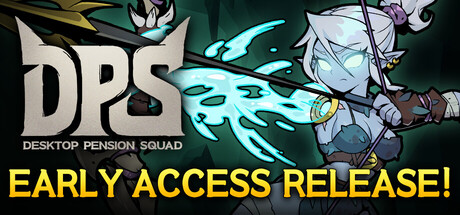
How the idle loop works, how to build skill combos, what to do with chests, crafting and Boss Tickets, how to keep the game light on your PC, and where trainer options do and do not belong.
How the Idle Loop Works
DPS: Desktop Pension Squad is a free-to-play idle RPG designed to sit in a corner of your screen while you work, study or watch videos. Your monster squad fights humans and collects chests without input, so you spend most of your time checking in rather than playing. Humans have stolen nearly every Dungeon Core, and your band of rejected monsters sets out to take them back. Each chapter puts a new human force in your way, from medieval knights to the armies of a desert pharaoh.
The fighting runs itself, so the decisions happen during short check-ins. That is when you pick skills, equip gear, open chests, condense equipment you no longer want and craft replacements. Make a habit of a quick review each time you come back: open what has piled up, compare new gear with what is equipped, and change skills if the squad has stalled. There are no timed inputs, you can save at any point, and nothing punishes you for stepping away.
- Treat each check-in as a quick upgrade pass, not a long play session.
- Open chests as soon as you return so new gear starts working right away.
- If progress stalls, look at your skills before you blame your gear.
Building Your Squad and Skills
The roster is a set of outcasts the monster legion turned away: a former Labyrinth Lord, a one-armed sharpshooter, a cowardly lich, a staff with an insatiable appetite, a sorrowful jester and a Grim Reaper who protects fellow monsters. Each character has 8 unique skills, and you decide which ones to equip. Skills fire automatically when their conditions are met, such as on every third attack, when an enemy is defeated or when a target is marked.
Most of the strategy sits in those triggers. A skill that fires on marked targets gets far more use if a squadmate is applying marks, and a skill that fires on kills tends to shine against crowds of weak enemies. Check what sets each skill off, then pair it with skills that create that condition. As in most auto-battlers, two skills that feed each other usually outperform two strong skills that work in isolation.
- Read each skill's trigger condition before you read its damage.
- Pair skills that mark targets with skills that pay off on marked targets.
- Kill-triggered skills tend to be worth more against large groups of weak enemies.
- When a stage stops progressing, try a new combination and compare the results.
Chests, Equipment and Crafting
Chests are your main source of gear. The squad keeps collecting them while you focus on other things, and opening them hands out equipment for your monsters. Rarities go up to Legendary and beyond, so any chest could hold a major upgrade. Most drops will be ordinary, but ordinary gear still has a use.
Unwanted equipment can be condensed into materials, which you then spend on crafting new gear. That keeps your inventory clear and turns weak drops into a steady trickle of upgrades. Resist the urge to hoard items in case they matter later. Keep what suits your current skill builds, condense the rest, and craft as soon as your materials cover something better than what you have equipped.
- Condense duplicates and clearly weaker items regularly.
- Check rarity before you condense, since Legendary-tier gear can be traded.
- Craft for the slot where your squad is weakest first.
Stages, Bosses and Boss Tickets
Progress runs through chapters, and the patch notes mention Normal stages alongside Boss Battles that use Boss Tickets. The v1.0.2 balance changes targeted some Normal stages that were proving too hard, so a stage that blocked you at launch may be easier now. A separate 11/12 patch fixed an issue where Boss Tickets were consumed at different times, which the developers said was about keeping the game fair.
Tickets get used up, so spend them when the squad is ready rather than the moment you have one. Before a boss attempt, open your chests, equip your best gear and confirm your skill pairings actually trigger each other. If an attempt goes badly, drop back to Normal stages to gather chests and materials, then try again. Farm, upgrade, push: the usual idle RPG rhythm applies here.
- Do not spend Boss Tickets on a squad you have not upgraded recently.
- After a failed boss fight, farm Normal stages before trying again.
- Read recent patch notes, because the developers are still adjusting balance.
Legendary Gear and the Steam Market
Equipment of Legendary rarity or higher can be transferred to your Steam Inventory and traded with other players on the Steam Community Market. That gives top-tier drops value outside the game. Before you condense or craft away a high-rarity item, decide whether you would rather equip it or trade it.
The game is in Early Access, and its systems are still settling. On November 15, 2026, the developers temporarily disabled new Market listings while they looked into an issue, promising an update once listings were back. Check the latest announcements before counting on a sale, and build your strategy around the game rather than Market prices.
- Pause before condensing any Legendary or higher item.
- Check developer announcements before planning a sale.
- Base your build on gear you own, not on trades you hope to make.
PC Settings and Performance
The requirements are modest. Minimum is 64-bit Windows 10 or 11, an Intel Core i3-6100 or AMD Ryzen 3 1200, 8 GB of RAM, a GeForce GTX 750 Ti with 2 GB or an AMD equivalent, DirectX 11 and 500 MB of storage. Recommended steps up to an i5-8400 or Ryzen 5 2600, 16 GB of RAM and a GTX 1060 with 6 GB. Both tiers list a broadband connection.
Because the game is meant to run next to your work or videos, the real question is how much it takes from everything else. On an 8 GB machine, memory runs out first, so close heavy browser tabs and other demanding apps before a long idle session. Icon Mode minimises the game to an icon when you need the screen space back. The store page does not detail individual graphics settings; if your PC struggles, shrink the window and use a frame limiter if one is available.
- Switch to Icon Mode when you need your screen space back.
- On 8 GB of RAM, close other memory-heavy apps before a long idle session.
- Keep the game window small if your PC slows down while you work.
- Keep your connection stable, since broadband is listed in both requirement tiers.
How the Trainer Options Fit
Our trainer lists Infinite Squad Health, One-Hit Kills, Unlimited Gold, Game Speed, XP Multiplier, Max Monster Level, Unlimited Boss Tickets, Unlimited Skill Points, Unlimited Items and Max Attributes. Treat them with caution here. DPS is single-player, but it runs on servers, lists an internet connection as a requirement, has been patched specifically to keep things fair, and ties Legendary gear to a real player-to-player market. Trainers are intended for offline single-player use, and this game may not offer a fully offline mode.
Unlimited Gold, Unlimited Items and Unlimited Boss Tickets touch the economy, tradable items and progress the server may track. We advise against using them in this game, since altering server-side values could lead to action against your account. If you experiment at all, stick to something low-impact like Game Speed and keep it to testing. Back up your local saves first, remember that Steam Cloud may sync any changes, and accept that the risk is yours.
- Never use trainer options on gear you plan to trade.
- Avoid options that touch Gold, Items or Boss Tickets in a server-connected game.
- Back up save files before any experiment, and watch out for Steam Cloud syncing.
- If in doubt, skip the trainer; the idle loop already makes progress for you.
FAQ
Is DPS: Desktop Pension Squad free?
Yes. It is free to play on Steam. It is also in Early Access, so content and balance are still changing.
Does the game keep playing when I am not watching it?
Yes. Your squad keeps fighting and collecting chests while the game runs in the corner of your screen, and Icon Mode shrinks it down when you need the space.
Can I sell my equipment?
Equipment of Legendary rarity or higher can be moved to your Steam Inventory and traded on the Community Market. New listings were temporarily disabled on November 15, 2026, so check the latest announcements first.
Do I need an internet connection?
Expect to be online. Both the minimum and recommended specs list a broadband connection, and the developers run servers for the game.
Is my progress saved across PCs?
The game supports Save Anytime and Steam Cloud, so your progress should follow your Steam account.
Trainer and game page
DPS: Desktop Pension Squad Trainer · DPS: Desktop Pension Squad
Comments
No comments yet
Be the first to share your thoughts.