Dispatch: Beginner's Guide to Shifts, Choices and Best Settings
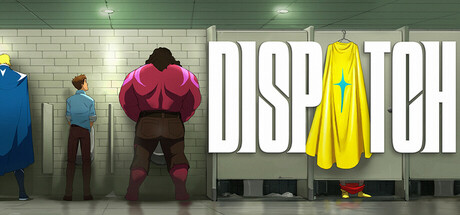
How shifts and the strategy map work in Dispatch, how to manage your ex-villain roster, which PC settings to lower on weaker hardware, and how to use trainer options without spoiling the game.
How Dispatch Plays
Dispatch is made by AdHoc Studio, whose writers and directors previously worked on Tales from the Borderlands and The Wolf Among Us. You play Robert Robertson, better known as Mecha Man. His mech-suit is destroyed in a fight with his nemesis, and he takes a job at a superhero dispatch center in present-day Los Angeles. You don't fight crime yourself. You sit at a desk and send other heroes out, and those heroes are former supervillains you are supposed to rehabilitate.
Play splits into two parts. Story scenes run on dialogue and choices, from breakroom small talk to tense moments in the field, and they decide how heroes feel about you and where the plot goes. Shifts are the strategy layer: you watch a map of emergencies and choose who handles each one. The season is divided into episodes, and patch notes refer to shifts within them, so expect story and shifts to alternate.
- Give story scenes and shifts equal attention.
- How heroes feel about you after conversations carries into how you manage them.
- Check the Adjustable Difficulty setting before your first shift.
- Take episodes one at a time rather than rushing through.
Running Your First Shifts
The strategy map shows every active emergency. Your job is to read each one and pick a hero whose strengths fit it. Dispatch lets you send the wrong person, and each assignment trades risk against reward, sometimes with consequences that stick. Slow down on your first shifts: read the emergency, read the hero card, then commit. Rushed assignments are the usual cause of failed calls in games like this.
Expect a hero you send out to be unavailable for a while, since travel and recovery are part of the loop. Plan one step ahead and keep someone in reserve rather than emptying the roster on the first emergency. If a call looks high risk and low reward, send a less important hero instead of putting your best one in danger before something bigger comes in.
Your team's powers are revealed gradually. Patch notes mention hero power reveals in the first shift of an episode, so expect new information about your heroes as you go. Check a hero's card again whenever it changes. An ability you ignored early on may solve the type of emergency you keep failing.
- Read every emergency before assigning anyone.
- Keep at least one capable hero free when you can.
- Match the hero to the problem rather than always sending the strongest.
- After a bad shift, note which assignments failed and why.
Managing Your Roster
Each hero comes with quirks, flaws and personal baggage, and keeping the group functioning is part of the job. The best hero on paper may be the wrong pick if sending them causes friction. Pay attention to reactions in story scenes, because your conversations shape how heroes relate to you and where their loyalties end up.
You can upgrade skills and unlock abilities to make heroes more effective in the field. With limited skill points, spreading them evenly across everyone tends to produce a team of average performers. Build up a few core heroes first and widen your investment once shifts feel under control. An ability that covers a gap in the roster is usually worth more than another small boost to something a hero already does well.
- Put early upgrades into a small core group.
- Prioritise abilities that cover emergencies you keep failing.
- Watch story scenes for signs a hero is unhappy.
- Rotate assignments so one hero isn't carrying every shift.
Choices, Relationships and Replays
Decisions, from casual chat to life-or-death calls, feed into the story. They affect your relationships with the heroes, their allegiances and Robert's own path, including his plan to rebuild the suit and take revenge. Don't expect an obviously correct answer. On a first run, pick what suits the Robert you want to play instead of trying to steer toward a particular outcome.
Dispatch also sums up how you played. A January 2026 patch made the Robert Tactician personality type unlockable in the end-of-game player stats. Seeing other branches means playing again and choosing differently, and since decisions carry lasting consequences, a short list of your key choices tells you what to change next time.
- Play your first run without looking up outcomes.
- Write down major decisions for a later replay.
- Back up your save folder before a second run if you want to keep the first.
Best PC Settings and Performance
The minimum spec is Windows 10 64-bit, an Intel Core i5-6402P or AMD Ryzen 5 1600, a GeForce GTX 960 or Radeon RX 560, DirectX 11 and 15 GB of storage. It lists only 2 GB of RAM, which is unusually low for a current release and may be a typo, so treat the recommended 16 GB as the realistic figure. The recommended tier asks for an i5-7400 or Ryzen 5 2600 and a GTX 1050 or RX 580.
Those graphics requirements are modest, so most reasonably current cards should cope. Near the minimum spec, start with the options that usually cost the most: shadows, anti-aliasing and post-processing, then resolution scale if you still need headroom. Texture quality is mainly limited by video memory, so on a 2 GB card drop it early.
On recommended hardware you should have room to raise settings. Much of Dispatch is dialogue and cutscenes, so a stable frame rate matters more than a high one; capping it at your monitor's refresh rate cuts heat and stutter. An SSD shortens loads between scenes and shifts but does little for frame rate.
- Plan for 16 GB of RAM, not the listed 2 GB.
- Lower shadows and anti-aliasing before resolution.
- Reduce texture quality on GPUs with 2 GB of VRAM.
- Cap the frame rate at your display's refresh rate.
- Leave space beyond 15 GB free for updates.
Accessibility and Quality of Life
Steam lists adjustable difficulty, adjustable text size, color alternatives, custom volume controls, subtitle options, a mouse-only option, full controller support and play without timed input. If quick prompts in story scenes are hard for you or just not to your taste, look through these settings before the first episode rather than after you miss something.
Patches have added more. In July 2026, subtitles and in-game text gained Spanish LATAM, Turkish, Thai, Polish and Ukrainian. A June 2026 update introduced optional visual censorship filters under Game Menu > General Settings > Filters; uncensored stays the default on Steam, and turning the filters on opens extra coverage settings. Deluxe Edition DLC owners also get Commentary and Storyboard modes, with Commentary Mode found in the Settings menu.
- Check the timed input options if quick prompts are a problem.
- Set text size and subtitles before the first conversations.
- The mouse-only option suits laid-back play.
- Keep the game updated, as several patches fixed subtitle and localization bugs.
Using the Trainer in Dispatch
Most of the trainer's options target the strategy layer. Freeze Shift Timer and Freeze Emergency Timers let you study the map without pressure. Instant Hero Travel and Instant Hero Recovery remove downtime between calls, and Infinite Hero Health stops heroes going down. Max Mission Success makes calls succeed. Unlimited Skill Points, XP Multiplier and Max Hero Stats speed up roster growth, while Game Speed lets you run sections faster or slower.
If the story matters to you, go easy. A lot of the tension comes from the chance of sending the wrong hero, and Max Mission Success removes it completely. Freezing timers on a shift you keep failing, or using the XP Multiplier on a replay, is a sensible compromise. The trainer is for single-player, offline use only.
Back up your saves before enabling anything. Steam Cloud syncs progress, so a broken save can follow you to other PCs; copy the save folder or pause cloud sync while you experiment. One patch addressed a softlock where hero cards failed to load at the start of Episode 5, so switch options on only after a shift has fully loaded and turn them off if anything acts strangely. Game updates can also break the trainer until it is updated.
- Back up saves and consider pausing Steam Cloud first.
- Enable one option at a time.
- Toggle options after the shift and hero cards have loaded.
- Leave Max Mission Success off on your first playthrough.
- Update the trainer after game patches.
FAQ
Can I play Dispatch without quick-time events?
Steam lists Dispatch as playable without timed input, and difficulty is adjustable. Go through these options before your first episode.
Where is the censorship setting?
Game Menu > General Settings > Filters. Dispatch is uncensored by default on Steam, and turning the filters on opens extra coverage settings.
How do I access Commentary Mode?
Commentary and Storyboard modes come with the Deluxe Edition DLC. Commentary Mode is in the Settings menu, where you pick from the available commentary tracks.
Hero cards did not load in the first shift of Episode 5. What should I do?
Patch 1.0.16802, released in January 2026, included a potential fix for this softlock. Update the game and switch off any trainer options before reloading the shift.
Will a GTX 960 run Dispatch?
Yes. The GTX 960 and RX 560 are the listed minimum cards. Lower shadows and textures first, and aim for 16 GB of system RAM.
Comments
No comments yet
Be the first to share your thoughts.