Dark Souls III: Beginner's Guide and Best PC Settings
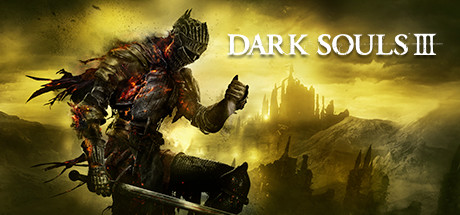
How to start Dark Souls III: stamina habits, Souls and equip load, online play, PC settings for weak and strong rigs, and keeping trainer use offline.
What You Are Getting Into
Dark Souls III is FromSoftware's 2016 action game and the latest chapter in its Dark Souls series. The world is in ruins and the fires are going out. FromSoftware pitched it as faster than earlier entries, with harder-hitting combat, larger enemies and bigger environments. New players should expect to die a fair amount, and that is not a sign you are doing something wrong. Each death shows you how an enemy moves, how an area is laid out or where your timing slipped.
Steam lists it as single-player, with multi-player and co-op on top. It also has full controller support, Save Anytime, Camera Comfort and Custom Volume Controls. Most players reach for a controller, though keyboard and mouse is an option if you spend some time on the bindings. Treat the first session as practice. Find out how far a dodge carries you, how long an attack leaves you committed and how fast your stamina empties.
- Expect early deaths; each one tells you something about an enemy or an area.
- Plug in a controller if you have one; the game has full controller support.
- Stuck on one spot? Step away for a while, because tired attempts rarely go well.
- Move slowly through new areas; rushing in is the quickest way to get swarmed.
Combat Basics: Health, Stamina and FP
Every fight runs on health, stamina and FP. Health is obvious. Stamina is where beginners get caught out: in games built like this, attacks, blocks and dodges all spend it, and an empty bar can leave you stuck at the worst moment. FP powers special abilities and spells, so a caster or skill-heavy character has to track it as closely as health. The trainer gives each of the three its own option.
Keeping stamina in reserve fixes more problems than anything else. Swing two or three times, then back off and let the bar recover instead of attacking until it runs dry. Watch an enemy before you engage, since attacks in this genre usually come with a wind-up you can learn to read. Estus Flasks are limited, so drink when you have room. Start the animation in the middle of an enemy combo and you will likely take the next hit.
- Never spend your last stamina on an attack; save enough for a dodge.
- Back away before healing instead of drinking mid-combo.
- Lure enemies one at a time back to ground you have already cleared.
- Let a new enemy show its full attack set before you play aggressively.
Souls, Equip Load and Your Build
Souls are the resource the game revolves around, and the trainer targets them directly with Unlimited Souls and Souls Multiplier. In games of this kind that currency usually pays for both levelling and purchases, so how you spend it sets how quickly you get stronger. Spend regularly. Similar games often take what you are carrying when you die, so walking into a dangerous area with a large unspent stack is a bad bet.
The trainer's Ignore Equip Load option confirms that weapons and armor carry weight. As in most action RPGs, piling it on can slow your movement and your dodge. For a first character, pick one weapon type you like and stay with it rather than splitting resources. Favor gear that keeps you light, because while you are still learning attack patterns, getting out of the way matters more than extra defense.
- Spend Souls before entering unexplored or difficult areas.
- Stick with one weapon style for your first playthrough.
- Check how a heavier piece of armor affects your movement before keeping it.
- Upgrade the gear you actually use instead of half-upgrading lots of pieces.
Online Play, Co-op and Patch 1.15.2
Steam lists multi-player and co-op for Dark Souls III, and both spec sheets say you need an internet connection for online play and for product activation. Co-op is a fair way past a section that keeps beating you, since a second player splits the enemies' attention. Solo players lose nothing essential: the game is fully playable single-player.
The newest patch notes cover version 1.15.2, released on January 12, 2023, which fixed bugs in the preceding 1.15.1 update. FromSoftware asks players to install the latest update before playing. Let Steam keep the game current, particularly if you go online, where version mismatches are a common source of connection trouble. Trainers care about versions too, since they are usually built for a specific one.
- Let Steam finish updating before you launch, especially before going online.
- Co-op is a legitimate answer to a section you cannot get past.
- After any game update, confirm your trainer version still matches.
PC Settings and Performance
The minimum spec is modest: 64-bit Windows 7 SP1, 8.1 or 10, an Intel Core i3-2100 or AMD FX-6300, 4 GB of RAM, a GeForce GTX 750 Ti or Radeon HD 7950, DirectX 11 and 25 GB of storage. Hardware at that level calls for lower settings and a target of steady frame rate. When fights come down to timing, consistent performance does more for you than sharper visuals.
On a weaker PC, use the approach that works in most 3D games. Start with the heaviest options, usually shadows, lighting effects, ambient occlusion and post-processing like depth of field or motion blur, if the menu offers them. Texture quality leans mostly on video memory, so keep it moderate on cards near the minimum. Drop resolution last. Change one setting at a time and test it somewhere busy rather than in an empty corridor.
For the recommended spec, the listing asks for an Intel Core i7-3770 or AMD FX-8350, 8 GB of RAM and a GeForce GTX 970 or Radeon R9 series card. Machines at or above that level have room to raise detail and resolution. On a 4 GB system, close background programs before playing. An SSD is not required, but it generally cuts load times, and you will be reloading after deaths often.
- Put a stable frame rate ahead of visual detail.
- Turn down shadows and post-processing before you touch resolution.
- Keep textures moderate on cards close to the minimum spec.
- Test each change in crowded, effect-heavy areas.
- With only 4 GB of RAM, close background apps first.
How the Trainer Options Fit Dark Souls III
The trainer maps neatly onto the game's systems. Infinite Health, Infinite Stamina, Infinite FP and Infinite Estus Flasks handle survival. Unlimited Souls and Souls Multiplier handle progression. Ignore Equip Load removes weight limits, and One-Hit Kills strips out most of the combat challenge. Game Speed, Super Speed, Save and Load Position and Stealth Mode are utilities for movement, practice and exploration.
Pick options with a purpose and the game keeps its shape. Slowing things down with Game Speed lets you study an attack you keep failing to dodge. Save and Load Position means retrying a hard route or jump without walking back each time. If you only want less grinding, Souls Multiplier is a lighter touch than Unlimited Souls. Stealth Mode helps with scouting. Long stretches on Infinite Stamina, though, can teach habits that fall apart once it is off.
Keep the trainer to single-player and stay offline while it is running. The game has online multi-player and co-op, and modifying it there affects other players and can lead to action against your account. Back up your saves first, because changes to Souls or progress are written into the save file and may be hard to reverse. When the game updates, wait for a matching trainer version before using it again.
- Go offline whenever any trainer option is on.
- Back up your save files before enabling anything for the first time.
- Use Game Speed to learn attack patterns, not to skip fights.
- Try Souls Multiplier before Unlimited Souls to keep some sense of progression.
- Update the trainer after game patches such as 1.15.2.
FAQ
Do I need an internet connection to play Dark Souls III?
The system requirements say you need one for product activation and for online play. After activation, you can play the single-player content without joining online sessions.
Will Dark Souls III run on a GTX 750 Ti?
Yes. The GTX 750 Ti and Radeon HD 7950 are the listed minimum graphics cards. Plan on lower settings and aim for a stable frame rate over high detail.
Can I play the whole game solo?
Yes. The game is listed as single-player, and multi-player and co-op are optional. Co-op can help with hard sections, but you do not need it to progress.
Can I use the trainer in co-op or online?
No. Use it only in single-player while offline, since online modifications affect other players and can lead to action against your account. Back up your saves before turning on any option.
Does Dark Souls III support controllers on PC?
Yes. Steam lists full controller support, and keyboard and mouse remain available if you prefer them.
Comments
No comments yet
Be the first to share your thoughts.