Car Mechanic Simulator 2021: Beginner's Guide and Best Settings
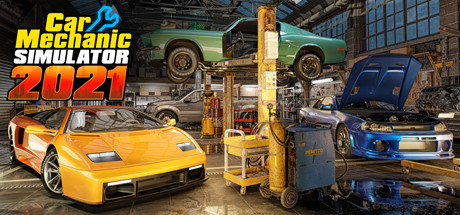
How to get a new garage running in Car Mechanic Simulator 2021: orders, money, skills, project cars, PC settings and sensible trainer use.
How a Career Works
You start Car Mechanic Simulator 2021 as the new owner of a small garage, and the long-term aim is to turn it into a bigger service business. Early on, customer orders pay the bills. The game generates them endlessly, so there is always another car waiting. Handcrafted story missions sit alongside that loop, each with its own set of requirements, and they work best once you know the basics.
A good pattern for new players is to alternate. Clear a few regular orders for cash and experience, then take a story mission when you want a fixed goal. Repair money later goes into new work space and equipment, which expands the services you can offer. Once the workshop is in decent shape, the game nudges you toward a project car: something you buy yourself and restore to top condition.
- Use early orders to learn the controls and the part-examine mode.
- Move on to story missions once routine repairs feel easy.
- Save before you take on a type of job you haven't done yet.
Your First Repair Jobs
The game has more than 4000 parts spread across over 72 cars, so the key early skill is finding the real fault before you reach for a wrench. The revised part-examine mode does most of that work. Check a part's condition before removing it and compare it with what the order asks for. Replacing parts that were fine wastes both money and time.
Recent additions give you more to look at. Cars now have fluids, fuseboxes, dented body panels and rusted bolts, and any of them can be part of a job or get in the way of one. Some tasks play out as minigames, and the brake lathe adds a tool for brake work. Read the whole order before starting, since the job often spans more than one system.
- Inspect first, buy parts second, disassemble last.
- Check fluids and fuses when the fault doesn't point to a worn mechanical part.
- Expect rusted bolts to slow some jobs down.
Money, Skills and Garage Upgrades
Progress comes from two places: skills unlocked with experience, and garage upgrades bought with cash. Put the first upgrades toward jobs you do constantly. Something that shortens a task you repeat dozens of times pays back faster than equipment you'll use once in a while. The open-plan garage and the new parking system also give you more room to manage cars on site.
Later spending covers the quality upgrade system and the car wash, which uses new grime-removing machines. Mechanical parts can now be painted as well. Hold off on these until income is steady. Paint and cleaning matter most when you care about how a car looks, and that usually means your own project rather than a customer's daily driver.
- Spend early skill points on things that speed up your most common jobs.
- Keep enough cash in reserve to buy parts for the next order.
- Add cosmetic services once repair income is reliable.
Project Cars: Auctions, Barns and Junkyards
Project cars are where the game gets more interesting, and there are several ways to find one. The auction house sells cars in mixed condition, salvage auctions are a separate option, and barn finds and junkyard hunts let you go looking yourself. Barns can hide real gems, but they are a gamble. Some of what you pull out will be a rusty shell that needs nearly everything replaced.
Before buying, work out what the full restoration will cost, not only the price tag. A cheap car missing half its parts can end up more expensive than a pricier one in better shape. When the work is done, the car configurator and visual body-part customization let you shape the final look, and tuning plus the race track's time trial let you see how it drives.
- Set a restoration budget before you bid at any auction.
- Treat barn finds as a gamble and price in a full rebuild.
- Run a finished car on the time trial to check its performance.
PC Settings and Performance
At minimum you need 64-bit Windows 8.1 or 10, an Intel Core i5 4690 or AMD Ryzen 5 1500X, 8 GB of RAM and an NVidia GeForce GTX 760 with 2 GB, on DirectX 11. Intel integrated graphics are not supported, so a dedicated card is required. The install takes 35 GB, and an SSD will generally shorten loading in a game this size.
Near the minimum spec, a 2 GB card runs out of video memory quickly. Drop resolution and texture quality first, then shadows and anti-aliasing, then any post-processing the menu offers. The recommended setup is a Core i5 6600K or Ryzen 7 1700X, 16 GB of RAM and a GTX 1070 with 8 GB. Hardware at that level should cope with higher texture detail, which pays off when you are examining small parts up close.
- Close background apps if you only have 8 GB of RAM.
- On a 2 GB graphics card, lower textures before anything else.
- Keep GPU drivers up to date.
- Install on an SSD for shorter loading.
Using the Trainer in This Game
Most of the trainer options target the game's slowest parts. Unlimited Money and Free Shopping remove budget limits on parts, upgrades and auctions. XP Multiplier and Unlimited Skill Points speed up or skip skill progression. Max Part Condition and Instant Repair take care of worn components, while Instant Bolt Removal cuts out the time spent on stubborn or rusted bolts. Super Speed moves you around the garage faster, and Game Speed changes the pace of everything.
Save and Load Position helps in the big garage, in junkyards and in barns, since it returns you to a spot you marked. Use the trainer offline and in single-player only, and back up your saves first. Steam Cloud is enabled, so a damaged save can sync to your other machines. The game also tracks achievements and stats, which is a good reason to play your first career without it.
- Back up saves and consider pausing Steam Cloud before using the trainer.
- Enable one option at a time so you can see its effect.
- Instant Bolt Removal and Super Speed cut tedium without changing the challenge much.
- Switch options off before story missions if you want them as designed.
Updates, DLC and Community Content
Red Dot Games is still patching the game. Patch 1.0.40 shipped with the Pickup DLC, following patch 1.0.38 with the Police DLC and patch 1.0.39 with the Rims 2 DLC. Two recent updates fixed a Unity security vulnerability, which is reason enough to stay on the current version. Hotfix 1.0.39.hf1 added a menu button and banner for Car Mechanic Simulator 2026.
Steam Workshop support and a built-in level editor mean community content can extend the base game. Check that Workshop items work with the current patch. If something breaks after an update, disable your mods before anything else, and keep a separate save for modded play so conflicts can't reach your main career.
- Update the game before you troubleshoot a bug.
- If a problem appears after a patch, disable Workshop items first.
- Keep separate saves for modded and unmodded careers.
FAQ
Can I run Car Mechanic Simulator 2021 on Intel integrated graphics?
No. The system requirements state that Intel integrated graphics are not supported. You need a dedicated card at least on the level of an NVidia GeForce GTX 760 with 2 GB.
Can I play with a controller?
Controller support is partial, so some tasks may still be easier with mouse and keyboard.
Does the game ever run out of jobs?
No. Customer orders are generated without limit, so there is still work after you finish the story missions and your project cars.
Is there multiplayer?
No. The game is single-player only, which is also the only mode where the trainer should be used.
Is the game still being updated?
Yes. Patch 1.0.40 arrived with the Pickup DLC, after earlier patches that added the Police and Rims 2 DLCs and fixed a Unity security vulnerability.
Trainer and game page
Car Mechanic Simulator 2021 Trainer · Car Mechanic Simulator 2021
Comments
No comments yet
Be the first to share your thoughts.