Borderlands 3: Beginner's Guide and Best PC Settings
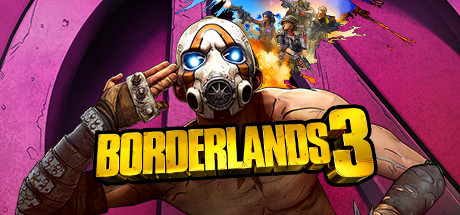
How to start Borderlands 3 on PC: picking a Vault Hunter, spending skill points, sorting loot, solo versus co-op, settings for your hardware and using the trainer without trouble.
Picking Your Vault Hunter
Borderlands 3 runs on a simple loop: shoot things, pick up better guns, level your character, repeat. The first real decision is which of the four Vault Hunters to play, and you will live with it for the whole campaign. Each has unique abilities, deep skill trees and plenty of cosmetic options. Read each character's ability description on the selection screen and pick the one whose main trick you would happily use in nearly every fight, because that is how often it comes up.
There is no wrong pick for a first run. Every Vault Hunter can carry the campaign alone, and you can always start another character later. If you play with a regular partner, two hunters with different strengths can make fights smoother. Still, the gun in your hands usually matters more than perfect team composition, so don't agonize over it.
- Read every ability description before committing to a character.
- Pick for fun first; you can try another Vault Hunter later.
- In a regular co-op duo, consider covering different roles.
Skill Trees and Early Progression
Levelling up earns points for your Vault Hunter's skill trees. The strongest early approach, as in most action RPGs with branching trees, is to commit to one tree rather than spread points thin. Deeper tiers in trees like these typically unlock only after a set investment, so focusing gets you to the better passives and ability upgrades sooner. Branch into a second tree once the first is well developed and you know which gaps need filling.
Your action skill is a main weapon, not an emergency button. Firing it every time it comes off cooldown adds up to far more damage, healing or crowd control over a long mission than saving it for the perfect moment. Some side content also helps keep you level with the main story's enemies. When fights suddenly feel much harder, being under-levelled is the usual culprit.
- Put your early points into a single tree.
- Use your action skill whenever it is ready.
- Mix in side missions if story enemies start outpacing you.
Loot, Guns and Gear
Loot drives Borderlands 3. Guns drop constantly, and some change how you fight: there are firearms whose bullets carry their own shields and guns that sprout legs and chase enemies down. Headline numbers only tell part of the story. Read the special effect, fire a few rounds at real enemies and keep what works. A slightly weaker gun you hit reliably with often beats a stronger one that fights your aim.
Your inventory fills fast, so clear it often. Keep a handful of weapons that cover close range, long range and tougher targets, and get rid of the rest. Check new gadgets against what you have equipped too, not just new guns. In the early hours, upgrade freely; gear gets replaced so quickly that hoarding favourites only slows you down.
- Test new guns on real enemies before deciding.
- Carry weapons for different ranges and situations.
- Sell surplus gear regularly to fund upgrades.
Solo Play, Co-op and Controllers
The whole game is playable alone, and friends can join through online co-op, LAN co-op or cross-platform multiplayer. Online co-op lets you play together regardless of level or mission progress, so a newcomer and a veteran can share a session. That makes it an easy way to learn from someone more experienced without first catching up to them.
Settle how you split loot before the first big fight; arguments over a good drop are easy to avoid. Call out your action skill so effects overlap well. Full controller support and Remote Play on phone, tablet and TV let you swap between mouse and keyboard and a gamepad depending on where you sit, and Steam Cloud keeps your saves in sync between machines.
- You can join friends at any level or mission progress.
- Agree on loot sharing before you start.
- Try a controller if you prefer couch play through Remote Play on TV.
PC Settings and Performance
Minimum specs call for an AMD FX-8350 or Intel i5-3570, 6 GB of RAM and an AMD Radeon HD 7970 or GeForce GTX 680 2 GB, with DirectX 11. On hardware like that, plan on lower settings. You need a 64-bit Windows 7 or 10 install and 75 GB of free space, and as with most large games, an SSD will generally load faster than a hard drive.
On weaker PCs, cut the expensive options first. In most modern shooters that means shadows, volumetric and fog effects and heavy anti-aliasing, then resolution scaling if it is available. With a 2 GB graphics card, keep textures at low or medium: running out of video memory causes stutter that no other setting will fix. Busy battles are where performance drops, so test there rather than in a quiet corridor.
Recommended specs are an AMD Ryzen 5 2600 or Intel i7-4770, 16 GB of RAM and an RX 590 or GTX 1060 6GB, with DirectX 12. Hardware at that level should allow noticeably higher settings than the minimum tier. Since the requirements mention both DirectX 11 and 12, try each if your system offers the choice; when one stutters or crashes, the other may run better.
- Lower shadows and volumetric effects before textures.
- Keep textures modest on 2 GB graphics cards.
- Test settings in a large fight, not an empty area.
- Try both DirectX 11 and DirectX 12 if you see stutter.
Using the Trainer in Borderlands 3
The trainer options fit this game's loop closely. God Mode, Infinite Ammo, No Reload and Infinite Grenades let you try a new gun or gadget without dying or running dry. Unlimited Skill Points and No Skill Cooldown make it easy to see how different skill tree paths and action skills feel. XP Multiplier and Unlimited Money cut the grind, while One-Hit Kills, No Recoil, Super Speed, Super Jump and Game Speed help with tough fights, getting around and replaying familiar areas.
Keep the trainer to single-player and offline sessions. Borderlands 3 has online co-op and cross-platform play, and changing values with other people in your game affects their experience and can break the rules of online play. Leave any multiplayer session before switching options on. XP Multiplier and Unlimited Skill Points can also stick to your save, and overusing them can make later fights trivial.
Back up your saves first. Steam Cloud syncs saves automatically, which means a damaged or unwanted save can reach your other machines too. Copy the save folder somewhere safe, enable one option at a time, and switch options off before saving if you want a clean character. If something breaks, restore the backup rather than trying to repair the character.
- Single-player and offline only; never in co-op sessions.
- Make a local save backup before enabling any option.
- Enable one option at a time to spot problems quickly.
- Consider a separate character for experimenting.
Exploring the Worlds
The story puts you on the trail of the Calypso Twins, cult leaders trying to unite the bandit clans, and takes you well beyond Pandora. Hostile deserts, war-torn cities and deadly bayous are all on the itinerary, and each world brings its own enemies. A loadout that cleaned up on one planet may struggle on the next, so check your weapons before deciding you need more levels.
Straying from the main path usually pays off in loot and experience. Search side areas when you land somewhere new and pick up optional missions along your route. Your gear stays current, your level keeps pace with the story, and your skill tree build has time to come together.
- Adjust your loadout when you reach a new world.
- Explore side areas for extra loot and experience.
FAQ
Can I play Borderlands 3 completely solo?
Yes. The game supports single-player, and every Vault Hunter can handle the campaign alone.
Do my friends and I need to be at the same level to play together?
No. Online co-op lets you play together regardless of level or mission progress. LAN co-op and cross-platform multiplayer are also supported.
Should I use DirectX 11 or DirectX 12?
The minimum specs list DirectX 11 and the recommended specs list DirectX 12. If your system lets you choose, try both and keep whichever runs smoother and more stably.
How much disk space does Borderlands 3 need?
75 GB of available space. If you have room on an SSD, use it; loading is generally quicker than on a hard drive.
Can I use the trainer in co-op?
No. Use it only in single-player and offline sessions, and back up your saves first, since Steam Cloud syncs any changes.
Comments
No comments yet
Be the first to share your thoughts.