Borderlands 2: Beginner's Guide, Classes, Loot and Best Settings
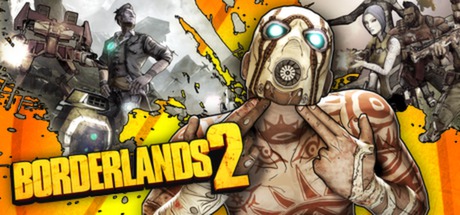
Getting started in Borderlands 2 on PC: picking one of the four classes, judging loot, running co-op, matching settings to your hardware and using trainer options without spoiling anyone else's game.
Choosing Your Class
Borderlands 2 offers four vault hunter classes from the start: the Siren, the Commando, the Gunzerker and the Assassin. The store description only goes into detail on one of them. The Gunzerker can dual-wield any two weapons in the game, and his skills build on that ability. Two machine guns work, two rocket launchers work, and so do two sniper rifles if you want them.
On the other three, the store page says little beyond promising different styles, some of them more tactical. Pick the class that sounds like fun to you rather than hunting for a theoretical best choice. You will spend a lot of hours with this character. If a class feels wrong after the first few levels, rolling a new one early costs far less than grinding through a playstyle you dislike.
- The Gunzerker's dual-wielding is easy to grasp if you like raw firepower and simple decisions.
- Play the opening stretch with each class before committing long-term.
- Spend skill points as you earn them; early power makes the first hours smoother.
- Keep one character per playstyle instead of rebuilding the same one over and over.
Understanding the Loot
Loot drives Borderlands 2. Guns, shields, grenades, Relics and class mods are procedurally generated, so two drops of the same type can behave very differently. No weapon is permanent. The gun that carries you through one area will often be outclassed by something you find an hour later, so compare every promising drop against what you have equipped instead of assuming your current kit is good enough.
Raw numbers matter, but so does how a weapon handles. A gun with slightly lower damage and better handling can kill faster in practice. Shields, grenades, Relics and class mods are easy to ignore while you focus on guns, yet their effects add up, so check them as often as you check weapons. Get rid of gear you no longer use to keep your inventory manageable.
- Compare new drops with your equipped gear right away, not later.
- Do not neglect shields; staying alive often depends more on them than on your gun.
- Carry different weapon types so you are covered at close and long range.
- Clear out surplus loot regularly instead of letting your inventory fill up.
Combat and Enemies on Pandora
The campaign opens with you left for dead in Pandora's frozen tundra, then moves through grasslands, corrosive caverns and further on, all in pursuit of Handsome Jack, CEO of the Hyperion Corporation. Along the way you face hulking, gorilla-like Bullymongs, predatory Stalkers, Jack's Hyperion mechanical army and plenty of psychos. These groups pressure you in different ways, which is why a varied loadout pays off.
Standard shooter habits serve you well. Keep moving, use cover and never reload in the open. Creatures that close the distance punish you for standing still, while enemies firing from range reward steady aim from behind cover. If an area feels too hard, the usual culprits are a low level or outdated gear. Leveling up and refreshing your loot elsewhere is generally quicker than throwing yourself at the same fight again and again.
- Reload behind cover, never in the middle of a crowd.
- Deal with enemies rushing you before the ones shooting from a distance.
- Save grenades for clustered groups rather than single targets.
- If you keep dying in one spot, level up elsewhere and come back with better gear.
Playing in Co-op
Borderlands 2 supports four-player co-op online and over LAN, alongside a full single-player campaign. Players can drop in or out of a running session without restarting the game, so a friend can join for an hour without disrupting your progress. Gear also carries over between games: what you find in one session stays with you for the next, solo or in a group.
A few ground rules before you start save arguments later. Settle how drops will be shared so nobody feels shortchanged, and keep characters at similar levels so no one is carried or left behind. Mixed classes usually work better than four copies of the same approach. For couch play, the game has full controller support and Remote Play on phone, tablet and TV.
- Agree on a loot-sharing rule before the first big drop appears.
- Keep co-op characters close in level so everyone pulls their weight.
- Mix classes in your group so you are not all fighting the same way.
- Plug in a controller if you prefer; the game supports it fully.
PC Settings and Performance
Borderlands 2 came out in 2012, runs on DirectX 9 and asks for very little by current standards. The minimum spec is a 2.4 GHz dual-core CPU, 2 GB of RAM, a card with 256 MB of video memory such as a GeForce 8500 or Radeon HD 2600, and 13 GB of free disk space. Recommended is a 2.3 GHz quad-core CPU, 2 GB of RAM, 512 MB of video memory, a GeForce GTX 560 or Radeon HD 5850, and 20 GB of space.
On a machine near the minimum, lower resolution first, then shadows, view distance, anti-aliasing and heavy particle or physics effects, which tend to be the most demanding options in shooters of this era. Texture quality leans mostly on video memory, so drop it if you see stutter. At or above the recommended spec, most settings can go up without trouble. Nearly any current gaming PC clears that bar, so stutter on modern hardware more likely points to drivers or background software than to a lack of power.
- Plan for 20 GB of disk space, not just the 13 GB minimum.
- On older hardware, cut shadows and anti-aliasing first.
- Lower texture quality if your graphics card has little video memory.
- Update graphics drivers before blaming the game for stutter.
- The first install needs a one-time internet connection for Steam authentication.
Using the Trainer Options
Our Borderlands 2 trainer includes Infinite Health, Infinite Ammo, No Reload, Infinite Grenades, One-Hit Kills, Unlimited Money, XP Multiplier, Unlimited Skill Points, Max Level, No Recoil, Super Speed, Super Jump and Game Speed. Keep it to single-player and offline play. Co-op sessions involve other people's games and characters, and altering combat or progression there ruins things for everyone. Since gear moves between games, a separate trainer-only character keeps modified progress out of co-op lobbies.
Back up your saves before switching on anything that touches progression, especially Max Level, Unlimited Skill Points and XP Multiplier, because those changes are hard to reverse. Steam Cloud may sync over local files, so copy your saves to a separate folder instead of trusting automatic sync. No Recoil, Game Speed and Super Speed are light touches for tedious stretches; Infinite Health and One-Hit Kills strip out most of the challenge.
- Run the trainer only in single-player, never in co-op sessions.
- Copy your save folder manually before enabling progression options.
- Keep a dedicated character for trainer experiments.
- Choose XP Multiplier over Max Level if you still want to watch your character grow.
- Game Speed can slow hectic fights down so you can study enemy behavior.
Progression and Pacing
Your strength in Borderlands 2 comes from three places: your level, the skill points you spend to shape your class, and the loot you carry. When you feel stuck, check all three before deciding a fight is simply too hard. A couple of levels, a few well-placed skill points or one better shield can turn an encounter around.
Rushing the main story tends to leave you underpowered, while overleveling makes fights trivial, so aim to keep your level roughly in step with the enemies. The hunt for Handsome Jack pushes you forward, but nothing forces you to hurry. Take time to explore each new area, since every enemy is another chance at procedurally generated gear that may suit your class better than what you have.
- Explore off the main path to keep your level in range.
- Check your skill points after every level-up.
- Keep some money in reserve before big fights rather than spending it all at once.
FAQ
How many players can play Borderlands 2 together?
Up to four, in co-op online or over LAN. Players can join or leave a running session without restarting the game.
Can I play Borderlands 2 entirely solo?
Yes. The game has a full single-player mode and co-op is optional. Your gear can come with you into co-op games later if you decide to play with others.
Which class should a beginner pick?
There are four: Siren, Commando, Gunzerker and Assassin. The store description only details the Gunzerker's dual-wielding, so pick the style that appeals to you and restart early if it does not click.
Will Borderlands 2 run on my older PC?
Probably. The minimum is a 2.4 GHz dual-core CPU, 2 GB of RAM and a 256 MB card such as a GeForce 8500 or Radeon HD 2600, which most PCs from the past decade or more exceed. If performance is low, reduce resolution, shadows and anti-aliasing first.
Can I use the trainer in co-op?
No. Keep it to single-player and offline play. Back up your saves first, since Steam Cloud may sync over local files, and use a separate character for trainer sessions.
Comments
No comments yet
Be the first to share your thoughts.