Bodycam: Beginner's Guide and Best Settings
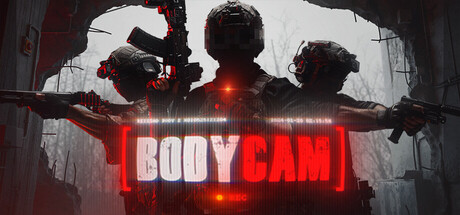
How to get comfortable in Bodycam's HUD-free combat: movement, reloads, weapon builds, drone scouting, PC settings by spec, and a straight answer on trainers.
What Bodycam Expects From You
Bodycam is an online multiplayer shooter in Early Access, and it is built around taking away the information most shooters hand you. You get no crosshair, no ammo counter and no HUD. The fight is shown as a body-worn camera would record it, and the developer says it studied real footage for camera movement, exposure and compression to get there. Your first matches will feel clumsy. That is expected, because the game wants you to read sound, angles and your own memory instead of numbers on screen.
Play the early matches for practice and ignore the scoreboard. Learn how the camera moves, where your weapon sits in frame and how quickly you actually react. Anyone who jumps into public matches expecting a standard arena shooter tends to get frustrated fast. Slow down, check corners one at a time and accept a few losses, and the pace starts to make sense.
- Give yourself some time before movement feels natural; the developer itself says it takes a while to adapt.
- Sound tells you more than the screen does, so play with headphones.
- Clear one angle at a time instead of sweeping wide areas.
- Measure progress by fewer careless deaths, not by kills.
Getting Used to True Body Movement
In most shooters the camera is the player and a pair of hands floats in front of it. Bodycam physically connects your arms, torso, legs and weapon, and layers the developer's True Body technology on top. Turning, leaning and aiming have weight as a result, and your weapon does not snap to wherever you look. If you come from fast arena shooters, the view can feel unsteady for a while.
Procedural physics also drive a Ragdoll Stumbling system, so your operator can lose balance, stumble and recover based on what is around them. You can't switch that off, but you can make it cost you less. Move carefully near obstacles, don't sprint into contact, and let yourself settle before you fire. A planted operator wins more fights than a fast one.
- Drop your mouse or stick sensitivity a little at first to account for the body weight.
- Stop briefly before shots that matter.
- Don't sprint around blind corners.
- If the motion bothers you, take short breaks while you adjust.
Reloads, Ammo and Weapon Builds
Nothing on screen tells you how many rounds are left, so count them yourself. Keep a rough tally in short fights and reload when things are quiet, not when you hear footsteps. Timing matters more here than in most shooters: reloads have separate calm and stressed states, and under pressure your character can fumble, rush or fail to finish cleanly. There are dozens of variations, so muscle memory for one animation won't carry you.
Customization runs to hundreds of attachments and billions of combinations, and every part changes how the gun handles. No single build is best. Pick one rifle and swap one part at a time, testing each version before the next change. Decide first whether you want speed for close quarters, stability, or precision for long sight lines, and build for that role instead of bolting on whatever sounds good.
- Reload behind cover during lulls, not mid-fight.
- Change one attachment at a time so you know what made the difference.
- Keep a close-quarters build and a longer-range build ready.
- Try every new build in the Shooting Range before taking it into a match.
Scouting With FPV Drones and RC Cars
FPV drones and reconnaissance RC vehicles let you scout enemy positions, gather information, strike targets and support your squad. With no radar and no markers on screen, they are among the few ways to find enemies before you commit, and good use of them can decide a round as often as aim does.
Drones have a Stabilized mode and a Full Manual mode, also called Acro, plus tuning for rates, throttle curves and flight profiles. Start in Stabilized. Acro gives you full manual control but takes real practice, and a live match is a bad place to learn it. Switch only once you can fly a basic route without crashing. Before you take off, put your operator somewhere safe.
- Start in Stabilized mode and save Acro for later practice.
- Get your operator into cover before launching a drone.
- Use the RC car for ground-level looks into rooms and doorways.
- Call out what you see to teammates quickly and plainly.
The Shooting Range HUB and Your Tablet
Bodycam has no full-screen menus. Loadouts, gadgets, inventory, settings and matchmaking all live on a tactical tablet you use while walking around the Shooting Range HUB. The HUB is also where you customize and test weapons, so build it into your routine: a few minutes there before queuing warms up your aim, shows you how a build handles and reminds you how long reloads take.
A recent patch reworked keybindings, splitting perk inputs and character inputs into separate binds and clearing outdated saved keybind data. If your controls felt off after an update, go through your settings instead of assuming your old layout survived. Full controller support is there too, including DualSense and the Steam Input API, if a gamepad suits you better.
- Spend a few minutes in the HUB before each session.
- Recheck keybinds after major updates.
- Put perks and character actions on keys you can reach without looking.
- Try both mouse and controller if aiming feels awkward.
PC Settings and Performance
The minimum specs are steep for an entry tier: a Ryzen 7 3700X or Core i7-9700K, 8 GB RAM, and an RTX 2070 or RX 5700 with 8 GB of video memory. Recommended asks for a Ryzen 7 3800X or Core i7-10700K, 16 GB RAM, and an RTX 3060 (12 GB) or RX 6600 XT (8 GB). Both tiers need 50 GB of storage, and the developer recommends an SSD.
On a minimum-spec machine, the usual approach for modern shooters applies: cut shadows, volumetrics and post-processing first, drop texture quality if you run out of video memory, and use resolution scaling if the options include it. In a game this dependent on reaction time, a steady frame rate is worth more than detail. At recommended spec, 16 GB of RAM and a 12 GB card leave room for higher textures, but smooth frame pacing should still come before maximum effects.
- Install on an SSD, not a hard drive.
- Close background apps if you only have 8 GB of RAM.
- Lower shadows and effects before resolution.
- Aim for a stable frame rate over peak visuals.
- Keep GPU drivers up to date after major game patches.
Trainers and Bodycam: An Honest Note
Our trainer offers Aimbot, Wallhack (ESP), No Recoil, Infinite Ammo, No Reload, No Spread, Infinite Health, Rapid Fire, Radar Hack, Super Speed, Infinite Stamina and Infinite Grenades. Bodycam, though, is an online PvP game with matchmaking and leaderboards. Using any of these against other people is cheating, and it wrecks a game whose whole appeal is having no extra information. The developer has already banned players it caught abusing an exploit, as a recent patch note explains, so don't assume it looks the other way.
Our advice is simple: don't use the trainer in any match with other players. Trainers are meant for single-player and offline play, and Bodycam's store data lists no separate offline mode. If you experiment anyway, keep it away from other people, accept that any risk to your account is yours, and back up your settings and keybind files first, since a recent update already cleared saved keybind data.
- Never use trainer options in matches with other players.
- Treat bans as a real possibility in online play.
- Back up your config and keybind files before changing anything.
- Learning to play without a HUD is the whole point of this game.
FAQ
Does Bodycam have a single-player mode?
Steam lists it as a multiplayer, online PvP game, and a broadband connection is required. The Shooting Range HUB lets you test weapons and builds, but no separate offline campaign is listed.
Are zombies coming back to Bodycam?
Yes. The v0.9 update, The Dead & Damned, was announced for Friday, November 13, with the developer saying it brings the zombies back. A 24-hour playtest ran two days earlier.
Can I queue with friends?
V0.8 patch notes say the party system is being rebuilt on a new connectivity layer to restore easier group queuing, so check the latest notes for where it stands.
Can I play Bodycam with a controller?
Yes. It has full controller support, including DualSense, and supports the Steam Input API.
Will an RTX 2070 run Bodycam?
The 8 GB RTX 2070 is the minimum listed GPU, so expect to lower settings. The recommended spec calls for an RTX 3060 (12 GB) or RX 6600 XT with 16 GB RAM, and an SSD is recommended at both tiers.
Comments
No comments yet
Be the first to share your thoughts.