Black Myth: Wukong: Beginner's Guide, Combat Tips and Best Settings
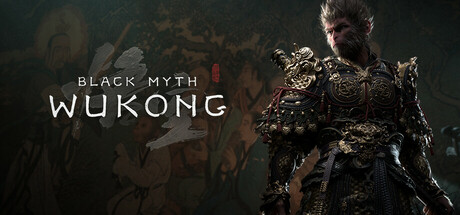
How to approach Black Myth: Wukong's fights, build around spells and gear, set up the game on minimum or recommended hardware, and use trainer options without wrecking your saves.
What You Are Getting Into
Black Myth: Wukong is Game Science's action RPG based on Journey to the West, one of China's Four Great Classical Novels. It came out in August 2024. You play the Destined One, and most of your time goes into fights against a large cast of mythological opponents, with exploration and character stories in between. Steam lists it as single-player only. Some bosses will take several attempts, and that is normal while you learn how they fight.
Steam marks the game as Gamepad Recommended, with full controller support and DualSense support. Keyboard and mouse work, but a controller is the safer starting point. The store page also tags it as Playable without Timed Input, which generally means no forced quick-time prompts. Combat still depends on timing, so spend some time with the basic attacks and dodges before you decide how hard the game is.
- Connect a controller before your first session if you have one.
- Use early deaths to learn how each enemy moves.
- Take the opening area slowly and settle the camera and movement before you push on.
Combat Fundamentals
Staff techniques are your main weapon, with spells, transformations and magic vessels on top. Stamina matters a great deal: the trainer's Infinite Stamina option shows it is a tracked resource, and in action games built like this, attacks and evasion usually draw on it. Running out mid-fight is an easy way to die. After each attack string, keep enough stamina to get clear.
Use your first attempts on a large enemy to watch it. Work out which attacks leave an opening, which lead into follow-ups, and how long you have to hit back. The trainer's Infinite Mana and No Spell Cooldown options indicate that spells cost mana and need time to recharge, so keep them for those openings or for emergencies. Against bosses, careful play tends to work better than long combos.
- Never spend your last stamina on an attack.
- Watch a full attack cycle before you go on the offense.
- Save spells for openings or emergencies instead of casting them the moment they recharge.
- If a fight is going nowhere, explore elsewhere, level up and return.
Building Your Destined One
Spells, transformations and magic vessels interact in this game: some counter one another, others strengthen one another. Weapons and equipment add more options, so there is no single right loadout. A fight that seems unfair with one setup can become manageable with another. Before you grind levels for a boss that has you stuck, swap a spell, change equipment or try a transformation you have been ignoring.
The trainer's XP Multiplier, Max Level and Unlimited Skill Points options point to a progression system built on experience, levels and skill points. Putting points into one clear playstyle usually pays off sooner than spreading them across everything. Pick what suits the way you fight and invest in that. Try each new spell or item on ordinary enemies first so you know its timing and cost before a major fight.
- When a fight stalls you, change your spells and equipment first.
- Try new spells on regular enemies before taking them to bosses.
- Put skill points into one playstyle rather than spreading them evenly.
- Look for pairings where one tool sets up another.
Exploration and Story
The game's landscapes come from Journey to the West, and each region has its own look. When a path splits, check the other direction for a few minutes before moving on. Optional areas in games like this often hide useful items or extra fights, and you see more of the world.
Your opponents have their own histories, and the game reveals their origins and motives as you meet them. If the story interests you, slow down around these encounters. Readers of the novel will recognise familiar characters, though you can follow without having read it. The game also supports Steam Achievements, which gives completionists another reason to explore thoroughly.
- Check side branches before following the obvious route.
- Spend time on the stories behind the foes you face.
- Return to earlier areas once you have new tools or levels.
PC Settings and Performance
Minimum spec is a Core i5-8400 or Ryzen 5 1600, 16 GB RAM and a GTX 1060 6GB or RX 580 8GB on DirectX 11. Recommended is a Core i7-9700 or Ryzen 5 5500, 16 GB RAM and an RTX 2060, RX 5700 XT or Arc A750 on DirectX 12. Both tiers were tested with DLSS, FSR or XeSS enabled, so the published specs already assume upscaling. Don't expect those cards to run smoothly at native resolution.
On a minimum-spec machine, enable the upscaler your card supports and choose a performance-oriented mode first. Then lower shadows, volumetric and lighting effects and post-processing before you touch textures. Keep texture quality within your video memory, which is limited on a 6 GB card. At recommended spec, you can try higher presets with upscaling in a quality mode. HDDs are supported at minimum spec, but the recommended tier requires an SSD, so install there if you can.
- Turn on DLSS, FSR or XeSS before you lower anything else.
- Cut shadows and effects before textures.
- Install the game on an SSD if you can.
- Close background apps, since both tiers list 16 GB RAM.
- In a combat game that depends on timing, steady frame pacing matters more than peak frame rate.
How the Trainer Options Fit This Game
Several trainer options help you learn the game rather than skip it. Infinite Health and Infinite Stamina let you watch a boss's whole move set without restarting every few seconds. Game Speed slows a fight so you can read attack timing; switch it back once you have the rhythm. Infinite Mana and No Spell Cooldown make it quick to test spell, transformation and vessel combinations before you spend real resources. Save and Load Position is useful for awkward routes or for checking an area again.
Unlimited Currency, Unlimited Items, Unlimited Skill Points, XP Multiplier and Max Level remove the grind for players who only want the story. One-Hit Kills skips fights entirely. Use the trainer only in single-player and offline. Back up your saves before enabling anything, and because the game uses Steam Cloud, keep a manual copy so a modified save can't overwrite your clean one. Achievements earned with cheats may feel hollow later, so decide what you want from the game first.
- Back up saves before enabling any option.
- Learn patterns with Infinite Health and Game Speed, then fight for real.
- Test loadouts with Infinite Mana and No Spell Cooldown.
- Disable options before saving if you want a clean progression file.
- Run the trainer offline and only in single-player.
Updates, Storage and Saves
Game Science has kept patching the game. Recent versions are 1.0.14.17737 in February 2025, 1.0.16.18901 in April 2025, 1.0.20.22023 in October 2025 and 1.0.21.23831 in January 2026, with patch sizes between about 1.9 GB and 5.7 GB. The patch notes warn that installing an update needs free disk space beyond the download itself. The February 2025 patch was about 1.9 GB but asked for around 4.5 GB free, so an almost full drive can block an update.
The base install already takes 130 GB, so leave room on top of that. Patches can also change the game files a trainer depends on. After each update, confirm your trainer matches the current game build, and expect some options to stop working until the trainer is updated. Steam Cloud syncs saves between PCs, and Family Sharing is supported. A manual backup of your save folder before patches or trainer use still costs you almost nothing.
- Keep well over 130 GB free, plus several extra gigabytes for patches.
- Check that your trainer matches the current game version after each update.
- Copy your save folder before major patches.
FAQ
Can I play Black Myth: Wukong with keyboard and mouse?
Yes. Steam lists the game as Gamepad Recommended, with full controller and DualSense support, so if you own a controller it is the better place to start.
Does Black Myth: Wukong have multiplayer or co-op?
Steam lists it as single-player only. Single-player is also the only mode where you should use trainer options.
Will my GTX 1060 run the game?
The GTX 1060 6GB is the minimum GPU, but the specs were tested with DLSS, FSR or XeSS enabled. Use an upscaler and lower demanding settings such as shadows and effects.
How much disk space do I need?
The game needs 130 GB, and patches need extra free space while they install. One patch of about 1.9 GB asked for around 4.5 GB free, so keep a healthy margin.
Are my saves backed up automatically?
The game supports Steam Cloud, so saves sync through Steam. Keep a manual copy as well, especially before using a trainer or installing a patch.
Comments
No comments yet
Be the first to share your thoughts.