Bills Must Be Paid: Beginner's Guide and Best Settings
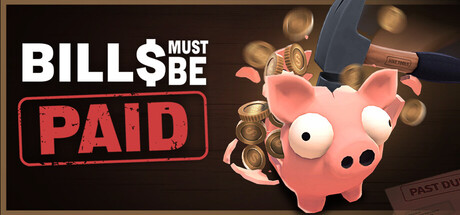
How stamina, bills, bankruptcy and legacy points connect in Bills Must Be Paid, with upgrade priorities, low-end PC settings and advice on using the trainer safely.
How a Run Works
Bills Must Be Paid is an active incremental game. You smash piggy banks with a hammer, collect what drops, and put that money toward your bills. Every swing costs stamina, and once your hand is too tired to continue, the run is over. Nearly every decision comes back to that limit, because a swing that hits nothing is stamina you never get back.
Between runs you spend your earnings on upgrades, then go again with a stronger hand. Don't expect big payouts at first. Use the opening runs to learn which piggies are worth hitting and how many swings your stamina allows. With that sense in place, it becomes much easier to tell which upgrades are actually lengthening your runs.
- Think of stamina as the real currency; money follows from it.
- Aim at piggies you can break before your stamina gives out.
- Early runs are for learning, not for earning.
- Steam lists the game as playable at your own pace and without timed input, so quick reflexes are not the test.
Bills, Bankruptcy and Legacy Points
Bills keep arriving, and ignoring them leads to bankruptcy. Paying one off also unlocks perks that help you clear later bills faster, so settling them early feeds back into your income. A sensible habit is to pay a bill as soon as you can cover it instead of saving up for something bigger.
Each paid bill also earns legacy points. You spend these after declaring bankruptcy, on rings and bracelets that upgrade your hand. It is the game's take on the prestige reset common to incremental games. Bankruptcy is therefore part of the plan rather than just a fail state: when progress in a run slows down, cashing in your legacy points on hand upgrades may get you further than grinding on.
- Pay bills promptly to unlock their perks sooner.
- Every paid bill also banks legacy points for later.
- If upgrades are taking too long, think about declaring bankruptcy and spending your legacy points.
- Before buying a ring or bracelet, work out which part of your hand is holding you back.
Skill Tree and Hammers
The skill tree branches into several paths. You can improve grip strength, get hooked on caffeine, hit the gym, strengthen your wrist, raise your luck, or unlock abilities such as rock rain and an electrified hammer. Since stamina caps every run, anything that buys you more swings is a safe early pick, because each extra swing is more money for the next upgrade. Luck and abilities get more useful once your runs are long enough to make use of them.
Hammers are a separate choice with real trade-offs. Some have a higher crit chance but a smaller radius. Others are very fast with a big radius and lower damage. A fast, wide hammer suits a screen full of piggies, while a high-crit hammer with a tight radius rewards careful aim. Give each new hammer a full run before you judge it, because one that feels weaker can still earn more when it suits how you play.
- Spend early points on whatever gives you more swings per run.
- Move into luck and abilities once your runs last longer.
- Pick a hammer radius that matches how crowded the screen gets.
- Use every new hammer for at least one full run before deciding.
Piggy Types, Loot and Rare Coins
Piggies don't all behave alike. Some run away, some are too lazy to move, and some carry black money. The lazy ones make cheap targets because you rarely miss them. Chasing runners can burn stamina fast, so go for them only when they're within easy reach of your hammer. You'll meet new types as you play, so watch how each one moves before spending swings on it.
Loot drops are random, so any piggy might be holding more than it looks. Rare coins are a separate collectible, which gives you a longer goal than keeping up with bills. Because drops vary, judge a strategy across several runs, not on one lucky or unlucky attempt. If you're going after Steam achievements, keep track of what you've found so you know what's left.
- Start with the slow piggies for steady income.
- Chase runners only when your hammer can reach them.
- Test a strategy over several runs before dropping it.
- Track rare coins as their own collection goal.
PC Settings and Performance
The minimum specs are modest: 64-bit Windows 10, an Intel Core i3-6100 or AMD FX-6300, 2 GB of RAM, a GeForce GTX 660 or Radeon HD 7870 with 2 GB of VRAM and DirectX 11, and 2 GB of storage. No recommended specs are listed, so the minimum is the only official guide, and a machine that clears it should be in reasonable shape.
Close to the minimum, the heaviest moments are likely to come when lots of piggies and effects fill the screen, for example with area abilities or a wide hammer. If you run into slowdowns, drop the resolution first if the game lets you, then turn down any visual or effects settings it offers. With 2 GB of RAM as the floor, it also helps to close browsers and other background apps before you play.
- On weak hardware, lower the resolution before anything else.
- Close browsers and background apps to free up RAM.
- Keep at least 2 GB of disk space free for the install.
- The custom volume controls help if effects or music get tiring over long sessions.
Saves, Double or Nothing and Accessibility
Patch 1.1 added three save slots with Load, New and Delete, and Delete asks you to confirm. Existing progress moved into Slot 1 automatically, and the New Game button can no longer wipe your save. You can now keep one main file and try ideas in another. Save Anytime and Steam Cloud are also supported, so you can stop whenever you like and continue on another PC.
The same patch addressed the Double or Nothing flip, which players had been arguing about over whether it was fair. The patch notes we have are cut off, so we can't say exactly what changed. As with any double-or-nothing bet, only stake money you can afford to lose. On the accessibility side, the game has full controller support, including DualShock and DualSense, along with camera comfort and color alternative options.
- Keep a spare save slot for risky experiments.
- Only put money on the flip that you can afford to lose.
- Switch to a controller if the mouse starts to wear on your hand.
- Steam Cloud keeps your progress in sync between PCs.
Using the Trainer in Bills Must Be Paid
Each trainer option lines up with one of the game's systems. Unlimited Money and Money Multiplier speed up bills and upgrades. Zero Debt takes away bill pressure if you only want to explore the skill tree, and Free Upgrades lets you try every skill path and hammer without grinding. When stamina keeps ending runs early, One-Hit Smash and Fast Smashing help, while Instant Piggy Respawn keeps targets on screen. Always Win Flip takes the risk out of Double or Nothing, and Game Speed shortens the slow stretches.
Use the trainer only in this single-player game, and play offline. Back up your save or copy your progress into a spare slot before enabling anything, since changing money or debt can alter progress in ways that are hard to reverse. Steam Cloud may sync an edited save to other machines, so keep a local copy. Some options may affect achievement unlocks, so if those matter to you, consider finishing a clean run first.
- Back up your save or use a spare slot before turning on any option.
- Stick to offline, single-player play.
- Use Free Upgrades in a test slot to compare hammers and skill paths.
- Switch options off before going back to your main save if you want a fair run.
FAQ
What happens when I declare bankruptcy in Bills Must Be Paid?
You get to spend the legacy points you earned by paying bills on rings and bracelets that upgrade your hand. It works like a prestige reset that sets up stronger future runs.
Can starting a new game delete my progress?
Not since Patch 1.1. The game now has three save slots, your existing progress was moved to Slot 1, and New Game can no longer wipe your save.
Will Bills Must Be Paid run on an older PC?
Likely, if it meets the minimum: an Intel Core i3-6100 or AMD FX-6300, 2 GB of RAM and a GTX 660 or Radeon HD 7870. No recommended specs are listed.
Can I play with a controller?
Yes. The game has full controller support, including DualShock and DualSense controllers.
Which upgrades should I buy first?
Stamina limits every run, so upgrades that give you more swings offer the best early value. Luck and abilities such as rock rain pay off more once your runs last longer.
Comments
No comments yet
Be the first to share your thoughts.