BeamNG.drive: Beginner's Guide and Best Settings
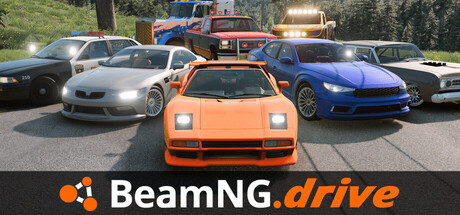
How BeamNG.drive's modes fit together, how to drive a car that actually deforms, which PC settings to change first, and where the trainer options are useful.
What You Are Getting Into
BeamNG.drive is closer to a vehicle sandbox than a racing game. Its soft-body physics engine simulates each component of a vehicle in real time, so damage from a crash changes how the car drives afterwards. There is no campaign to follow. You set the goal yourself: a tidy delivery run, a quick lap, or a deliberate crash to watch a chassis fold.
The game is in Early Access, and its updates are big. Version 0.39 reworked the graphics and overhauled the whole UI. Version 0.40 added local split-screen multiplayer and physical occupants, among them a figure the developers call Bob. Older guides and videos often show menus that have since changed, so go by what your own screen shows.
- Learn the basics in Free Roam before moving on to Scenarios.
- Menus can change from one Early Access version to the next.
- Check the patch notes after each update; hotfixes often list fixes for individual vehicles.
Your First Hours: Free Roam, Scenarios and Time Trials
Spend your first sessions in Free Roam. Choose any vehicle and any of the 12 open-world environments, then just drive. You can also alter objects and conditions such as wind speed and gravity, which shows how the physics respond with no clock or objective in the way. This is the place to find out how much longer a heavy truck takes to stop than a light car.
Scenarios add structure: haul a truck delivery as quickly and efficiently as you can, or shake off police cruisers in a chase. Time Trials ask you to pick a vehicle, map and route, then beat your own best time. A good order is Free Roam, then Time Trials on roads you already know, then Scenarios once you can tell how a car shifts its weight.
- Stick with one car on one map until braking and cornering feel predictable.
- Run the same Time Trial route repeatedly to build consistency.
- Drive a heavy truck early on to see how weight stretches stopping distances.
- Leave the police pursuit scenarios until your car control is steady.
Driving With Soft-Body Physics
New players usually drive as if the car can't break. Here it can. Hit something hard at speed and the damage stays with the car, so if it starts pulling to one side, look for damage before assuming a bug. Do your braking before the corner, feed the throttle in gently on the way out, and leave heavy vehicles plenty of space. Smooth inputs count for a lot.
Both spec lists recommend a gamepad. DualShock and DualSense controllers are supported, though Steam lists controller support as partial. Analogue sticks and triggers make light throttle and small steering corrections far easier than keys that are either on or off. There is a keyboard-only option if you have no pad; just plan on tapping keys through corners rather than holding them down.
- Play with a gamepad if you own one; both requirement lists recommend it.
- On keyboard, steer in short taps instead of holding the key.
- If the car pulls sideways after a knock, check it for damage before blaming the controls.
- Finish braking in a straight line, then turn in.
Vehicles, Tuning, Mods and the World Editor
Dozens of vehicles come with the game, from compact cars to large trucks, and you can adjust wheels, suspension, engines and much more. Change one part at a time and test it on a road you know. Swap the engine, tyres and suspension all at once and you won't be able to tell which change helped. Free Roam suits this kind of testing.
There is also a built-in World Editor for making or altering maps, plus an active community producing vehicles, terrains and scenarios. Owners of Automation, the car company tycoon game, can export a car and engine they designed there into BeamNG.drive. Mods add to the 60 GB base install, and a major update can leave older mods broken, so update or remove them when something stops working.
- Change one part at a time and note what it does to the car.
- Leave spare disk space if you plan to install mods.
- If the game misbehaves after a big update, disable your mods first.
- Build a simple test track in the World Editor for tuning runs.
PC Settings and Performance
Minimum spec is a Ryzen 5 1600 or Core i5 8400, 16 GB of RAM and a graphics card with 6 GB of VRAM such as a GTX 1060 or RX 570, running 64-bit Windows 10 with DirectX 11. For the recommended spec you need a Ryzen 7 3700X or Core i7 9700, 32 GB of RAM and an 8 GB card like an RTX 3060 or RX 6700, aimed at 1080p. Those memory figures are high, so check yours before buying.
Each vehicle runs through the full physics simulation, so extra cars on the map add load. On a minimum-spec machine, reduce AI traffic before you touch the graphics. After that, lower shadows, reflections and view distance, and drop resolution only as a last step. The recommended spec is the target for 1080p. VR requires a 10 GB card with Vulkan and OpenXR support, and HDR is available on displays that handle it.
- On a weaker CPU, cut AI traffic first.
- Lower shadows and reflections before reducing resolution.
- Close background programs if you are at the 16 GB minimum.
- Install on an SSD and keep space free for mods.
- Review your settings after graphics-heavy updates such as v0.39.
How the Trainer Options Fit This Game
In a sandbox like this, the trainer is most useful for experiments. Invincible Vehicle and Instant Repair let you keep running a route without a restart after every crash. Unlimited Fuel covers long drives across the bigger maps. Use Save Position and Load Position to repeat a difficult corner, and Teleport to Waypoint to skip long transfers. Freeze AI Cars clears the road for testing a tuned car.
Super Speed, Super Grip, Low Gravity and Game Speed alter the physics directly. They are good fun in Free Roam but give a false picture of how a car handles, so switch them off while learning or tuning. Freeze Timer fits timed Scenarios and Time Trials; Unlimited Money only matters where the game keeps track of money. Keep the trainer to offline single-player, never multiplayer or shared split-screen sessions, and back up your saves first, since the game updates often.
- Back up your save and settings folders before turning on any option.
- Pause Steam Cloud syncing for a while if you want an untouched backup.
- Switch off physics-altering options when tuning a vehicle.
- Options may need updating after a new game version.
FAQ
Do I need a controller to play BeamNG.drive?
No. A keyboard-only option exists, but both requirement lists recommend a gamepad. DualShock and DualSense controllers are supported, and analogue input makes smooth driving much easier.
Can I play BeamNG.drive with a friend on one PC?
Yes. Version 0.40 added local split-screen multiplayer, and Remote Play Together is supported too. Leave trainers off in these sessions.
Why does BeamNG.drive need 16 GB of RAM at minimum?
The soft-body engine simulates every vehicle component in real time across large open-world maps. The recommended spec asks for 32 GB, and mods increase the storage you need.
Can I bring cars from Automation into BeamNG.drive?
Yes. If you own Automation, design a car and engine there, choose its export option, and the vehicle will be available in BeamNG.drive.
Will updates break my mods or saves?
BeamNG.drive is in Early Access and gets large updates, so older mods may stop working after a new version. Back up your files before updating or using a trainer.
Comments
No comments yet
Be the first to share your thoughts.