Age of Empires II: Definitive Edition Beginner's Guide and Settings
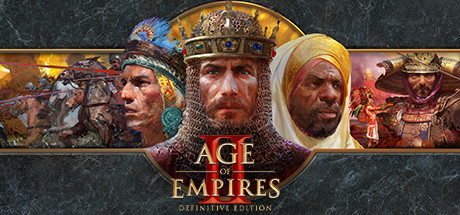
Where to start in Age of Empires II: Definitive Edition, the RTS habits that matter early, PC settings for weak and strong systems, and how to use trainer options without spoiling anyone else's game.
What You Are Getting Into
Age of Empires II: Definitive Edition remasters one of the best-known strategy games, now 25 years old, with 4K Ultra HD visuals and a remastered soundtrack. The original campaigns are all here, and the base game now also contains three expansions: Lords of the West, Dynasties of India and Dawn of the Dukes. You get more than 45 civilizations across roughly a thousand years of history, and the store page promises over 200 hours of play. That much content is easier to handle if you pick one starting point and stay with it for a while.
Single-player, online and LAN modes are all supported, for both competitive and co-op play, and multiplayer works across platforms. A Scenario Editor comes included. Updates arrive frequently with events, new content and balance tuning; a recent one added Viking-themed content. Two things follow for a newcomer. You will not run out of things to do, and unit balance can change from patch to patch, so check any numbers you find in older guides against your current version.
- Finish one campaign before you try online play.
- Learn two or three civilizations first, not all 45.
- Expect balance changes after major updates.
Your First Hours: Campaigns and Difficulty
Campaigns are the easiest way in. Objectives arrive one at a time, and you can learn the controls without a human opponent punishing every slip. Difficulty is adjustable, you can save at any point, and the game does not demand timed input, so you can play at your own pace. Save before a big attack or a tricky objective. If a mission frustrates more than it teaches, drop the difficulty; nothing is lost by learning the systems on an easier setting.
Once a few missions are behind you, move to skirmishes against the computer. Here you practise a full match from start to finish: economy, research, army production and the attack. Start against an easy opponent and go up one step each time you win comfortably. Losses to a stronger AI are worth having, because they show where your economy or defence falls behind. Pay attention to how the computer expands and when it attacks, too; it is a free lesson in pacing.
- Save before every major campaign battle.
- Raise AI difficulty one step at a time.
- Replay a lost mission with a different plan, not the same one.
Core Habits That Win Games
The store information does not cover unit-by-unit mechanics, so this section sticks to advice that holds for classic real-time strategy games generally. Economy comes first. Keep producing workers, keep all of them busy, and spend your stockpiles instead of letting them grow. Beginners who fight reasonably well still tend to lose to the AI when their production buildings stand idle and resources pile up.
Information comes next. Explore early so you know where resources and enemies are, and keep glancing at the map as the match goes on. Then build in a steady rhythm: queue units, spend income as it arrives, and add production as your economy grows. Keyboard shortcuts are worth learning gradually. A mouse-only option exists and works fine for campaigns and relaxed games, but against faster opponents shortcuts make a real difference. Pick up one new shortcut per session and it will stick.
- Keep your main production buildings working from the start.
- Spend resources instead of hoarding them.
- Scout early and check the map often.
- Learn shortcuts one at a time.
Civilizations and Playing With Others
More than 45 civilizations is a lot to choose from. Pick one that looks simple to you, play several matches with it, and branch out only after that. Civilizations differ from one another, and knowing a few well teaches you more than trying many briefly. When an unfamiliar civilization beats you, look up what sets it apart in the current version, since patches keep adjusting balance.
Quick Play is the easy route into social games once you want human opponents. Co-op is gentler still: you and a friend can take on the computer together, online or over LAN. With cross-platform multiplayer, the people you meet may not be on PC. In competitive play, expect to lose your first matches. Work on one thing per game, such as fewer idle workers or earlier scouting, instead of trying to fix everything at once.
- Get comfortable with one civilization before learning others.
- Try co-op against the AI before competitive matches.
- Pick one mistake to review after every multiplayer loss.
PC Settings and Performance
Minimum requirements are Windows 10 64-bit, an Intel Core 2 Duo or AMD Athlon 64 X2 5600+, 4 GB of RAM, and a GeForce GT 420, Radeon HD 6850 or Intel HD Graphics 4000 class GPU with 2 GB of video memory, plus DirectX 11 and 15 GB of storage. The store notes state plainly that 2 GB of VRAM and 4 GB of system memory are required. If your PC sits near that line, close background programs, run a lower resolution and keep visual quality modest rather than reaching for the 4K-grade assets.
A sensible order for cutting settings is visual quality first, then resolution, then any extra effects. In most RTS games, big late-game battles lean on the processor more than the graphics card, so on a weak dual-core CPU expect the worst slowdowns in large matches whatever your graphics settings. Smaller maps and fewer players help on such systems. The recommended tier lists a 2.4 GHz Core i5 or AMD equivalent, 8 GB of RAM and a GTX 650 or HD 5850. Both tiers list a broadband connection.
- Lower visual quality before resolution.
- Use smaller maps and fewer players on a dual-core CPU.
- Close browsers and launchers on 4 GB systems.
- Install on an SSD if you have 15 GB free there.
Using the Trainer in This Game
Our trainer offers Unlimited Resources, Instant Build, Instant Research, Fast Unit Production, Max Population, Reveal Map, Invincible Units, One-Hit Kills, Free Units, Fast Gathering and Game Speed. Keep them to single-player and offline sessions, such as campaigns or skirmishes against the computer. Do not use them in Quick Play, online matches, LAN games or co-op sessions, where other people would be affected. The game is patched often, and a trainer built for an older version may stop working, so check compatibility after each update.
Several options are handy for learning. Instant Research and Fast Unit Production let you test late-game armies against the AI without a long buildup. Reveal Map lets you watch how the computer expands. Game Speed can hurry through slow openings or slow down a hectic fight so you can study it. Back up your saves before switching anything on. Saves sync through Steam Cloud, so a damaged file can spread to your other devices; keep a manual copy somewhere else. If Steam achievements matter to you, earn them in sessions without the trainer.
- Single-player and offline only, never in multiplayer.
- Back up saves before enabling any option.
- Check trainer compatibility after every game update.
- Use Game Speed to study battles slowly.
Updates, Editor and Accessibility
Recent patches have dealt mostly with stability, crashes, performance and targeted balance tuning, with larger content drops in between. The developers also run Public Update Previews, which put upcoming patches in players' hands before release. If you play online, keep the game up to date so you are on the same version as everyone else. Patch notes are worth reading after major updates, since they list what changed and which known problems were fixed.
The Scenario Editor lets you build your own maps and situations, and updates continue to support it. It works well for practice drills, such as holding off one specific army. Accessibility options include adjustable text size, color alternatives, custom volume controls and narrated menus. If the interface text is small on your screen or player colors are hard to tell apart, change these settings early on.
- Read patch notes after major updates.
- Build practice scenarios in the editor.
- Turn on color alternatives if player colors look alike to you.
FAQ
Which expansions are included with the base game?
Lords of the West, Dynasties of India and Dawn of the Dukes come with the base game, alongside the original campaigns. Newer content, such as the Viking-themed update, arrives through regular updates.
Will Age of Empires II: Definitive Edition run on an older PC?
The minimum is Windows 10 64-bit, a dual-core CPU, 4 GB of RAM and a DirectX 11 GPU with 2 GB of video memory. On that kind of hardware, lower visual quality and stick to smaller maps.
Can I play with friends against the computer?
Yes. Co-op works online and over LAN, and multiplayer is cross-platform. Quick Play is also there for easy social games.
Can I save whenever I want during a campaign?
Yes, you can save at any time, and saves sync through Steam Cloud. If you use a trainer, keep a manual backup as well.
Can I use the trainer in multiplayer?
No. Use trainer options only in single-player and offline sessions, never in Quick Play, online, LAN or co-op games with other people.
Trainer and game page
Age of Empires II: Definitive Edition Trainer · Age of Empires II: Definitive Edition
Comments
No comments yet
Be the first to share your thoughts.